AirPods Pro Crackling/Rattling Issues: Troubleshooting - MacRumorsOpen MenuShow RoundupsShow Forums menuVisit ForumsOpen Sidebar
Skip to Content

AirPods Pro Crackling/Rattling Issues: Troubleshooting

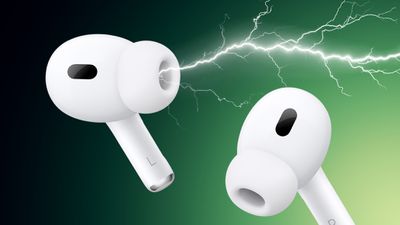
Some AirPods Pro owners have run into issues with their earbuds, and there have been numerous complaints about crackling or popping noises that occur during movement when the AirPods Pro are worn. This guide outlines the problem and provides troubleshooting steps recommended by Apple as a potential fix.
AirPods Crackling Feature
Some AirPods Pro users have been complaining of rattling, crackling, or static-like noises when Active Noise Cancellation or Transparency Mode are engaged since shortly after the AirPods Pro launched.

The noise seems to appear over time, it appears to be a hardware issue as it does not happen when ANC and Transparency Mode are turned off.

The sound happens when something causes the earbud to move or vibrate, such as when a person walks, runs, taps the affected earbud with a finger, turns their head, nods, or plays music with a lot of bass. A MacRumors reader describes what it sounds like:

It's often described like it sounds like something has come loose inside the APP earbud. Many people seem to think it's actually a problem with the external microphone: it appears to be picking up tiny vibrations as sound, and then attempting to "cancel" (in Noise Cancellation mode) or amplify (in Transparency mode) these sounds (which don't actually exist), causing the APP to play the rattling-style noise. Whether this is the actual cause or not I don't know.

While there has been speculation that it's a hardware issue, Apple seems to believe it could be based on wireless interference or a specific app, and recommends people who hear crackling sounds follow these steps:

  • Make sure the latest software is installed on a connected iPhone, iPad, iPod touch, or Mac.
  • Check that the connected device is nearby and there's no wireless interference or obstructions between you and the device.
  • Listen to audio from a different app to see if the app causes the issue.

If that doesn't work, Apple recommends contacting Apple Support for help because there is a repair program for the problem.

AirPods Pro Service Program

Apple launched a repair program for AirPods Pro to fix an issue that causes some AirPods Pro models to exhibit sound issues such as crackling or static or faulty Active Noise Cancellation.

Affected models have static or crackling sounds that increase in loud environments such as with movement or when talking on the phone, or Active Noise Cancellation that fails to work properly with a loss of bass, increased background sound, or a street or airplane noise.

The faulty AirPods Pro models were manufactured before October 2020, and those who are experiencing issues can take the AirPods Pro to Apple for service at no charge. AirPods Pro will be examined prior to service to verify that they're eligible for the program. AirPods manufactured after October 2020 should not exhibit this issue, though some users have reported having issues with AirPods manufactured later as well.

Lawsuit

Apple customers filed a class action lawsuit against Apple in November 2024 for continuing to sell AirPods Pro knowing there was a defect causing the crackling sound. Apple has been accused of deceiving customers and false advertising, with the lawsuit seeking damages.

Guide Feedback

Have a question about Apple's advice for these issues, know of a potential solution we left out, or want to offer feedback? Send us an email here.
Related Roundup: AirPods Pro 3
Buyer's Guide: AirPods Pro (Neutral)
Related Forum: AirPods

Popular Stories

airpods eq

Apple to Bring Custom EQ to AirPods

Monday June 8, 2026 10:29 am PDT by
Apple today announced that AirPods will gain a custom EQ (equalizer) feature, allowing users to further personalize how their AirPods sound. The new capability is part of Apple's next-generation software platform updates, which the company unveiled today. Custom EQ lets listeners adjust audio output to match their personal preferences, going beyond the fixed audio profiles AirPods have...
AirPods Pro 3 Heart Rate Tracking Feature

Apple Expands GymKit to iPhone and AirPods Pro 3

Tuesday June 9, 2026 2:26 am PDT by
Apple expands GymKit support to the iPhone and AirPods Pro 3 with iOS 27, extending the gym equipment connectivity feature beyond Apple Watch for the first time. GymKit originally launched in 2017 and has, until now, been exclusive to the Apple Watch feature, requiring users to wear the watch and tap it against compatible equipment to pair. The expansion means that iPhone and AirPods Pro 3...
AirPods Pro Beta Firmware 2

Apple Releases New AirPods Beta Firmware With iOS 27 Features

Tuesday June 9, 2026 11:31 am PDT by
Apple today released new beta firmware for the AirPods 4, AirPods Pro 2, and AirPods Pro 3. The firmware is limited to developers at the current time, and it has a build number of 9A5292e. In iOS 27, iPadOS 27, and macOS Golden Gate, Apple is adding a new AirPods interface and support for custom EQ. AirPods are also compatible with the new Siri AI. With iOS 26, iPadOS 26, and macOS Tahoe, ...

Top Rated Comments

Ikeda Kazuto Avatar
74 months ago

It is a hardware issue, I managed to fix mine. Just take some blue tack and force it into every hole in your AirPods. Then slowly SLOWLY remove each blue tack. Repeat this a few times on each vent and you will get perfect sound quality again. I don’t know where the inner and outer microphone is but if you know which vent has microphones in them just do the ones with microphones in them.

if you didn’t do it slowly and got some blue tack stuck in your AirPods you are stuck with 30 minutes of sticking and removing a piece of blue tack until it comes off. Good Luck


Attachment Image

Attachment Image
Score: 9 Votes (Like | Disagree)
52 months ago
Thanks! The blue tack method works! Except that I don't have the blue tack, so I suck and blew the hole instead. And It's fixed in just one try! Thanks! You saved my life. 😇

Attachment Image
Score: 8 Votes (Like | Disagree)
Ikeda Kazuto Avatar
74 months ago

Wow, I have that exact same problem and was going to go to an Apple store (after Covid) to exchange my Airpod Pros (I have applecare+) b/c I really thought it was a hardware issue.

Glad to hear that it's being addressed and that it wasn't only me!
It is a hardware issue, I managed to fix mine. Just take some blue tack and force it into every hole in your AirPods. Then slowly SLOWLY remove each blue tack. Repeat this a few times on each vent and you will get perfect sound quality again. I don’t know where the inner and outer microphone is but if you know which vent has microphones in them just do the ones with microphones in them.

if you didn’t do it slowly and got some blue tack stuck in your AirPods you are stuck with 30 minutes of sticking and removing a piece of blue tack until it comes off. Good Luck
Score: 5 Votes (Like | Disagree)
pmm1221 Avatar
42 months ago
I have this issue. The Apple store ran a diagnostic and confirmed it. My original purchase was over three years ago. However, I have already had my AirPods replaced within the first year, and that replacement occurred less than three years ago.

I know that the support document says the time window is based on the original purchase date, but if the product is defective, this policy seems anti-consumer. Basically Apple replaced my original defective AirPods, with another pair of defective AirPods that they have acknowledged on their website based on the manufacturing date in and was validated by the diagnostic ran at the Apple store.

The store representative told me to call the online support, who they said may be able to override the policy. But they refused even after confirming that the replacement AirPods fell within the manufacturing defect window.

Has anyone else faced a similar issue? I’m thinking of escalating via email to see if I get a different response.
Score: 3 Votes (Like | Disagree)
Variant Avatar
67 months ago
I hate to bump an old thread, but no one has said thank you yet. So... THANK YOU. The stick tack method works! This worked for me and saved me a lot of hassle!
Score: 2 Votes (Like | Disagree)
76 months ago
I’ve had 3 replacement buds since Christmas for this issue each time. When they work these are great but this fault makes the buds unbearable except when anc and trans are off. So far they have been swapped under warranty - but after this I’m afraid I’ll be stuck with £249 lemons.
Score: 2 Votes (Like | Disagree)