iOS 15 Safari Extensions Worth Checking Out - MacRumorsOpen MenuShow RoundupsShow Forums menuVisit ForumsOpen Sidebar
Skip to Content

iOS 15 Safari Extensions Worth Checking Out

With iOS 15, Apple introduced a new design and a range of new features, including better support for extensions. Safari in iOS 15 supports web extensions, which can be downloaded and installed through the App Store, so there are a much wider range of extension options for you to choose from.
iOs 15 Safari Feature
We've rounded up some of the most useful iOS 15 extensions that we've found so far.

  • 1Password (Subscription Required) - For 1Password users, the 1Password extension allows users to input their saved 1Password information in Safari, similar to how it works on the Mac. 1Password can autofill logins, passwords, credit card information, two-factor authentication codes, and more. A 1Password subscription is required, which is priced at $2.99 per month.
  • Amplosion ($2.99) - Amplosion redirects Google's AMP pages and links to standard links in Safari, which is a good solution for those who don't like AMP pages. Amplosion, designed by Apollo creator Christian Selig, is open source and designed with transparency so users can verify what the extension is doing.
  • Apollo (Free) - Reddit app Apollo has a new Safari extension that's designed to allow the Apollo app to open any Reddit weblink rather than requiring the link to be opened in the Reddit app. If you pair Apollo with Amplosion, Safari will open any Safari Reddit link in the Apollo app automatically, which is great for those who prefer Apollo to the official Reddit app. Apollo is free, but the Pro unlock costs $4.99.
  • Achoo - ($0.99) - Another extension created by Christian Selig, Achoo is an HTML viewer and inspector. If you need to see the HTML of a webpage on your iPhone and iPad, this is a simple app worth picking up. You can inspect HTML, copy/paste it, and edit it.
  • StopTheMadness ($7.99) - StopTheMadness is a privacy protecting extension that has several functions. It stops Google from loading AMP pages, ends clickjacking in Google search results, Facebook, and Gmail, removes tracking parameters from the ends of URLs, loads unshortened versions of URLs, prevents videos from autoplaying, and more. It's expensive, but for those who want to cut out a lot of the Safari browsing annoyances, it's worth checking out.
  • Super Agent (Free) - Super Agent is an extension that automatically fills in cookie consent forms based on your preferences, getting rid of frustrating cookie pop up forms.
  • Overamped ($1.99) - Overamped is another extension that is designed to direct AMP and Yandex Turbo to the original sites, disabling AMP and Yandex Turbo in Safari.
  • Dark Reader ($4.99) - Dark Reader for Safari brings Dark Mode to every website by adding dark themes for websites that don't support ‌Dark Mode‌ natively. There are controls for adjusting brightness and contrast, swapping between Dynamic and Filter mode, toggling the dark themes off for individual websites, and more.
  • Noir ($2.99) - If you have ‌Dark Mode‌ turned on and visit a website that does not support it, Noir will automatically turn it dark so that you're not blinded by a sudden bright webpage with ‌Dark Mode‌ enabled. Noir only activates when a website does not have a ‌Dark Mode‌ option, and you can choose to turn ‌Dark Mode‌ on or off on a site by site basis.
  • Convusic ($0.99) - Convusic is a Safari extension that's designed to open any Spotify link in Apple Music. If you're an ‌Apple Music‌ subscriber and often come across Spotify links but still want to hear the songs, this extension offers a solution. When installed, you can choose which app will open music streaming links. It works both ways - Spotify users can set it to open ‌Apple Music‌ songs in Spotify, and ‌Apple Music‌ users can set it to open Spotify songs in ‌Apple Music‌.

Installing Extensions

To install an extension, you need to download the extension app from the ‌App Store‌ and then open up the Safari section of the Settings app. From there, tap on "Extensions" and select the toggle next to the extension you want to enable.

If you want to find more extensions, just tap on the "More Extensions" button to go to the "Safari Extensions" section in the ‌App Store‌.

Alternatively, extensions can also be managed right in the browser window by tapping on the "Aa" button and then choosing the "Manage Extensions" option.

Guide Feedback

Have a favorite extension not listed here or want to offer feedback on this guide? Let us know in the comments below.

Tag: Safari

Popular Stories

Switch to Safari

Apple Explains Why Chrome Users Should 'Switch to Safari'

Tuesday October 13, 2026 5:29 am PDT by
Apple has launched a new "Switch to Safari" marketing campaign that encourages Chrome users to switch to Safari as their web browser of choice on the Mac. "Safari is a more powerful and private browser than Chrome," says Apple. Apple has a new "Switch to Safari" page on its website that outlines more than 10 reasons that Chrome users should switch to Safari, including faster performance...
safari iphone duo webkit

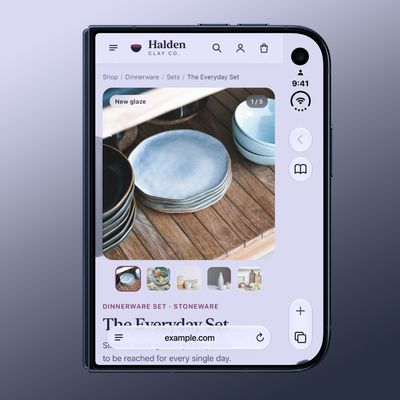
Apple Wants to Fix Safari's Cramped Layout on iPhone Duo

Saturday October 24, 2026 9:58 pm PDT by
Apple is considering changes to Safari on the iPhone Duo that would give websites access to more of the outer display, although the company has yet to settle on an approach. The challenge is allowing pages to occupy the area beneath Safari's side-mounted controls without making parts of a website inaccessible. In an Friday, October 23 WebKit post, Apple's Jen Simmons explained that an...
Switch to Safari

Apple Addresses Web Security Threat, Working on macOS Update With Additional Fix

Sunday October 25, 2026 4:07 pm PDT by
Earlier this month, a security researcher discovered that private cryptographic keys associated with eight of Indian company eMudhra's intermediate certificate authority (CA) certificates were weak. The compromised keys could have allowed attackers to impersonate legitimate websites, potentially putting users' sensitive information at risk. However, there is currently no evidence that the keys...

Top Rated Comments

ChristianSelig Avatar
67 months ago
Woot! Thanks Juli, blows my mind for three of my apps to make the list. Hope everyone likes Amplosion, it was a lot of fun to build and really nice to finally have. It's open source too ('https://github.com/christianselig/Amplosion')if anyone wants to take a peak behind the curtains of what it does, Safari extensions can request quite a bit of permissions so I wanted to be pretty forthcoming with everything.
Score: 36 Votes (Like | Disagree)
67 months ago

Should also be pointed out that those of us who previously paid for 1Password, and are still using stand alone vaults with no subscription, can not only NOT use the new extension, but they took away the existing share sheet with no warning.
I dumped them for that. iCloud Keychain also stores all of the passcodes I need.
Score: 24 Votes (Like | Disagree)
Oberhorst Avatar
67 months ago

Should also be pointed out that those of us who previously paid for 1Password, and are still using stand alone vaults with no subscription, can not only NOT use the new extension, but they took away the existing share sheet with no warning.
That's why I switched back to Apples own solution again, it's good enough now. Not gonna pay for 1Password, I bought their standalone versions for iOS and macOS but it ends here.


Score: 13 Votes (Like | Disagree)
nutmac Avatar
67 months ago
Regarding Amplosion, non-Google search engines such as DuckDuckGo do not link to AMP.
Score: 12 Votes (Like | Disagree)
oneMadRssn Avatar
67 months ago
If someone makes a Transmission web interface manager extention, which can open magnet links and send them to Transmission, I will buy you coffee for a week.
Score: 11 Votes (Like | Disagree)
zakarhino Avatar
67 months ago

Come on. The extensions for Safari are just an utter joke.
I disagree. Safari extensions that can actually read and manipulate web content is something on my list of "Things Apple would never do but would be amazing if they did"

It's not perfect, you can only get extensions from the App Store for example... but it's still pretty cool. This also opens up the door to all sorts of content blocking previously inaccessible to iOS users.
Score: 9 Votes (Like | Disagree)
Latest Stories
Apple Store Subscription Sign-Up Controversy Exposed
6 hours ago
Siri AI Rumored to Become 'More Like an Agent' as Early as Next Year
16 hours ago
Apple Taking New Approach to Developing iOS 28 and macOS 28
18 hours ago
Early Apple Black Friday Deals on Apple Watch, MacBook Air, and More
2 days ago
'Backglow' Lets You Customize New MacBook Pro's Glowing Apple Logo
2 days ago
Top Stories: Apple Product Launches, iOS 27.3 Beta, and More
2 days ago
More Fun iPhone Duo Apps: 30 New Picks to Try
2 days ago
Hands-On With Apple's New OLED Touchscreen MacBook Pro
3 days ago
Apple Store With All-New Design Opening Soon in Southern California
3 days ago
Control the Glowing Apple Logo on Your New MacBook Pro
3 days ago
Apple Shares New 'Apple Card: Apply and Use in Minutes' Ad
3 days ago
Apple Says More Than 100,000 Apps Optimized for iPhone Duo, Here's What's Still Missing
3 days ago
Early Black Friday Deals Kickoff With Steep Discounts on Apple Watch Ultras and More
3 days ago
The MacRumors Show: iOS 27.3 Looks Like a Huge Update
3 days ago
Best Buy's Black Friday Event Begins With Sitewide Savings on Apple, TVs, More
3 days ago
Apple Releasing Yet Another Two New Products Next Week
3 days ago
MacBook Air Drops to Lowest Price in Months With Amazon's $250 Discount
3 days ago
Apple Rumored to Drop the iPhone's Action Button Next Year
3 days ago
Apple's Extended Return Policy Now in Effect for 2026 Holiday Season
3 days ago
Apple Music Classical Updated With New Icon and Refreshed Design
3 days ago
OLED iPad Mini, M6 iMac, and New MacBook Pros Available From Today
3 days ago
Apple Surveys iPhone Duo Buyers About Crease and Camera
3 days ago
Apple's First Touchscreen Mac is Now Arriving to Customers
3 days ago
Claude Gets Personal Finance Feature With Bank Account Linking
3 days ago
Apple Arcade Adds Crossy Road Rush and NBA 2K27
3 days ago
Apple's New HomeView Smart Home Hub: Here's How Much RAM It Has
4 days ago
iPad Mini vs. iPad Air Buyer's Guide: Now Just $50 Apart
4 days ago
First iOS 27.3 and macOS Golden Gate 27.3 Public Betas Now Available
4 days ago
Apple Announces a New Mac Sales Record
4 days ago
Paid $200 for Logic Pro? Apple Says You Won't Get This New Feature
4 days ago







































