iOS 17 Safety Features: Sensitive Content Warnings, Messages Check In and More - MacRumorsOpen MenuShow RoundupsShow Forums menuVisit ForumsOpen Sidebar
Skip to Content

iOS 17 Safety Features: Sensitive Content Warnings, Messages Check In and More

Apple introduced several new safety-focused features in iOS 17, including measures to keep you safe when you're traveling and to prevent you from seeing images you don't want to see.

iOS 17 Safety Feature
This guide highlights all of the safety functions that Apple added to iOS 17, and it accompanies our iOS 17 privacy and security guide.

Sensitive Content Warnings

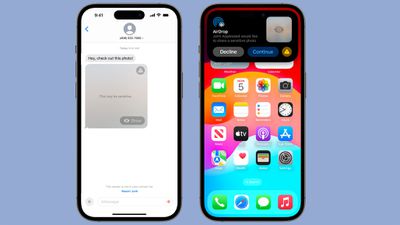
With Sensitive Content Warnings, incoming files, videos, and images are scanned on-device and blocked if they contain nudity. It is a function that will put a stop to unsolicited nude photos and similar content.
nude photo block ios 17
The opt-in blurring can be applied to images in Messages, AirDrop, Contact Posters for the Phone app, FaceTime messages, and third-party apps. This is separate from the Communication Safety features implemented for children, and is designed for people of all ages.

All nudity will be blocked by default if the feature is enabled, but it can be viewed by tapping on the "Show" button. Sensitive Content Warnings can be enabled in the Settings app.

  1. Open up the Settings app.
  2. Choose Privacy & Security.
  3. Tap on Sensitive Content Warning.
  4. Tap to toggle on Sensitive Content Warning.

You can turn on Sensitive Content Warnings for specific services, including AirDrop, Messages, and Video Messages. All detection of images is done on device, and there are Safety Resources that can be accessed.

Messages Check In

Messages Check In is a feature that lets you inform other people when you're going somewhere so they can keep tabs on you and make sure that you get to that location safely.
messages check in
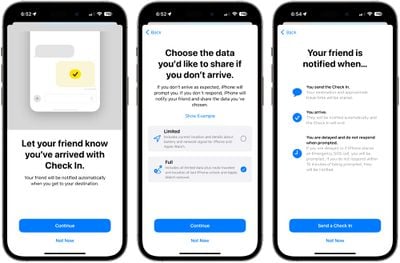
It tells a friend or family member your destination and the time that you're meant to be there, and if you don't check in at the proper time, they can ping you to see what's going on and get access to your location in case of emergency. Here's how to use it:

  1. Open up the Messages app.
  2. Open the conversation with the person you want to use Check In with.
  3. Tap on the "+" button next to the text input bar.
  4. Tap on More.
  5. Tap on Check In.
  6. Tap on Continue.
  7. Follow the prompts to start the feature.

With Check In, a friend or family member will be notified of your destination and approximate travel time, with another automatic notification sent when you reach your destination. So if you're going from a friend's house to your house late at night, you can set up Check In and your friend will get an alert when you make it home.
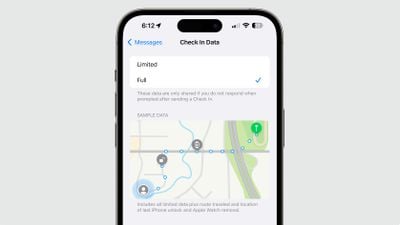
messages check in changes
If you are not making progress toward your destination, you'll be prompted and will have 15 minutes to respond on your iPhone. If you don't respond, your friend will get an alert.

There are two data sharing options for Check In. With "Limited," current location, details about battery level, and network signal for your iPhone and Apple Watch are shared. With "Full" data selected, all of that information will be shared along with route traveled and location of last iPhone unlock and Apple Watch removal.

Check In requires your friends or family members to be running iOS 17 in order to get your alerts.

Communication Safety

Apple last year introduced Communication Safety, an opt-in feature that warns children when sending or receiving photos that contain nudity. It blurs nude photos and provides children with helpful resources and suggests that they get in touch with a trusted adult.
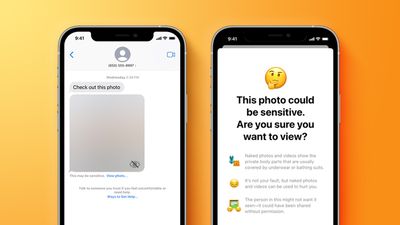
communication safety feature yellow
Communication Safety in iOS 17 is expanding worldwide, so it will be available in more countries than it was previously. It will be turned on by default for children under the age of 13 who are signed in to their Apple ID and who are part of a Family Sharing group.

Parents can enable it for older teens as well, with the option to turn it on available in the Settings app under Screen Time.

In addition to being available worldwide, Communication Safety's protections will expand to AirDrop, the systemwide photo picker, ‌FaceTime‌ messages, and third-party apps in addition to the Messages app.

Offline Maps

The Maps app works offline in iOS 17, providing access to turn-by-turn directions and information for the area that you're in even if you do not have a cellular or Wi-Fi connection.

Apple Maps Offline
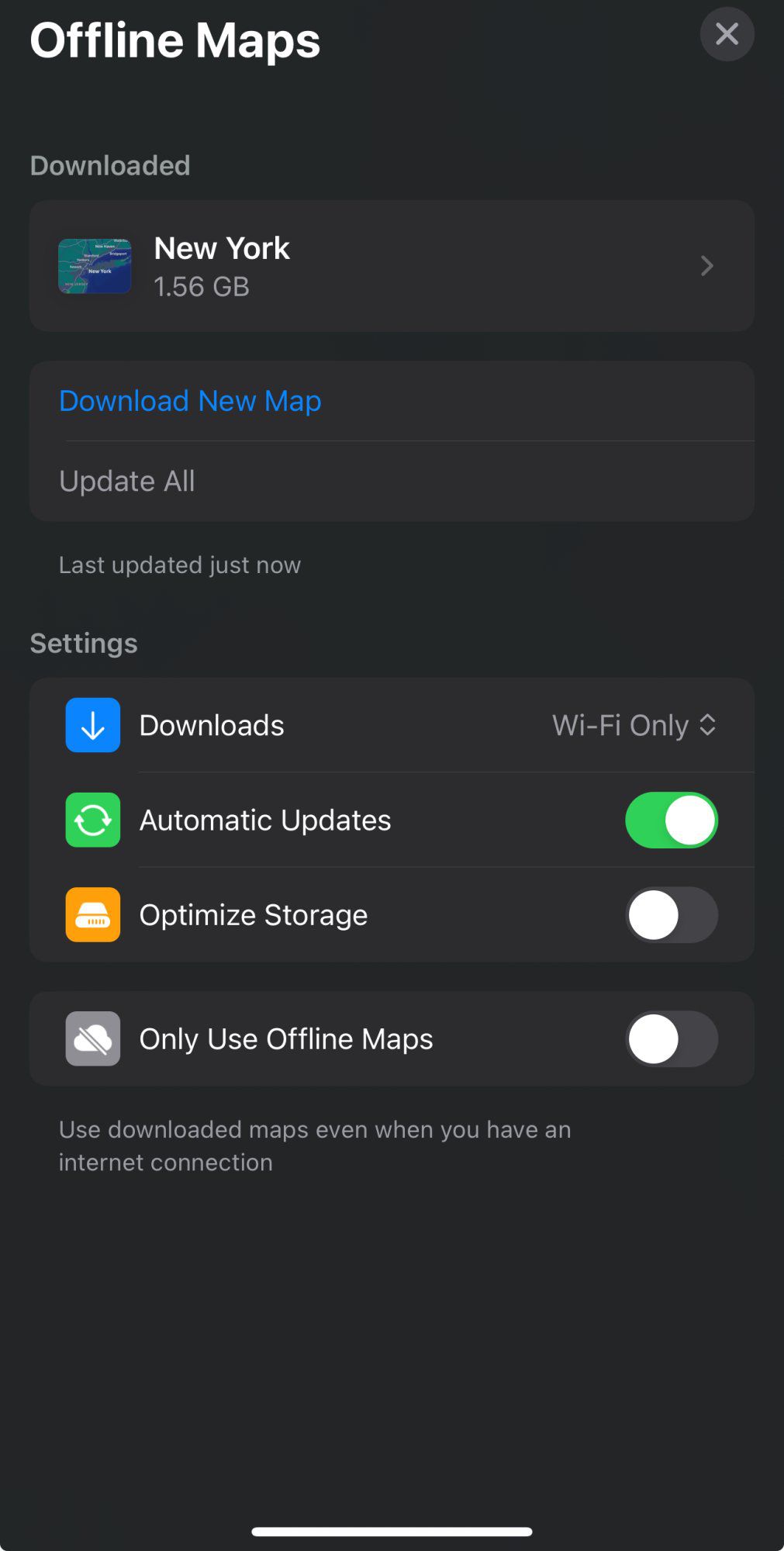
Offline Maps is useful if you're planning to travel somewhere remote, such as when hiking or traveling in rural areas. Downloading a map can be done by putting in a location, tapping on the "More" button, and then choosing the "Download Map" option.

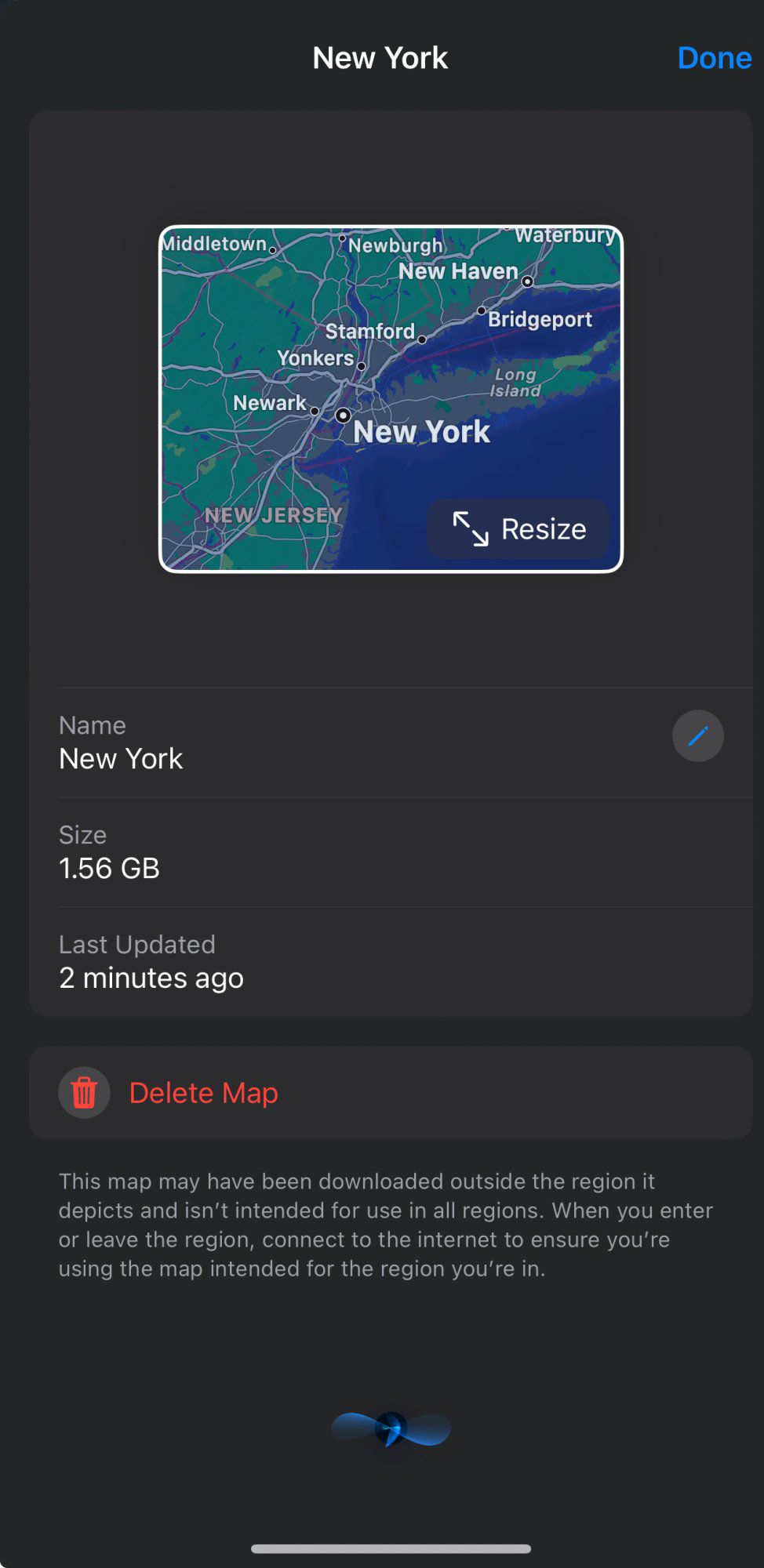
You can select the size of the area that you want to save, and multiple areas can be downloaded. You can manage Map downloads by opening up the Maps app, tapping on your profile picture, and selecting Offline Maps.

Maps can be updated, deleted, renamed, and resized, and you can download new maps from this interface too. Downloads can be set to automatically update, and there is an option to use offline maps even when a connection is available.

Follow Up Medication Reminders

The Medications section in the Health app can send a follow up reminder if you haven't marked a medication as taken 30 minutes after the initial notification.
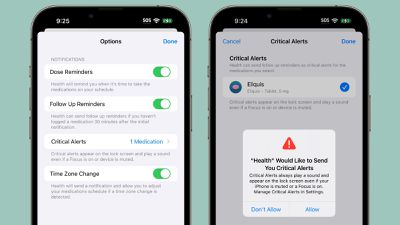
iOS 17 Health App Medication Follow Up Reminders
Apple has also added a Critical Alerts feature for important medications, ensuring that notifications appear on the Lock Screen and play a sound even if the iPhone is muted or a Focus mode is turned on.

Read More

More information on the additions in the iOS 17 update can be found in our iOS 17 roundup.

Related Forums: iOS 17, iPadOS 17

Popular Stories

apple pro tell logo

Apple Launching Five New Products Today

Thursday November 5, 2026 12:59 am PST by
Apple is launching five new products on Friday, November 6, following pre-orders that opened last week, including its first touchscreen MacBook Pro models. The following new products will be available from today: iPad mini with OLED display and A20 Pro chip iMac with M6 chip 14-inch MacBook Pro with M6 chip 14-inch MacBook Pro with OLED touchscreen 16-inch MacBook Pro with OLED...
duo aquarium

More Fun iPhone Duo Apps: 30 New Picks to Try

Friday November 6, 2026 3:27 pm PST by
When the iPhone Duo launched, we shared a list of some of the fun apps developers created for the new form factor. Two weeks out, developers are continuing to come up with fresh ideas, so we thought we'd share some of our favorites. Games Marbles Unhinged ($2.99) - Marbles Unhinged is a marble maze designed for the Duo. When you fold it, the floor turns into a ramp. If you stand the top...


silver iphone 18 pro

Apple Rumored to Drop the iPhone's Action Button Next Year

Friday November 6, 2026 6:07 am PST by
Apple plans to merge the iPhone's Action button with the Camera Control starting next year, according to the leaker known as "Instant Digital." In a new post on Weibo, the leaker claimed that a single press of the combined button would open the camera, while a long press would trigger the function assigned to the Action button. They explicitly clarified that the dedicated Action button would ...

Top Rated Comments

antiprotest Avatar
44 months ago
Like I said before I want the option to block only male nudity.
Score: 16 Votes (Like | Disagree)
v0lume4 Avatar
44 months ago
I wonder how good the ML data is for tagging sensitive photos. False positives, false negatives, etc.

edit - The fun police removed the photo. Thanks a lot!
Score: 15 Votes (Like | Disagree)
44 months ago
Offline Maps? What an innovative idea! Finally, but thanks 🙏 8 Years after Google! (Nov 2015)
Score: 9 Votes (Like | Disagree)
44 months ago

Does anyone know if the offline maps will update themselves as and when Apple update their maps? Or will have to re-save locally?

Not expecting a definitive answer - just an impression and expectation.
This should answer your question.


Attachment Image

Attachment Image
Score: 8 Votes (Like | Disagree)
44 months ago
John Appleseed has really gone downhill over the years. He should know better than to share sensitive photos...
But seriously, these features look awesome. Really looking forward to iOS17.
Score: 8 Votes (Like | Disagree)
boswald Avatar
44 months ago
As a clumsy, forgetful klutz at times, the medication reminder is one of my favorite features.
Score: 7 Votes (Like | Disagree)
Latest Stories
Early Apple Black Friday Deals on Apple Watch, MacBook Air, and More
13 hours ago
'Backglow' Lets You Customize New MacBook Pro's Glowing Apple Logo
13 hours ago
Top Stories: Apple Product Launches, iOS 27.3 Beta, and More
20 hours ago
More Fun iPhone Duo Apps: 30 New Picks to Try
1 day ago
Hands-On With Apple's New OLED Touchscreen MacBook Pro
2 days ago
Apple Store With All-New Design Opening Soon in Southern California
2 days ago
Control the Glowing Apple Logo on Your New MacBook Pro
2 days ago
Apple Shares New 'Apple Card: Apply and Use in Minutes' Ad
2 days ago
Apple Says More Than 100,000 Apps Optimized for iPhone Duo, Here's What's Still Missing
2 days ago
Early Black Friday Deals Kickoff With Steep Discounts on Apple Watch Ultras and More
2 days ago
The MacRumors Show: iOS 27.3 Looks Like a Huge Update
2 days ago
Best Buy's Black Friday Event Begins With Sitewide Savings on Apple, TVs, More
2 days ago
Apple Releasing Yet Another Two New Products Next Week
2 days ago
MacBook Air Drops to Lowest Price in Months With Amazon's $250 Discount
2 days ago
Apple Rumored to Drop the iPhone's Action Button Next Year
2 days ago
Apple's Extended Return Policy Now in Effect for 2026 Holiday Season
2 days ago
Apple Music Classical Updated With New Icon and Refreshed Design
2 days ago
OLED iPad Mini, M6 iMac, and New MacBook Pros Available From Today
2 days ago
Apple Surveys iPhone Duo Buyers About Crease and Camera
2 days ago
Apple's First Touchscreen Mac is Now Arriving to Customers
2 days ago
Claude Gets Personal Finance Feature With Bank Account Linking
2 days ago
Apple Arcade Adds Crossy Road Rush and NBA 2K27
3 days ago
Apple's New HomeView Smart Home Hub: Here's How Much RAM It Has
3 days ago
iPad Mini vs. iPad Air Buyer's Guide: Now Just $50 Apart
3 days ago
First iOS 27.3 and macOS Golden Gate 27.3 Public Betas Now Available
3 days ago
Apple Announces a New Mac Sales Record
3 days ago
Paid $200 for Logic Pro? Apple Says You Won't Get This New Feature
3 days ago
Instagram's Edits Video Editor is Now Available on Mac
3 days ago
Prevent Siri and Search From Accessing Specific iPhone Apps
3 days ago
Best Early Black Friday Deals on iPhone 18 Pro and iPhone Duo
3 days ago