iOS 18 Passwords App: All the New Features - MacRumorsOpen MenuShow RoundupsShow Forums menuVisit ForumsOpen Sidebar
Skip to Content

iOS 18 Passwords App: All the New Features

With iOS 18, Apple introduced a standalone Passwords app that streamlines login and password management. You've been able to store password information on your Apple devices through iCloud Keychain for years, but accessing passwords was a little difficult because the data was tucked away in the Settings app. That's no longer the case, and in iOS 18, it's much simpler to create and manage passwords for websites and more.
Generic iOS 18 Passwords Feature
This guide goes over everything you need to know about the iOS 18 Passwords app, which is also available in iPadOS 18 and macOS Sequoia 15.

Layout

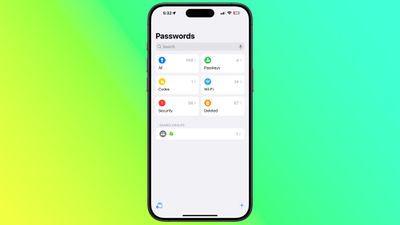
The Passwords app is installed automatically when upgrading to iOS 18, iPadOS 18, or macOS Sequoia. The app has a simple layout with a search bar right at the top, so you can look up the information that you're looking for.
ios 18 passwords app
If you've already used the ‌iCloud‌ Keychain feature, all of your saved logins and passwords are ready to go as soon as you authenticate with Face ID or Touch ID. There are separate sections for passwords and logins (under All), Passkeys, two-factor authentication codes, Wi-Fi passwords, security warnings, and logins that have been deleted.
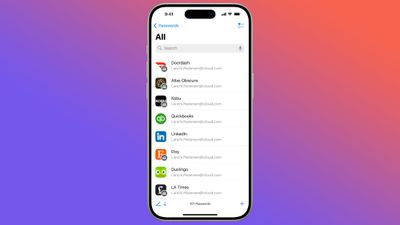
ios 18 passwords app
You can tap in to any of the sections to see what's listed there, and tapping on an individual entry shows the login and password. Each entry has fields for site or app name, username, login, verification code, websites where the login is used, and notes. There's also a one-tap option for changing your password for any given entry.
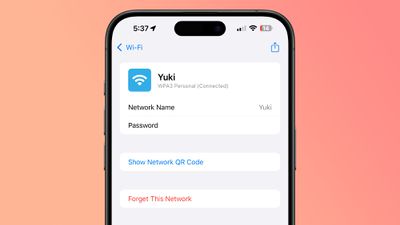
ios 18 passwords app wifi
The layout of the Passwords app is similar to what you see in the Passwords section of the Settings app in iOS 18.

Adding Logins and Passwords

To add a login or password to the Passwords app, it's as simple as tapping on the "+" button at the bottom of the main interface.

ios 18 add password
The Passwords app populates a new entry with a password automatically, and you just need to add the website name and username, then copy the password and put it in the app, website, or service you're signing up for. Tapping on Save will save the information.

If you want to add information to an existing entry, you can tap into the relevant section, such as All, search for the login you want to update, tap it, and then select the "Edit" option to get to the editing interface for adding notes, changing a password, or adding a verification code.

Passwords and logins are added automatically to the Passwords app when you have ‌iCloud‌ Keychain enabled and you create a new login in Safari or in an app.

Changing Passwords

To change a Password, you just need to open up the Passwords app, search for the login you want to update, tap on Edit, and then tap on the "Change Password..." option. You can also browse through Passwords using the "All" section.

Tapping on Change Password opens up the website associated with the login and password, but you will need to initiate the password change process on the site by logging into your account and finding the appropriate option for updating a password.

Deleting Passwords

To delete a password, go to the "All" section and browse until you find it, or search for a specific login. From the "All" overview, you can swipe from right to left to bring up a delete option. Just tap on delete to remove the password.

You can also tap into any of your logins, choose Edit, and select Delete Password from there. To delete multiple logins, tap on the Select tool at the top right of the display (it looks like a list with a checkmark) and then tap any of the logins you want to delete. When you're done, tap on Delete again to delete them all.

Passwords that you have deleted are stored in a Deleted folder in the Passwords app for 30 days before they're permanently deleted. You can tap into that folder and swipe to delete logins and passwords right away. Alternatively, you can use the select button at the top to delete multiple logins at one time.

Authentication Codes

The Passwords app can provide two-factor authentication codes for sites that make additional security options available. To add a two-factor authentication code, tap on the "Codes" section of the main Passwords interface.

From there, tap on the "+" button. You can either scan a QR code with a camera, which is a common way two-factor authentication apps work, or enter a setup key. Once the code is stored in the Passwords app, you can open up the Codes section at any time to get a temporary code to log in to a site or app.

Two-factor authentication codes also show up when you search for a password and login or browse through logins in the "All" section.

Passkeys

Websites have started transitioning from passwords to passkeys, and the Passwords app stores your passkeys as well as your logins and passwords.

ios 18 passwords passkey
Passkeys are more secure than passwords, and they let you log into your accounts using ‌Face ID‌ or ‌Touch ID‌ authentication on an Apple device. Passkeys basically use a cryptographic key pair, with one public key stored on a server and a private key stored on your device.

Private keys are not shared, they remain on-device only, and can't be sent to other people, protecting your accounts from phishing attempts.

You can see your stored passkeys in the Passkeys section of the Passwords app, and you should swap over to Passkeys for every website that offers the feature.

Password Sharing

The Passwords app lets you set up and share select passwords with trusted contacts. You can create one or more groups of people that include family and friends, providing them with access to shared logins and passwords.

ios 18 passwords shared groups
Creating a group can be done by tapping on the folder on the left hand side of the main Passwords interface. Type in a name, and then select people to add. Note that anyone you add needs to be in your contacts list.

From there, you can select logins and passwords that you want to share. Logins and passwords can be removed at any time, and all members of a group can contribute logins. The group creator can remove people from the group at any time.

To share a password with someone in person, you can search for the login that you want to share and then use the Share Sheet to open up an AirDrop interface that will let you AirDrop the login and password information. The Share Sheet is only designed for this kind of in-person sharing.

AutoFill

If you have AutoFill enabled on your devices, your logins and passwords will be entered automatically when you visit a website in Safari that you have stored login information for. AutoFill will pop up an option for the appropriate login and password on any account login field in Safari or in an app.

AutoFill works the same as it did when passwords were limited to the Settings app.

Sorting

In the "All" section of the Passwords app, you can tap on the icon that features two arrows to get to sorting options.

ios 18 password app sorting
Sorting options include Date Edited, Date Created, Website, or Title, and each of these can be displayed in a Descending or Ascending list by tapping on the desired option.

Syncing

Passwords are synced automatically between all of your Apple devices using ‌iCloud‌ Keychain. You just need to have the option turned on and you need to be logged in to your Apple ID on any device where you want to access your passwords.

You can even get to your logins and passwords on a Windows PC because Apple is adding the Passwords app to iTunes for Windows.

Security

There is a dedicated Security section in the Passwords app, and it lets you know if you have a password that is reused, too weak, or has been compromised in a data leak.

ios 18 passwords app security
Warnings are accompanied by information letting you know that a password change is in order, and you can tap on the Change Password option to go to the website where you need to update your information.

For any individual login, you'll also see information letting you know if your password is weak or strong.

Importing Passwords

Apple plans to provide a tool for importing passwords from other services like 1Password and LastPass, but as of now, this functionality has not been implemented.

Read More

For more on the new features that Apple is added in iOS 18, we have a dedicated iOS 18 roundup.

Related Forums: iOS 18, iPadOS 18

Popular Stories

apple pro tell logo

Apple Launching Five New Products Today

Thursday November 5, 2026 12:59 am PST by
Apple is launching five new products on Friday, November 6, following pre-orders that opened last week, including its first touchscreen MacBook Pro models. The following new products will be available from today: iPad mini with OLED display and A20 Pro chip iMac with M6 chip 14-inch MacBook Pro with M6 chip 14-inch MacBook Pro with OLED touchscreen 16-inch MacBook Pro with OLED...
duo aquarium

More Fun iPhone Duo Apps: 30 New Picks to Try

Friday November 6, 2026 3:27 pm PST by
When the iPhone Duo launched, we shared a list of some of the fun apps developers created for the new form factor. Two weeks out, developers are continuing to come up with fresh ideas, so we thought we'd share some of our favorites. Games Marbles Unhinged ($2.99) - Marbles Unhinged is a marble maze designed for the Duo. When you fold it, the floor turns into a ramp. If you stand the top...


silver iphone 18 pro

Apple Rumored to Drop the iPhone's Action Button Next Year

Friday November 6, 2026 6:07 am PST by
Apple plans to merge the iPhone's Action button with the Camera Control starting next year, according to the leaker known as "Instant Digital." In a new post on Weibo, the leaker claimed that a single press of the combined button would open the camera, while a long press would trigger the function assigned to the Action button. They explicitly clarified that the dedicated Action button would ...

Top Rated Comments

proximity Avatar
30 months ago
Anyone else ditching 1Password but need a plan for where to move the things that the new Password app doesn't support? (Passport, image files, software licenses, notes etc)?

Looking for ideas
Score: 29 Votes (Like | Disagree)
sniffies Avatar
30 months ago
macOS suggestion:

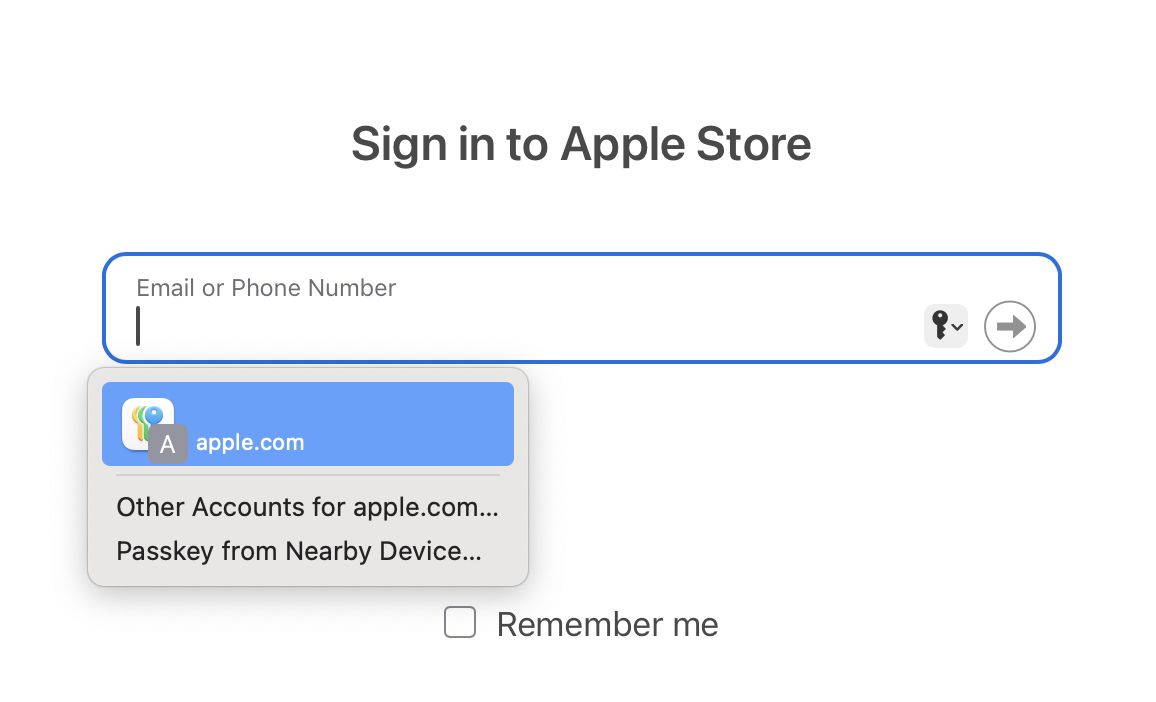
Preselect first password during autofill


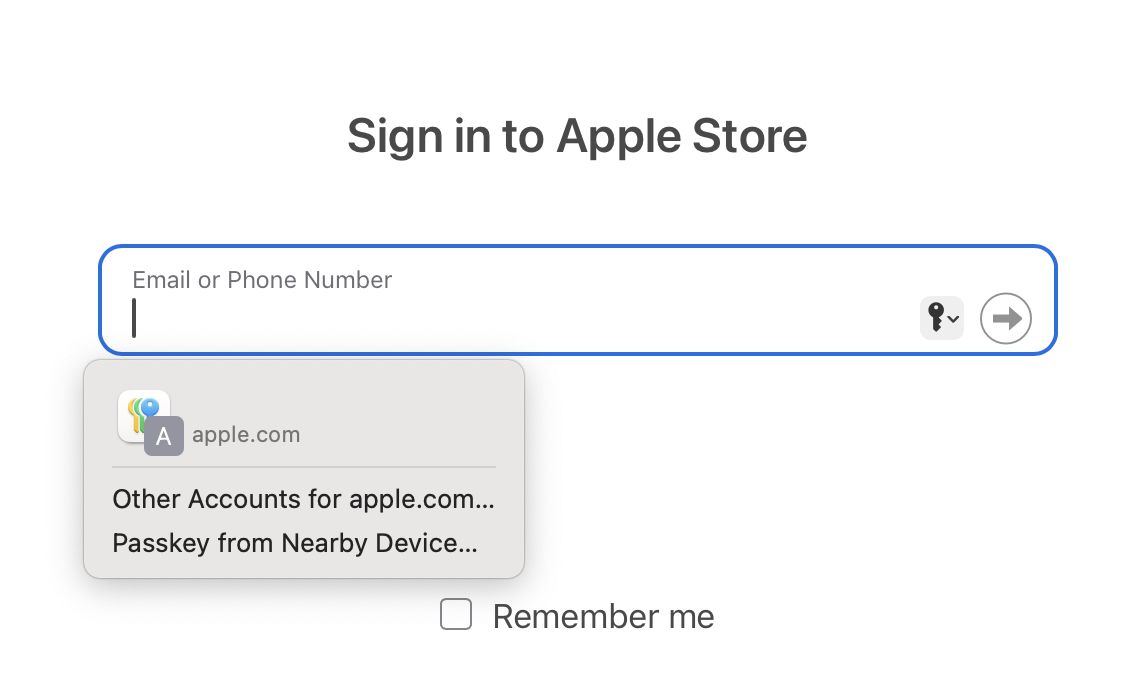
So, instead of having this:


Give us this:


Attachment Image

Attachment Image
Score: 27 Votes (Like | Disagree)
30 months ago

Does it keep a history of passwords? In the example given, if you change a password for a website in the Password app, then go to the website to update your password, you need the old password.
It does not. If you change a password and the form returns a 2XX HTTP code but for whatever reason fails to save on their backend, the Passwords app will only remember the new (useless) password and then it will sync it to every other device.

As a result, I can't switch to the Passwords app because I have too many accounts with (1) shoddy change password forms that can't be trusted to return the right HTTP status when a request fails and (2) can't be reset easily with an e-mail address alone (require a phone number I no longer control, etc)
Score: 23 Votes (Like | Disagree)
TwoBytes Avatar
30 months ago
The apple passwords app needs before I rely on it:

-the ability to store credit cards / passports
-the ability to add images/screenshots / pdf's of wills, legal documents, etc


Before people say notes, I've had corrupt notes before with things that get deleted or due to large images taking up space in the note
Score: 22 Votes (Like | Disagree)
30 months ago

It does not. If you change a password and the form returns a 2XX HTTP code but for whatever reason fails to save on their backend, the Passwords app will only remember the new (useless) password and then it will sync it to every other device.

As a result, I can't switch to the Passwords app because I have too many accounts with (1) shoddy change password forms that can't be trusted to return the right HTTP status when a request fails and (2) can't be reset easily with an e-mail address alone (require a phone number I no longer control, etc)
Thanks. That seems like a big oversight. I like with 1Password I can get to previous password for situations like this.
Score: 20 Votes (Like | Disagree)
30 months ago
Does it keep a history of passwords? In the example given, if you change a password for a website in the Password app, then go to the website to update your password, you need the old password.
Score: 16 Votes (Like | Disagree)
Latest Stories
Early Apple Black Friday Deals on Apple Watch, MacBook Air, and More
15 hours ago
'Backglow' Lets You Customize New MacBook Pro's Glowing Apple Logo
15 hours ago
Top Stories: Apple Product Launches, iOS 27.3 Beta, and More
22 hours ago
More Fun iPhone Duo Apps: 30 New Picks to Try
2 days ago
Hands-On With Apple's New OLED Touchscreen MacBook Pro
2 days ago
Apple Store With All-New Design Opening Soon in Southern California
2 days ago
Control the Glowing Apple Logo on Your New MacBook Pro
2 days ago
Apple Shares New 'Apple Card: Apply and Use in Minutes' Ad
2 days ago
Apple Says More Than 100,000 Apps Optimized for iPhone Duo, Here's What's Still Missing
2 days ago
Early Black Friday Deals Kickoff With Steep Discounts on Apple Watch Ultras and More
2 days ago
The MacRumors Show: iOS 27.3 Looks Like a Huge Update
2 days ago
Best Buy's Black Friday Event Begins With Sitewide Savings on Apple, TVs, More
2 days ago
Apple Releasing Yet Another Two New Products Next Week
2 days ago
MacBook Air Drops to Lowest Price in Months With Amazon's $250 Discount
2 days ago
Apple Rumored to Drop the iPhone's Action Button Next Year
2 days ago
Apple's Extended Return Policy Now in Effect for 2026 Holiday Season
2 days ago
Apple Music Classical Updated With New Icon and Refreshed Design
2 days ago
OLED iPad Mini, M6 iMac, and New MacBook Pros Available From Today
2 days ago
Apple Surveys iPhone Duo Buyers About Crease and Camera
2 days ago
Apple's First Touchscreen Mac is Now Arriving to Customers
3 days ago
Claude Gets Personal Finance Feature With Bank Account Linking
3 days ago
Apple Arcade Adds Crossy Road Rush and NBA 2K27
3 days ago
Apple's New HomeView Smart Home Hub: Here's How Much RAM It Has
3 days ago
iPad Mini vs. iPad Air Buyer's Guide: Now Just $50 Apart
3 days ago
First iOS 27.3 and macOS Golden Gate 27.3 Public Betas Now Available
3 days ago
Apple Announces a New Mac Sales Record
3 days ago
Paid $200 for Logic Pro? Apple Says You Won't Get This New Feature
3 days ago
Instagram's Edits Video Editor is Now Available on Mac
3 days ago
Prevent Siri and Search From Accessing Specific iPhone Apps
3 days ago
Best Early Black Friday Deals on iPhone 18 Pro and iPhone Duo
3 days ago