

Apple last month announced a new MacBook Air, introducing the M5 chip, faster wireless connectivity, double the base storage, and a more capable charger, while simultaneously discontinuing the M4 model. So how does the new machine compare?
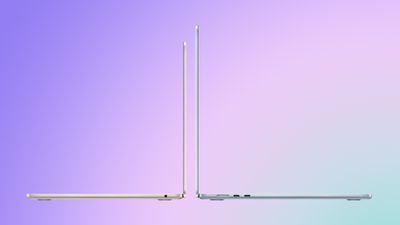
The M5 MacBook Air starts at $1,099 for the 13-inch model and $1,299 for the 15-inch, a $100 increase over the equivalent M4 models. In exchange, base storage doubles from 256GB to 512GB, and Apple says the new SSD delivers twice the read and write speeds of the previous generation. Education pricing is also available directly from Apple and typically shaves at least $100 off the price.
The main upgrade between the two models is the chip. Compared to the M4, the M5 delivers:
- Up to 15% faster multithreaded CPU performance
- Up to 30% faster overall graphics performance
- Up to 45% faster ray tracing performance
- 27.5% higher unified memory bandwidth
In addition to these general performance claims, Apple published a set of specific real-world workload results showing measurable gains in AI-driven applications:
- 4×+ peak GPU compute performance for AI
- 3.6× faster time to first token (LLM)
- 1.8× faster Topaz Video Enhance AI processing
- 1.7× faster Blender ray-traced rendering
- 2.9× faster AI speech enhancement in Premiere Pro
Beyond raw performance, the M5 introduces several meaningful architectural changes. The GPU includes a dedicated Neural Accelerator in every core, a hardware addition absent from the M4, and Apple is exposing this via new Metal 4 developer APIs with Tensor capabilities.
The ray tracing engine advances to its third generation, and dynamic caching moves to its second generation. Memory bandwidth rises from 120 GB/s to 153 GB/s, enabled by the move from TSMC's second-generation 3nm process (N3E) to its third-generation 3nm process (N3P).
The M5 MacBook Air also gains Apple's N1 wireless chip, bringing Wi-Fi 7 and Bluetooth 6 in place of the M4 model's Wi-Fi 6E and Bluetooth 5.3.
| MacBook Air (2025) | MacBook Air (2026) |
|---|---|
| Apple M4 chip | Apple M5 chip |
| Based on A18 chip from 2024's iPhone 16 | Based on A19 Pro chip from 2025's iPhone 17 Pro |
| 4 performance + 6 efficiency cores | 4 super cores + 6 efficiency cores |
| Made with TSMC's second-generation 3nm node (N3E) | Made with TSMC's third-generation 3nm node (N3P) |
| No integrated Neural Accelerators | Integrated Neural Accelerator in every GPU core |
| Metal 3 developer APIs | Metal 4 developer APIs with Tensor APIs to program GPU Neural Accelerators |
| Second-generation ray tracing engine | Third-generation ray tracing engine |
| First-generation dynamic caching | Second-generation dynamic caching |
| Shader cores | Enhanced shader cores |
| PCIe NVMe Gen 3 SSD | PCIe NVMe Gen 4 SSD (2× faster read/write speeds) |
| 120 GB/s memory bandwidth | 153 GB/s memory bandwidth |
| Apple N1 chip | |
| Wi-Fi 6E | Wi-Fi 7 |
| Bluetooth 5.3 | Bluetooth 6 |
| Support for up to two external displays when the lid is open | Support for up to two external displays simultaneously over a single Thunderbolt port; one display up to 8K at 60Hz or 5K at 120Hz |
| 30W USB-C Power Adapter | 40W Dynamic Power Adapter with 60W Max |
| 256GB base storage, up to 2TB | 512GB base storage, up to 4TB |
| Introduced in March 2025 | Introduced in March 2026 |
| Started at $999 (13-inch), $1,199 (15-inch) | Starts at $1,099 (13-inch), $1,299 (15-inch) |
For users whose workloads include on-device AI inference, complex 3D rendering, or other GPU-bound and memory-intensive tasks, the jump from M4 to M5 is significant. The combination of per-core Neural Accelerators, higher memory bandwidth, and the new GPU architecture produces multi-fold speed-ups in specific AI operations. In environments where time-to-result directly affects workflow such as local LLMs, diffusion models, video enhancement, or ray-traced production, the M5 represents a meaningful step-change. The Gen 4 SSD, which delivers approximately twice the read and write speeds of the M4 Air's Gen 3 drive, further compounds these gains for storage-intensive workflows.
For typical day-to-day usage including browsing, office work, media playback, and basic editing, the difference is highly unlikely to be perceptible in any way. The M4 was already a high-performance chip that routinely exceeded the demands of normal Mac workloads, and for the overwhelming majority of M4 MacBook Air owners, there is clearly no general-purpose reason to upgrade.
For new buyers choosing between the two models, the M5 is the more straightforward long-term choice. The doubled base storage alone changes the value calculus, and when you consider that Apple previously charged $200 to upgrade the M4 Air from 256GB to 512GB, the M5 effectively costs $100 less than a comparably configured M4 model would have at launch. If future-proofing is a priority and you intend to keep the machine for many years, the M5 model will be better equipped to handle increasingly prevalent on-device AI workloads as they mature.

















