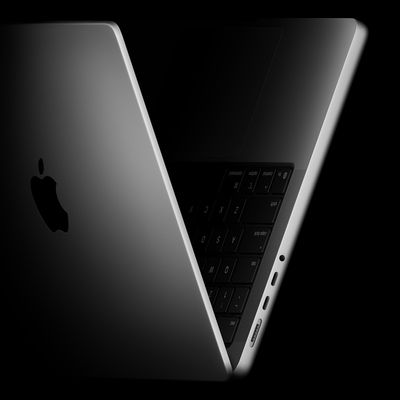
Apple this week refreshed the MacBook Pro with its latest Apple silicon chips, but what exactly do the latest machines bring to the table and is it worth upgrading from the previous generations?
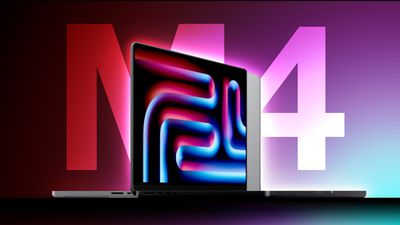
The 14-inch MacBook Pro with the M4 chip starts at $1,599, replacing the previous M3 model as the entry-level machine in Apple's pro notebook lineup. Equipped with the higher-end M4 Pro and M4 Max chips, the 14-inch MacBook Pro starts at $1,999 and the 16-inch model starts at $2,499.
Upon the launch of the latest models, previous-generation MacBook Pro models have been discontinued and are no longer available from Apple's main storefront. Units of slightly older machines such as the 2023 models may, however, still be available via Apple's refurbished store and third-party retailers for significantly reduced prices. Buying a second-hand model is also an option.
First-time MacBook Pro customers or those upgrading from a much older device may be wondering whether it is worth buying a 2021 or 2023, so it will be important to weigh up exactly what was added with the latest version. Likewise, existing users of the 2021 or 2023 MacBook Pros may be wondering if it is worth upgrading to the latest model or sticking with their current device.
See the detailed breakdown below for each new feature, change, and improvement that was added with the late 2024's 14- and 16-inch MacBook Pro models compared to their predecessors:
| MacBook Pro (14- and 16-inch, 2021) |
MacBook Pro (14- and 16-inch, early 2023) |
MacBook Pro (late 2023) |
MacBook Pro (late 2024) |
|---|---|---|---|
| M1 Pro M1 Max |
M2 Pro M2 Max |
M3 M3 Pro M3 Max |
M4 M4 Pro M4 Max |
| 5nm node (N5) Based on A14 Bionic chip from iPhone 12 (2020) |
Enhanced 5nm node (N5P) Based on A15 Bionic chip from iPhone 13 (2021) |
3nm node (N3B) Based on A17 Pro chip from iPhone 15 Pro (2023) |
Enhanced 3nm node (N3E) Based on A18 chip from iPhone 16 (2024) |
| 3.20 GHz CPU clock speed | 3.49 GHz CPU clock speed | 4.05 GHz CPU clock speed | M4: 4.4 GHz CPU clock speed M4 Pro and M4 Max: 4.5 GHz CPU clock speed |
| M1 Pro: Up to 10-core CPU with 8 performance cores and 2 efficiency cores M1 Max: 10-core CPU with 8 performance cores and 2 efficiency cores |
M2 Pro: Up to 12-core CPU with 8 performance cores and 4 efficiency cores M2 Max: 12-core CPU with 8 performance cores and 4 efficiency cores |
M3: 8-core CPU with 4 performance cores and 4 efficiency cores M3 Pro: Up to 12-core CPU with 6 performance cores and 6 efficiency cores M3 Max: Up to 16-core CPU with 12 performance cores and 4 efficiency cores |
M4: 10 CPU cores with 4 performance and 6 efficiency cores M4 Pro: Up to 14 CPU cores with 10 performance and 4 efficiency cores M4 Max: Up to 16 CPU cores with 12 performance and 4 efficiency cores |
| High Power Mode on 16-inch M1 Max models | High Power Mode on 16-inch M2 Max models | High Power Mode on all M3 Max models | High Power Mode on all M4 Pro and M4 Max models |
| M1 Pro: Up to 16-core GPU M1 Max: Up to 32-core GPU |
M2 Pro: Up to 19-core GPU M2 Max: Up to 38-core GPU |
M3: 10-core GPU M3 Pro: Up to 18-core GPU M3 Max: Up to 40-core GPU |
M4: 10-core GPU M4 Pro: Up to 20-core GPU M4 Max: Up to 40-core GPU |
| Updated GPU architecture | Updated GPU architecture with improved efficiency | ||
| Dynamic Caching | Dynamic Caching | ||
| Hardware-accelerated ray tracing | Hardware-accelerated ray tracing | ||
| Hardware-accelerated mesh shading | Hardware-accelerated mesh shading | ||
| Neural Engine | 40% faster Neural Engine | 15% faster Neural Engine | Neural Engine |
| Video decode engine | Higher-bandwidth video decode engine | Same video decode engine as M2-generation | Same video decode engine as M2-generation |
| Support for AV1 decode | Support for AV1 decode | ||
| LPDDR4X memory | LPDDR5 memory | LPDDR5 memory | LPDDR5X memory |
| M1 Pro: 200GB/s memory bandwidth M1 Max: 400GB/s memory bandwidth |
M2 Pro: 200GB/s memory bandwidth M2 Max: 400GB/s memory bandwidth |
M3: 100GB/s memory bandwidth M3 Pro: 150GB/s memory bandwidth M3 Max: 300GB/s or 400GB/s memory bandwidth |
M4: 120GB/s memory bandwidth M4 Pro: 273GB/s memory bandwidth M4 Max: 546GB/s memory bandwidth |
| M1 Pro: 16GB or 32GB unified memory M1 Max: 32GB or 64GB unified memory |
M2 Pro: 16GB or 32GB unified memory M2 Max: 32GB, 64GB, or 96GB unified memory |
M3: 8GB, 16GB, or 24GB unified memory M3 Pro: 18GB or 36GB unified memory M3 Max: 36GB, 48GB, 64GB, 96GB, 128GB unified memory |
M4: 16GB, 24GB, or 32GB unified memory M4 Pro: 24GB or 48GB unified memory M4 Max: 36GB, 48GB, 64GB, or 128GB unified memory |
| 16-core Neural Engine, 11 trillion operations per second | 16-core Neural Engine, 15.8 trillion operations per second | 16-core Neural Engine, 18 trillion operations per second | 16-core Neural Engine, 38 trillion operations per second |
| M1 Pro: Support for up to two external displays M1 Max: Support for up to four external displays |
M2 Pro: Support for up to two external displays M2 Max: Support for up to four external displays |
M3: Support for one external display M3 Pro: Support for up to two external displays M3 Max: Support for up to four external displays |
M4 or M4 Pro: Support for two external displays M4 Max: Support for up to four external displays |
| High-Power Mode available on 16-inch model with M1 Max only | High-Power Mode available on 16-inch model with M2 Max only | High-Power Mode available on any model with M3 Max | High-Power Mode available on any model with M4 Max |
| 500 nits max SDR brightness | 500 nits max SDR brightness | 600 nits max SDR brightness | 1,000 nits max SDR brightness |
| Nano-texture display option | |||
| Dedicated display engine | |||
| 1080p FaceTime HD camera | 1080p FaceTime HD camera | 1080p FaceTime HD camera | 12MP Center Stage camera with support for Desk View |
| Image signal processor (ISP) | Advanced image signal processor (ISP) with computational video | Advanced image signal processor (ISP) with computational video | Advanced image signal processor (ISP) with computational video |
| Wi‑Fi 6 | Wi‑Fi 6E | Wi‑Fi 6E | Wi‑Fi 6E |
| Bluetooth 5.0 | Bluetooth 5.3 | Bluetooth 5.3 | Bluetooth 5.3 |
| Three Thunderbolt 4 (USB-C) ports | Three Thunderbolt 4 (USB-C) ports | M3: Two Thunderbolt 3 (USB-C) ports M3 Pro or M3 Max: Three Thunderbolt 4 (USB-C) ports |
M4: Three Thunderbolt 4 (USB-C) ports M4 Pro or M4 Max: Three Thunderbolt 5 (USB-C) ports |
| HDMI 2.0 port | HDMI 2.1 port | HDMI 2.1 port | HDMI 2.1 port |
| 14-Inch: Integrated 70-watt-hour lithium-polymer battery 16-Inch: Integrated 100-watt-hour lithium-polymer battery |
14-Inch: Integrated 70-watt-hour lithium-polymer battery 16-Inch: Integrated 100-watt-hour lithium-polymer battery |
M3 14-Inch: Integrated 70-watt-hour lithium-polymer battery M3 Pro or M3 Max 14-Inch: Integrated 72.4-watt-hour lithium-polymer battery 16-Inch: Integrated 100-watt-hour lithium-polymer battery |
14-Inch: Integrated 72.4-watt-hour lithium-polymer battery 16-Inch: Integrated 100-watt-hour lithium-polymer battery |
| 14-Inch: 17-hour battery life 16-Inch: 21-hour battery life |
14-Inch: 18-hour battery life 16-Inch: 22-hour battery life |
M3 14-Inch: 22-hour battery life M3 Pro or M3 Max 14-Inch: 18-hour battery life 16-Inch: 22-hour battery life |
M4 14-Inch or M4 Pro 16-Inch: 24-hour battery life M4 Pro 14-Inch: 22-hour battery life M4 Max 14-Inch: 18-hour battery life M4 Max 16-Inch: 21-hour battery life |
| Fast charging on 14-inch (MagSafe 3 and USB-C) and 16-inch model (MagSafe 3 only) | Fast charging on 14-inch (MagSafe 3 and USB-C) and 16-inch model (MagSafe 3 only) | Fast charging on 14-inch (MagSafe 3 and USB-C) and 16-inch model (MagSafe 3 or USB-C via 240W cable) | Fast charging on 14-inch (MagSafe 3 and USB-C) and 16-inch model (MagSafe 3 or USB-C via 240W cable) |
| Available in Space Gray and Silver | Available in Space Gray and Silver | M3: Available in Space Gray and Silver M3 Pro or M3 Max: Available in Space Black and Silver |
Available in Space Black and Silver |
The latest MacBook Pro models are a relatively significant update over their predecessors, offering more new features and capabilities than either of the 2023 refreshes, including Thunderbolt 5 connectivity, a 12-megapixel camera with Center Stage and Desk View, and a nano-texture display option.
The late 2023 MacBook Pro models are relatively minor improvements over their direct predecessors that primarily focus on performance improvements. Beyond their chips, the early 2023 MacBook Pro introduced support for Wi‑Fi 6E, Bluetooth 5.3, and HDMI 2.1, and added an extra hour of battery life. The late 2023 MacBook Pro added an extra 100 nits of SDR brightness, AV1 decode, and a Space Black color option. Accumulatively, this made for quite a small upgrade for existing users of the 2021 MacBook Pro.
Choosing which 14- or 16-inch MacBook Pro model to buy ultimately comes down to what level of performance you require. For example, the M4 series of chips feature a significantly more powerful Neural Engine, which may be an attractive upgrade for some users, but it is far from essential for the vast majority. Generally, unless you need peak performance for demanding professional workflows, it will not be worth upgrading from a 2023 MacBook Pro to a 2024 model, or from an early 2023 machine to a late 2023 model. Only those who need absolute peak performance with the M4 Max chip will really benefit.
For those who have not yet made the leap to an Apple silicon machine, the 2023 MacBook Pro models are still very good options if you can get them for a significantly lower price. It is only worth paying more to get the latest model if you want a future-proof device to keep for the long term, where better performance, Thunderbolt 5, battery life, and AI capabilities are likely to be more beneficial through successive software updates and as connectivity needs with other devices evolve. Even then, it is difficult to recommend buying a late 2024 MacBook Pro at full price over an equivalent, heavily discounted 2023 model.
The 14-inch MacBook Pro with the M4 chip effectively replaces the previous 13- and 14-inch MacBook Pro, which featured the M1 chip in 2020 and the M3 chip in 2023, adding 16GB of memory as standard, longer battery life, and an additional Thunderbolt port. For users of older MacBook Pro models, the new low-cost 14-inch model represents a relatively significant upgrade. Given the improvements to Apple silicon over recent years, with redesigned GPUs, improved connectivity and external display support, and more, some M1 Pro and M1 Max MacBook Pro users may be considering an upgrade. While the M1 MacBook Pro models are still highly capable machines, there are now just enough accumulative upgrades with the latest models that some users may find upgrading worthwhile.