Top iOS 14 Features: Compact Phone Calls, Back Tap, Widgets, App Library and More - MacRumorsOpen MenuShow RoundupsShow Forums menuVisit ForumsOpen Sidebar
Skip to Content

Top iOS 14 Features: Compact Phone Calls, Back Tap, Widgets, App Library and More

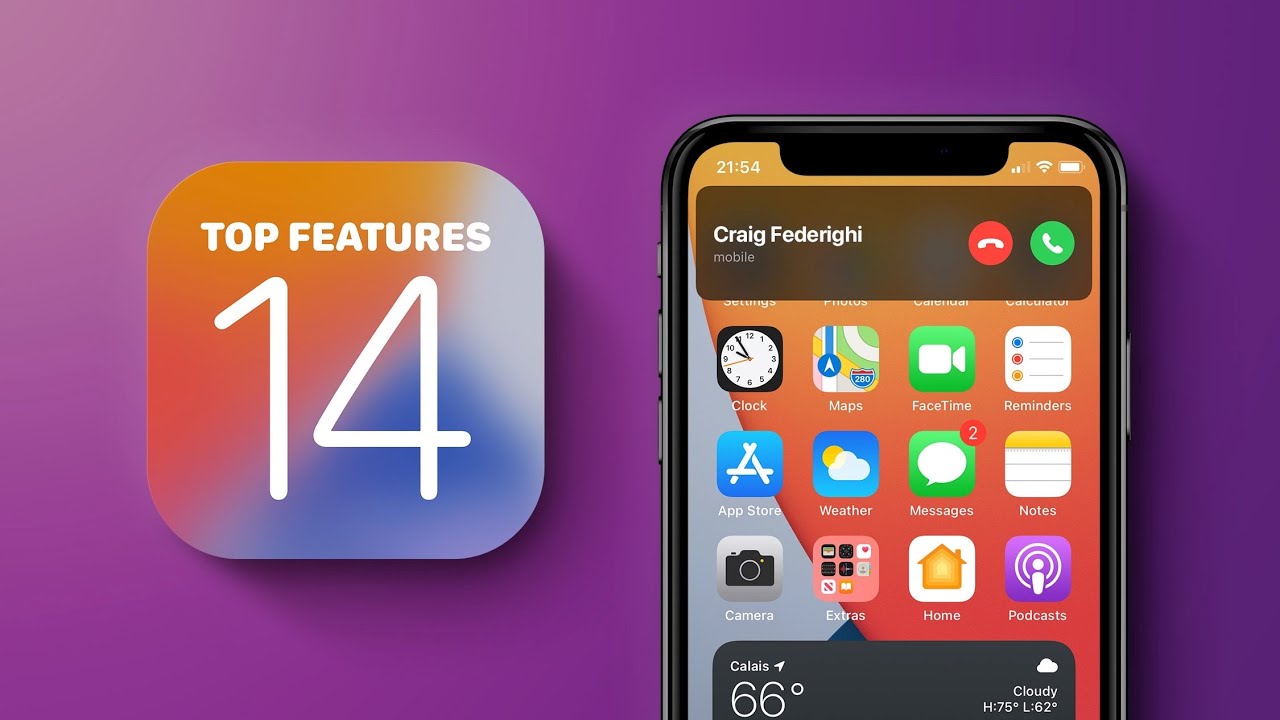
Apple's iOS 14 update, coming this fall, is packed with tons of new features, functions, and design changes, many of which iOS users have been wanting for years now. In our latest YouTube video, we highlighted some of the best features included in iOS 14 that will make you want to upgrade to the new software.
  • Picture in Picture FaceTime - You know how FaceTime pauses your video if you exit the app while you're on a FaceTime call? That's no longer the case in iOS 14 thanks to the Picture in Picture FaceTime option where you can use your phone as normal while you chat.
  • Compact Phone Calls - Fed up with phone calls taking over the entire iPhone display and interrupting what you're doing? If your iPhone is unlocked and in use, incoming phone calls now show up as a small banner that can be tapped to expand it or swiped away so it's little more than a passing nuisance.
  • App Library - App Library is a one stop shop for all your apps, and it's one of those features that makes you wonder why the iPhone didn't always have it. You can find any of your installed apps in the App Library, and it lets you get rid of Home Screen pages and hide apps if you want, for a much more organized iPhone interface.
  • Third-Party Default Apps - Tired of tapping links and having them open up in Safari instead of Chrome? In iOS 14, you can set default mail and browser apps so you're no longer forced to open links and compose messages in Apple's own Safari and Mail apps.
  • Search in Apps - Apple made search better in iOS 14, and now when you type in a search term, you can scroll down to the "Search in Apps" section and tap an app to automatically launch a search in that app. You can search Notes, Reminders, Mail, Files, Messages, the App Store, and more. App search was in iOS 13, but the feature in iOS 14 is expanded and more organized.
  • Approximate Location Sharing - Lots of apps are hungry for your location data, and in iOS 14, Apple has a new privacy option to let you use location-based features while obscuring your exact location. Apps like those that serve up weather info don't need to know exactly where you are, so you can now choose to share an approximate location instead of an exact location.
  • Emoji Search - The Mac has long had a little search interface for finding emoji, and in iOS 14, Apple finally brought this same emoji search option to the iPhone. Just tap on the emoji (or globe) icon and then tap on the emoji search bar to find the exact character that you're looking for.
  • On-Device Dictation - In iOS 14, dictation now gets better over time as you use your device with all of that learning done directly on the iPhone rather than through Apple's servers. All processing is now done offline, so when you dictate a text message, note, or email to your iPhone, it stays on device.
  • Back Tap - With Back Tap, you can double or triple tap on the back of the iPhone to perform actions like taking a screenshot, accessing the Control Center, changing the volume, and more. It's an Accessibility feature, but anyone can use it.
  • Sound Recognition - Another Accessibility feature, Sound Recognition is a useful feature for those who are hard of hearing because it lets the iPhone listen for sounds like fire alarms, smoke, pets, door bells, running water, shouting, and more. It's pretty accurate and sends a notification whenever the iPhone detects a sound.
  • Exposure Lock - Serious iPhone photographers will be pleased to learn that iOS 14 allows an exposure compensation value to be locked in for an entire photo or video session with separate controls available for locking camera focus and exposure for a single shot.
  • HomeKit Control Center - Your favorite HomeKit scenes can be accessed in the Control Center in iOS 14, plus there's an expanded HomeKit interface you can get to with a tap to make it easier than ever to control smart home products.
  • Custom Widget Stacks - Apple added widgets for the Home Screen in iOS 14, so you can pull them right out of Today Center and onto the main iPhone display. Even better, Apple made Widget Stacks, so you can create one widget space on the Home Screen that houses multiple widgets you can swipe between.
  • QuickTake Video - Have an iPhone XR or an iPhone XS? Good news, in iOS 14, you can use the QuickTake video feature that Apple added to the iPhone 11 and 11 Pro. You can hold down the capture button in photo mode to capture a quick video without taking precious seconds to swap to video mode. In iOS 14, QuickTake also works with the Volume Down button.
  • Apple Music Redesign - "For You" in Apple Music is now "Listen Now," which offers up better than ever suggestions for what you might like to listen to. Search offers up suggestions based on genre and mood, and playlists now feature animated artwork. It's a solid update for Apple Music users.
  • Apple Music Continue Playing - There's also one other new Apple Music feature so good that it deserved its own bullet point - continue playing. When you listen to a single song or a playlist and the music ends, Apple Music will now automatically play something that's similar so there's no dead air.

This list is by no means exhaustive, and there are a bunch of other great features included in iOS 14 that we'll highlight in the future. If you have a favorite new iOS 14 change, let us know in the comments below.

iOS 14 is available to developers and public beta testers at this time, so anyone with a compatible device is able to download it. iOS 14 will be in beta testing for a few more months before it sees a public release this fall.

For more on all of the new features in iOS 14, make sure to check out our iOS 14 roundup and keep an eye out for our detailed guides and how tos, which we're adding to the site each day. Our guides and our roundup offer an in-depth look at all of the new features in the update, while our how tos teach you how to use them.


Related Forum: iOS 14

Popular Stories

apple pro tell logo

Apple Launching Five New Products Today

Thursday November 5, 2026 12:59 am PST by
Apple is launching five new products on Friday, November 6, following pre-orders that opened last week, including its first touchscreen MacBook Pro models. The following new products will be available from today: iPad mini with OLED display and A20 Pro chip iMac with M6 chip 14-inch MacBook Pro with M6 chip 14-inch MacBook Pro with OLED touchscreen 16-inch MacBook Pro with OLED...

duo aquarium

More Fun iPhone Duo Apps: 30 New Picks to Try

Friday November 6, 2026 3:27 pm PST by
When the iPhone Duo launched, we shared a list of some of the fun apps developers created for the new form factor. Two weeks out, developers are continuing to come up with fresh ideas, so we thought we'd share some of our favorites. Games Marbles Unhinged ($2.99) - Marbles Unhinged is a marble maze designed for the Duo. When you fold it, the floor turns into a ramp. If you stand the top...
silver iphone 18 pro

Apple Rumored to Drop the iPhone's Action Button Next Year

Friday November 6, 2026 6:07 am PST by
Apple plans to merge the iPhone's Action button with the Camera Control starting next year, according to the leaker known as "Instant Digital." In a new post on Weibo, the leaker claimed that a single press of the combined button would open the camera, while a long press would trigger the function assigned to the Action button. They explicitly clarified that the dedicated Action button would ...

Top Rated Comments

82 months ago

Seriously mate?

You really ask why? Well, maybe because a real person, with real feelings, with a real voice, with real things to tell you, a human being in other words is actually trying to reach you while you, in the first place, were just browsing instagram/Facebook. As if just being 100% with that person on the phone wasn't good enough. Given being on the phone doesn't match seeing each other, now people want a compact phone app so they can be even less present to the conversation.

No personal offense really, but when I read your answer I thought that this was some Black Mirror shiiiite.
Huh?
Score: 4 Votes (Like | Disagree)
SonOfaMac Avatar
82 months ago
I actually like features like the 'App Library' and 'the ability to hide home screen app pages'.

After using the MacRumors IOS 14 Guide I have hidden all pages on my iPhone and now use only the home screen.

Now with the home screen widgets, apps, today view left swipe and a very occasional swipe right for the app library all has been fine.

Previously I had six pages of apps that had accumulated over the years and that was with some housekeeping from time to time. When I did want something in the app library I just started typing in its name then launched it.

I know everyone is different but for me this has worked to my surprise!
Score: 4 Votes (Like | Disagree)
Apple_Robert Avatar
82 months ago
Compact phone call screen for the win.
Score: 4 Votes (Like | Disagree)
Cowboyflash Avatar
82 months ago

Compact phone call, when you actually trying to "minimise" the main function of a... phone.

Absolute trash UI in my opinion. I wish you could enable/disable this.
Hi @Yoms
You can disable the "Feature".
Settings / Phone / Incoming Calls / Full Screen
Score: 3 Votes (Like | Disagree)
82 months ago

What's the problem with this updated implementation?
They either; prefer to be interrupted with whatever they were doing having to immediately answer a call or only use their expensive smartphone as a telephone or are here to troll.
Score: 3 Votes (Like | Disagree)
Tofupunch Avatar
82 months ago

So if video recording is enabled when long pressing, how do you take photos in burst mode?
I think it's mapped to a volume button
Score: 3 Votes (Like | Disagree)
Latest Stories
Apple Taking New Approach to Developing iOS 28 and macOS 28
31 minutes ago
Early Apple Black Friday Deals on Apple Watch, MacBook Air, and More
19 hours ago
'Backglow' Lets You Customize New MacBook Pro's Glowing Apple Logo
19 hours ago
Top Stories: Apple Product Launches, iOS 27.3 Beta, and More
1 day ago
More Fun iPhone Duo Apps: 30 New Picks to Try
2 days ago
Hands-On With Apple's New OLED Touchscreen MacBook Pro
2 days ago
Apple Store With All-New Design Opening Soon in Southern California
2 days ago
Control the Glowing Apple Logo on Your New MacBook Pro
2 days ago
Apple Shares New 'Apple Card: Apply and Use in Minutes' Ad
2 days ago
Apple Says More Than 100,000 Apps Optimized for iPhone Duo, Here's What's Still Missing
2 days ago
Early Black Friday Deals Kickoff With Steep Discounts on Apple Watch Ultras and More
2 days ago
The MacRumors Show: iOS 27.3 Looks Like a Huge Update
2 days ago
Best Buy's Black Friday Event Begins With Sitewide Savings on Apple, TVs, More
2 days ago
Apple Releasing Yet Another Two New Products Next Week
2 days ago
MacBook Air Drops to Lowest Price in Months With Amazon's $250 Discount
2 days ago
Apple Rumored to Drop the iPhone's Action Button Next Year
2 days ago
Apple's Extended Return Policy Now in Effect for 2026 Holiday Season
2 days ago
Apple Music Classical Updated With New Icon and Refreshed Design
2 days ago
OLED iPad Mini, M6 iMac, and New MacBook Pros Available From Today
2 days ago
Apple Surveys iPhone Duo Buyers About Crease and Camera
3 days ago
Apple's First Touchscreen Mac is Now Arriving to Customers
3 days ago
Claude Gets Personal Finance Feature With Bank Account Linking
3 days ago
Apple Arcade Adds Crossy Road Rush and NBA 2K27
3 days ago
Apple's New HomeView Smart Home Hub: Here's How Much RAM It Has
3 days ago
iPad Mini vs. iPad Air Buyer's Guide: Now Just $50 Apart
3 days ago
First iOS 27.3 and macOS Golden Gate 27.3 Public Betas Now Available
3 days ago
Apple Announces a New Mac Sales Record
3 days ago
Paid $200 for Logic Pro? Apple Says You Won't Get This New Feature
3 days ago
Instagram's Edits Video Editor is Now Available on Mac
3 days ago
Prevent Siri and Search From Accessing Specific iPhone Apps
3 days ago









































