How to Change an AirTag's Battery - MacRumorsOpen MenuShow RoundupsShow Forums menuVisit ForumsOpen Sidebar
Skip to Content

How to Change an AirTag's Battery

by

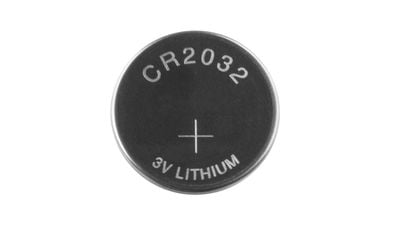
AirTags use standard coin-shaped CR2032 batteries, which are designed to last at least a year before needing to be replaced. Most early AirTag adopters have probably already had to swap in a new battery, but if you've never done it before and find yourself in need of a battery replacement, it's easy to put in a new one.
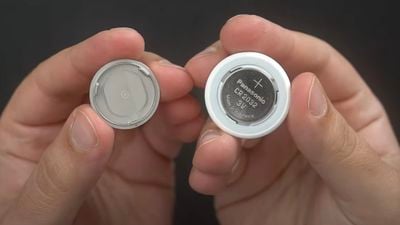
airtag battery cr2032
CR2032 batteries are common batteries that can be purchased on Amazon for about a dollar per battery, and you can also get them at many retail stores. Apple warns that some batteries with a bitterant coating intended to discourage children from swallowing them may not work with AirTags, so try to find a brand known to be compatible.

Once you have a new battery, follow these steps to put it in:

  1. Press down on the stainless steel backing of the ‌AirTag‌.
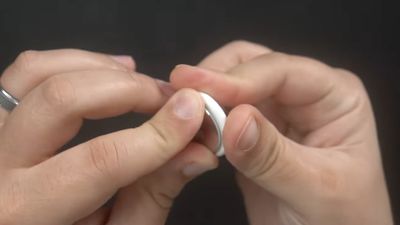
  2. As you press down, rotate counterclockwise until the cover stops rotating. airtag battery twist open
  3. Pull apart the two halves of the ‌AirTag‌. airtag battery pry apart
  4. Take out the old battery and replace it with the new battery in the same orientation, which is positive side up. You'll hear a chiming sound when the battery is seated correctly. cr2032 battery
  5. Replace the stainless steel bottom of the ‌AirTag‌, and make sure the three tabs on the cover align with the slots on the ‌AirTag‌.
  6. Rotate the cover clockwise back in place until it stops.
You can check the battery capacity of an ‌AirTag‌ in the Find My app, and you will receive a notification on your iPhone when the battery is low to let you know that it's time for a replacement.


Related Roundup: AirTag
Buyer's Guide: AirTag (Buy Now)

Popular Stories

iCloud iPhone 17 Pro

iPhone Users Who Pay for iCloud Storage Get Two New Perks on iOS 27

Thursday July 2, 2026 6:10 am PDT by
If you pay for certain iCloud+ storage plans beyond the 5GB that Apple offers for free, you will receive two more perks on iOS 27 at no additional cost. A summary of the two new iCloud+ perks on iOS 27:Increased daily usage limits for some new Apple Intelligence features, including image generation in the revamped Image Playground app. HomeKit Secure Video cameras receive generated video...
iPhone 4 on Black Feature

Apple Facing One of Its Worst Leaks Since the iPhone 4

Thursday July 2, 2026 9:53 am PDT by
Apple supplier Tata Electronics recently suffered a cyberattack that resulted in thousands of confidential files being published on the dark web, and this reportedly included some photos and documents related to the upcoming iPhone 18 Pro. We have elected not to share any of the leaked photos in this story due to the illegal nature in which they were obtained, but they can easily be found...
American Express Gold Apple Pay Feature

American Express Announces New Apple Pay Feature

Tuesday June 30, 2026 10:27 am PDT by
American Express today announced that you can now redeem Membership Rewards points when checking out with Apple Pay on the web and in apps on the iPhone and iPad. When checking out with Apple Pay on iOS 18 or iPadOS 18 or later, tap on your eligible American Express card (Platinum, Gold, Green, and others) and select the Membership Rewards points option. You can use points to cover all or...