Force Quit Apple Watch Apps in watchOS 27.2 - MacRumorsOpen MenuShow RoundupsShow Forums menuVisit ForumsOpen Sidebar
Skip to Content

Force Quit Apple Watch Apps in watchOS 27.2

by

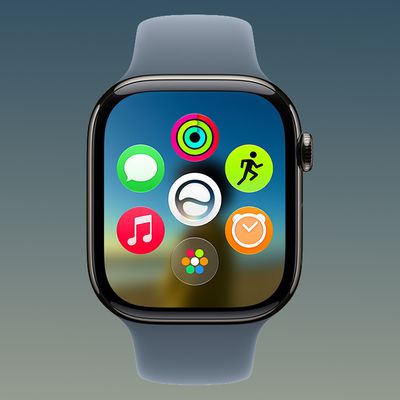
apple watch 10 titanium finishes crownPrior to watchOS 27, the easiest way to force quit Apple Watch apps was by swiping across them in the App Switcher screen, but getting to it has changed because the Digital Crown double-click gesture that got you there is now reserved for Apple's upcoming Live Rewind AI feature. Fortunately, the Apple Switcher is still available in watchOS 27.2

From the app you want to quit, press and hold the bottom of the screen to reveal the App Switcher. Then swipe left on the app you want to quit and tap the X to force quit it. You've now quit the app. Quitting an app doesn't save battery power, but it's useful if the app is misbehaving.

Related Forum: Apple Watch

Top Rated Comments

blairh Avatar
7 weeks ago
This is lame. All these people are gonna google how to do this when an issue arises.
Score: 19 Votes (Like | Disagree)
ipedro Avatar
7 weeks ago
It's been 12 years and Apple still hasn't figured out the Apple Watch UI. The side button did Glances, then a Dock, the Crown double click brought up the last app, or turning it on the watch face did Time Travel. None of these work. Even the spatial concept of the OS keeps changing.

The Watch has four input methods, five if you count the crown turn and press as two. Three of these are hard buttons that are very prominent and should be reserved for key OS functions.

The Digital Crown should act on the app on screen, whether that's the watch face or another app. Some faces have usable functions. Maybe Live Rewind is a Watch face with that turned on. Swipe to that watch face if you want Live Rewind.

The side button should be the app button. One press brings up the simplified honeycomb grid. Scroll up with the Digital Crown or your finger within the app grid and you get the full app honeycomb, scroll down and you see Control Centre. Two presses brings up Apple Pay. Press and Hold brings up recent apps carousel like on iOS. Swipe side to side to get back to your intended app or swipe them away to force quit them.
Score: 17 Votes (Like | Disagree)
7 weeks ago
Seems complicated. There should be an option to use the crown double-click option if live rewind feature is turned off.
Score: 13 Votes (Like | Disagree)
Dirk Pieters Avatar
7 weeks ago

It's been 12 years and Apple still hasn't figured out the Apple Watch UI. The side button did Glances, then a Dock, the Crown double click brought up the last app, or turning it on the watch face did Time Travel. None of these work. Even the spatial concept of the OS keeps changing.

This is what bothered me on Apple Watch and what bothers me on iPadOS. It seems that every release stuff like this has to be done in a different way.

Consistency be gone!
Score: 10 Votes (Like | Disagree)
AusMness Avatar
7 weeks ago
I’ve got no problem with giving the double click a new function on the series 12s but it kinda sucks we can’t use it to jump straight to the main grid or something on older watches that don’t get the feature
Score: 8 Votes (Like | Disagree)
Slix Avatar
7 weeks ago

Seriously? This is how Apple have now done it? Talk about diminishing the user experience… sounds awful. I did used to enjoy my Ultra 3, should have guessed Apple would change the user experience for ‘exclusive’ features in the new models..
This is actually how you used to force quit an app on iOS, before the app switcher came in iOS 4. But I agree, it's way less intuitive.

I hope they make the app switching an option again, I literally use it every day to access apps I recently used quicker.
Score: 7 Votes (Like | Disagree)

Popular Stories

apple watch series 3 design

Apple Offers Steps to Fix Daylight Saving Time Bug on Apple Watch

Sunday November 1, 2026 3:34 am PST by
Apple has published a support document describing what to do if your Apple Watch continues to show time that's off by one hour after daylight savings time changes. "This incorrect time appears only on the Always On display when your wrist is down," says Apple. "When you activate the display by tapping it or raising your wrist, the time changes to the correct hour." To fix the issue, Apple says ...

watchos 27

Apple Releases watchOS 27.2 With Siri AI Enhancements

Monday October 26, 2026 10:47 am PDT by
Apple today released watchOS 27.2, the first major update to the watchOS 27 operating system. watchOS 27.2 can be downloaded through the Settings app on the watch or the Apple Watch app on a connected iPhone. Software can only be installed when the Apple Watch is on the charger and has over 50 percent battery. According to Apple's release notes, watchOS 27.2 introduces new Siri AI...


watchos 27

Apple Seeds Updated watchOS 27.2 Release Candidate

Friday October 23, 2026 12:28 pm PDT by
Apple today seeded an updated version of the watchOS 27.2 release candidate, four days after the first RC became available. Registered developers and public beta testers can download software through the Apple Watch Settings app or using the Apple Watch app on iPhone. watchOS 27.2 adds new Siri AI features and extends Siri AI to more languages. This update provides enhancements to Siri...


Latest Stories
Early Apple Black Friday Deals on Apple Watch, MacBook Air, and More
14 hours ago
'Backglow' Lets You Customize New MacBook Pro's Glowing Apple Logo
14 hours ago
Top Stories: Apple Product Launches, iOS 27.3 Beta, and More
21 hours ago
More Fun iPhone Duo Apps: 30 New Picks to Try
1 day ago
Hands-On With Apple's New OLED Touchscreen MacBook Pro
2 days ago
Apple Store With All-New Design Opening Soon in Southern California
2 days ago
Control the Glowing Apple Logo on Your New MacBook Pro
2 days ago
Apple Shares New 'Apple Card: Apply and Use in Minutes' Ad
2 days ago
Apple Says More Than 100,000 Apps Optimized for iPhone Duo, Here's What's Still Missing
2 days ago
Early Black Friday Deals Kickoff With Steep Discounts on Apple Watch Ultras and More


2 days ago
The MacRumors Show: iOS 27.3 Looks Like a Huge Update
2 days ago
Best Buy's Black Friday Event Begins With Sitewide Savings on Apple, TVs, More

2 days ago
Apple Releasing Yet Another Two New Products Next Week
2 days ago
MacBook Air Drops to Lowest Price in Months With Amazon's $250 Discount
2 days ago
Apple Rumored to Drop the iPhone's Action Button Next Year
2 days ago
Apple's Extended Return Policy Now in Effect for 2026 Holiday Season
2 days ago
Apple Music Classical Updated With New Icon and Refreshed Design
2 days ago
OLED iPad Mini, M6 iMac, and New MacBook Pros Available From Today
2 days ago
Apple Surveys iPhone Duo Buyers About Crease and Camera
2 days ago
Apple's First Touchscreen Mac is Now Arriving to Customers
3 days ago
Claude Gets Personal Finance Feature With Bank Account Linking
3 days ago
Apple Arcade Adds Crossy Road Rush and NBA 2K27
3 days ago
Apple's New HomeView Smart Home Hub: Here's How Much RAM It Has
3 days ago
iPad Mini vs. iPad Air Buyer's Guide: Now Just $50 Apart
3 days ago
First iOS 27.3 and macOS Golden Gate 27.3 Public Betas Now Available
3 days ago
Apple Announces a New Mac Sales Record
3 days ago
Paid $200 for Logic Pro? Apple Says You Won't Get This New Feature
3 days ago
Instagram's Edits Video Editor is Now Available on Mac
3 days ago
Prevent Siri and Search From Accessing Specific iPhone Apps
3 days ago
Best Early Black Friday Deals on iPhone 18 Pro and iPhone Duo
3 days ago