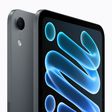
With the release of iOS 27.2, the Mac's Edge Light feature comes to an iPhone for the first time. Exclusive to the iPhone Duo, Edge Light illuminates the borders of the screen to evenly light your face during video calls in low-light conditions.
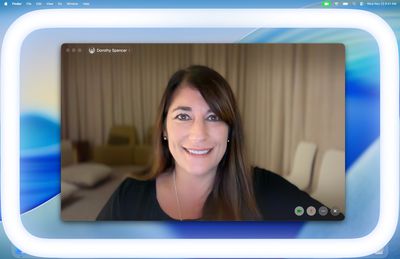
Edge Light works like a virtual ring light, with no external lighting required. You can enable it in FaceTime and third-party video-calling apps such as Zoom. It pairs particularly well with the Duo's ability to stand partially folded for hands-free calls.
How to turn on Edge Light on iPhone Duo
First, make sure your iPhone Duo is updated to iOS 27.2 or later by going to Settings ➝ General ➝ Software Update. Then, follow the steps below. Note that Edge Light is only available when the Duo is unfolded.
- Unfold your iPhone Duo, then start a video call in FaceTime or a supported video-calling app.
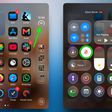
- Open Control Center during the call – either by swiping down from the corner of the screen or by pressing the circular status bar.
- Tap the colored call controls bar at the top of Control Center, then tap the light bulb button next to Edge Light in the video effects.
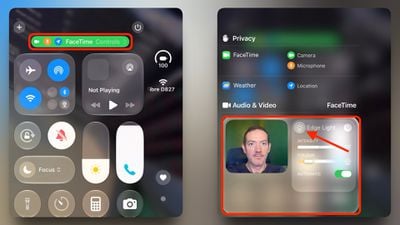
You'll notice an Automatic toggle in the Edge Light controls. When enabled, your device will automatically adjust the brightness of the light based on the ambient light in the room. With Automatic disabled, you can manually adjust the light intensity and color temperature using the sliders. Experiment with these settings to find the best lighting for your call.