

iPhone X pre-orders begin this Friday, October 27 at 12:01 a.m. Pacific Time on a first come, first served basis, and customers that want any chance of receiving the smartphone on launch day will need a combination of speed and luck.
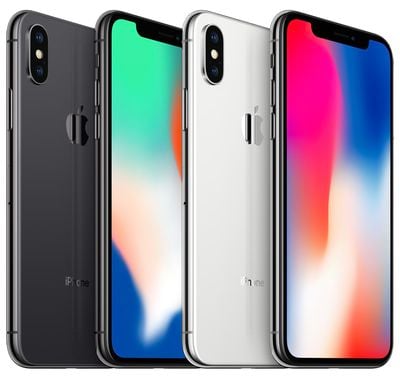
The quickest way to pre-order the iPhone X is to use the Apple Store app on iPhone. Prospective buyers that want any chance of receiving the iPhone X when it launches Friday, November 3 should follow the steps below to be ready.
Note that these steps are for customers paying full price for the iPhone X upfront, and may not apply to those who owe money towards a previously carrier financed device.
Before Pre-Orders Begin
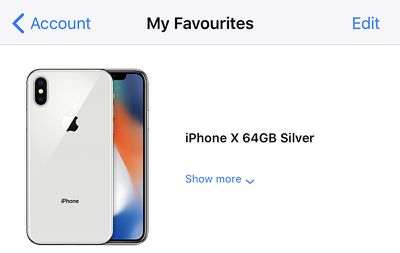
Add the iPhone X to Your Favorites
- Download the Apple Store app from the App Store on your iPhone.
- Open the Apple Store app and tap on the iPhone X banner in the main Discover tab.
- Tap the iPhone X with 5.8-inch display box.
- Choose the color: Silver or Space Gray.
- Choose the capacity: 64GB or 256GB.
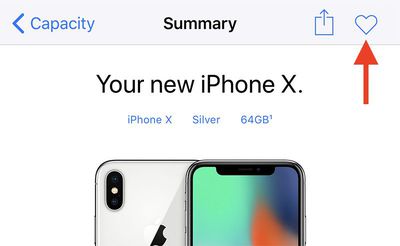
- Tap the heart icon in the top-right corner to add the iPhone X you configured to your Favorites for quick access.
Use Apple Pay and Ensure Credit Card and Billing Info Are Up to Date
If you don't have Apple Pay set up, tap "Add Credit or Debit Card" or the blue "+" button in the top-right corner and follow the on-screen steps.
- Open the Wallet app on your iPhone.
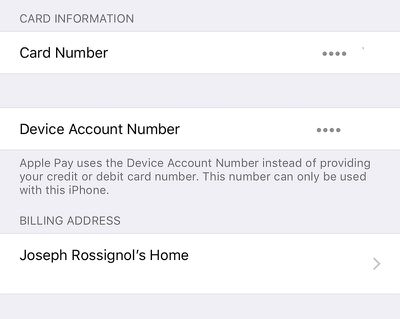
- Tap on the credit or debit card that you will use to pay for the iPhone X. Make sure it is still a valid and functioning card.

- Scroll down and ensure the billing address is accurate. If not, tap on the address and edit it or enter a new one.
- Open the Apple Store app.
- Select any product and tap the blue Add to Bag button at the bottom.
- Tap on the Bag tab.
- Tap on the black Buy with Apple Pay button at the bottom. You won't actually have to purchase the item.
- Tap on the black Apple Pay button at the bottom again.
- A prompt for Touch ID will open. Ensure your shipping address, phone number, and email address appear correctly ahead of time.

When iPhone X Pre-Orders Begin
- Open the Apple Store app.
- Tap on the Account tab at the bottom.
- Tap on the iPhone X you saved under My Favorites.
- Tap on the blue Add to Bag button at the bottom.
- Tap on the Bag tab.
- Tap on the black Buy with Apple Pay button at the bottom.
- Tap on the black Apple Pay button at the bottom again.
- Hold your thumb enrolled in Touch ID over the Home button to authenticate and complete the purchase.

Tips and Tricks
- Set an alarm for at least 15 minutes before 12:01 a.m. Pacific Time to ensure you are awake for pre-orders. Make sure that you wake up at the correct time by using Google or a Time Zone Converter.
- Ensure the iPhone X configuration you add to your Favorites is the color and storage capacity you absolutely want.
- Practice by adding any available product to your Favorites and proceeding with the checkout process until the final step before payment. Every second counts towards your chances of getting an iPhone X on launch day.
- If you have multiple iPhones and iPads, have backup devices ready with the Apple Store app open in case something goes wrong. You can also have Apple.com open in a desktop browser as another alternative.
- If the Add to Bag button can't be tapped, double tap the Home button and swipe up on the Apple Store app to force close it and then reopen it. Rinse and repeat until the moment iPhone X pre-orders go live.
- If you are participating in the iPhone Upgrade Program, make sure to complete the pre-approval process in the Apple Store app so that you can speed through checkout when pre-orders begin.
- You can still pay with a credit card without Apple Pay by tapping on the "buy with other payment options" button during checkout, but doing so could take longer. We recommend using Apple Pay if it is available to you.
Final Words
iPhone X pre-orders will likely sell out in a matter of minutes, at which point shipping estimates will be pushed back by several weeks or months, so it's important to complete the pre-order process as quickly as possible.
Once you place your pre-order, Apple will send you an email with an order number and other information. The order will be processed, prepared for shipment, and eventually delivered to the address you provided on launch day or later.
If you aren't quick enough or forget to pre-order, Apple said the iPhone X will be available for walk-in customers at its retail stores, carrier stores, and select authorized resellers like Best Buy on November 3, but supplies will likely be very tight.




















Top Rated Comments