

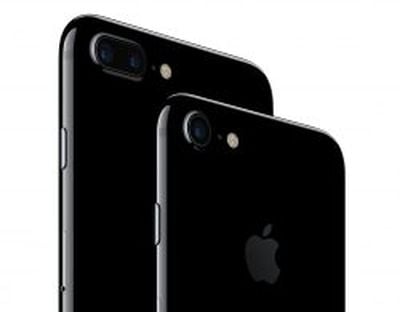
 This tutorial explains how to reset an iPhone 7 and iPhone 7 Plus, and how to activate Device Firmware Upgrade (DFU) mode to troubleshoot your device if needed. Apple has changed the reset process with the iPhone 7 series, and with the devices now making their way into users' hands, it's a good time to let everyone know what to do when things go wrong.
A hard reset basically force-reboots your iPhone, which is useful if the device is freezing, throwing up errors, or has stopped responding completely. DFU mode, on the other hand, restores an iPhone if a reset or standard Recovery Mode doesn't solve the problem you're experiencing.
DFU mode lets the device interface with iTunes, update the firmware and restore the OS without automatically installing the last downloaded version. It's useful for installing older versions of iOS if a beta persistently hangs your phone, or if a jailbreak goes bad.
Note for iPhone 6s and earlier owners: Apple has had to alter the hard reset process and DFU mode activation on the iPhone 7 because the physical-click home button has been replaced with a Force Touch-based Taptic Engine, which is rendered unresponsive if the OS isn't functioning properly. Owners of iPhone 6s/6s Plus or earlier devices should therefore consider all mentions of the "lower volume button" in the below steps to indicate when the home button should be held down instead.
How to Reset an iPhone 7
- Press and hold down the iPhone's power button on the right side of the handset.
- With the power button still held down, press and hold the lower volume button on the other side of the handset.
- Continue to hold both buttons while the display remains blank, until it comes back on with the Apple logo showing.
How to Activate DFU Mode on an iPhone 7
- Turn off your iPhone and connect it to a computer using a Lightning to USB cable, and ensure iTunes is running.
- Press and hold down the power button on the handset for three seconds.
- With the power button still held down, press and hold the lower volume button, and keep holding both for 10 seconds. The screen should remain blank throughout, so if you see the Apple logo displayed, you've held the buttons for too long and will need to restart the process.
- Release the power button, but keep holding the lower volume button for about 5 seconds. Again, if your phone displays the "Plug into iTunes" screen, you've held down too long and need to restart.
- If you performed the previous steps correctly and your phone's screen remained blank, a dialog prompt should appear on your computer saying "iTunes has detected an iPhone in recovery mode. You must restore this iPhone before it can be used with iTunes."
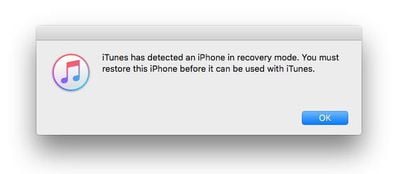
iTunes' iPhone device screen should show the phone as being in iPhone Recovery Mode, with the message: "If you are experiencing problems with your iPhone, you can restore its original settings by clicking Restore iPhone."

To exit DFU mode, simply hold both the lower volume button and the power button until the Apple logo is displayed on your iPhone's screen.
















Top Rated Comments
[doublepost=1474050351][/doublepost]You need to understand that some people have an attention span of only one sentence. We must accommodate them.