How to Set AirPods Microphone to Just One AirPod - MacRumorsOpen MenuShow RoundupsShow Forums menuVisit ForumsOpen Sidebar
Skip to Content

How to Set AirPods Microphone to Just One AirPod

by

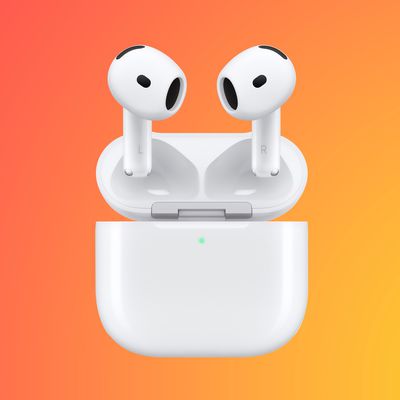
AirPods and AirPods 2 have built-in beamforming microphones in each earpiece that make it easy for you to take calls or interact with Siri when you're wearing the earphones.
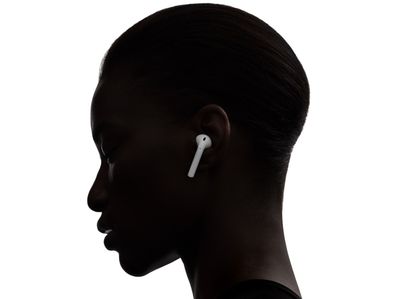
airpodsinear
For optimal performance and to make the experience as seamless as possible, the default setting is for the active microphone to switch automatically between one AirPod and the other. And if you wear only one AirPod, then that one becomes the active microphone.

If you want, you can change these settings so that either one or the other AirPod is always the active microphone. Before you change the setting, bear in mind that the AirPod you select as the microphone will continue to be set that way even if you remove it or insert it back in its case.

How to Set One AirPod as the Active Microphone

Before continuing, make sure you're wearing the AirPods and they're connected to your iOS device.

  1. On your iPhone or iPad, launch the Setings app.
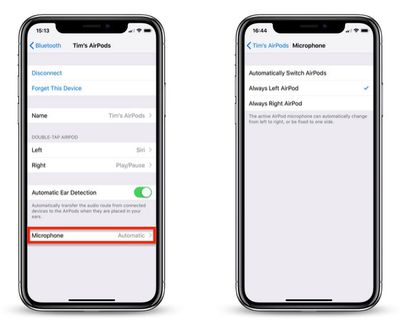
  2. Tap the name of your connected AirPods, just under your Apple ID banner. Alternatively, tap Bluetooth, then tap the circled "i" icon next to your connected AirPods.
    airpods set mic to one airpod

  3. Tap Microphone.
  4. Tap Always Left AirPod or Always Right AirPod so that a tick appears beside the chosen setting.
    Related Roundup: AirPods 4
    Buyer's Guide: AirPods (Caution)
    Related Forum: AirPods

Popular Stories

AirPods Pro Beta Firmware 2

Apple Releases Updated AirPods Beta Firmware With iOS 27 Features

Tuesday June 23, 2026 2:34 pm PDT by
Apple today released updated beta firmware for the AirPods Pro 2, AirPods Pro 3, AirPods 4, and AirPods Max 2. The firmware is limited to developers at the current time, and it has a build number of 9A5304b. In iOS 27, iPadOS 27, and macOS Golden Gate, Apple is adding a new AirPods interface and support for custom EQ. AirPods are also compatible with the new Siri AI. With iOS 26, iPadOS...
iOS 27 Beta Hints at New Apple Product Such as AirPods Ultra Feature

iOS 27 Beta Hints at New Apple Product Such as 'AirPods Ultra'

Friday July 3, 2026 8:44 am PDT by
The second iOS 27 developer beta seemingly hints at a new Apple product, according to code uncovered by app designer and developer Sam Henri Gold. The code mentions a product codenamed B790 that can relay "two images from cameras on either side of [a] user's head." Gold speculated that the code could be referring to Apple's rumored smart glasses, but a more likely possibility is AirPods with ...
AirPods Pro Beta Firmware 2

Apple Releases New AirPods Beta Firmware With iOS 27 Features

Tuesday July 7, 2026 11:19 am PDT by
Apple today released a third version of the beta firmware it is testing for the AirPods Pro 2, AirPods Pro 3, AirPods 4, and AirPods Max 2. The firmware is limited to developers at the current time, and it has a build number of 9A5314b. In iOS 27, iPadOS 27, and macOS Golden Gate, Apple is adding a new AirPods interface, a slider for Adaptive mode, and support for custom EQ, so the firmware...