Apple in December 2020 debuted AirPods Max, a pair of wireless over-ear headphones that share many of the features of AirPods Pro, but in a more premium package.
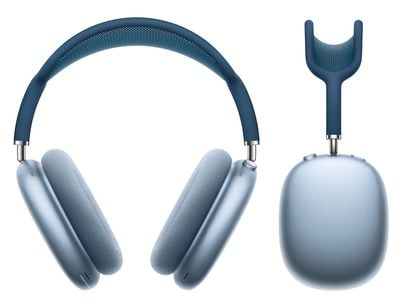
If you've just received a pair of Apple's new headphones, you'll be raring to use them to listen to music, take phone calls, use Siri, and more. Keep reading to learn how to set up and connect them to your devices.
Update Your Software
If you're setting up your AirPods Max for the first time, make sure that the device that you want to pair is up to date.
On iOS Devices
If you want to use your new AirPods Max with an iPhone, iPad, or iPod touch, make sure you're running iOS 14.3 or later.
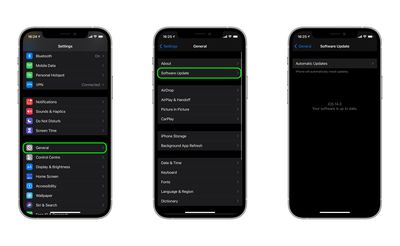
To check that your device's software is up to date, launch the Settings app and then select General -> Software Update, and download any available updates if necessary.
On Mac
To use your new AirPods Max with your Mac, it needs to be running macOS 11.1 or later. To check that your machine is up to date with the latest software, select System Preferences... from the Apple () menu in the top-left corner of the screen, and then click Software Update in the preferences window.
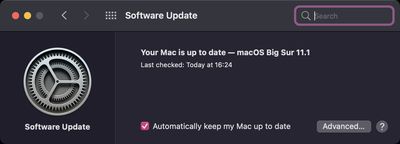
If your Mac finds an update is available, click the Update Now button to download the software and allow the software to install when prompted.
On Apple TV
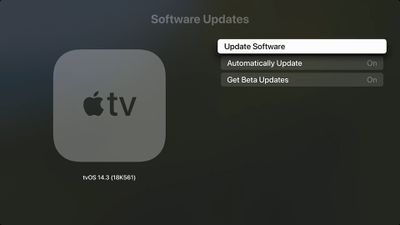
To use your new AirPods Max with your Apple TV , it needs to be running tvOS 14.3 or later. To you check that your Apple TV is up-to-date with the latest software, go to Settings -> System -> Software Updates and select Update Software.
Set Up New AirPods Max on iPhone, iPad, and iPod touch
Before you can begin using your new AirPods with your iOS devices, there are a few quick steps you need to perform.
- Unlock your iPhone, iPad, or iPod touch. If your device is already unlocked, navigate to the Home screen.
- Take your AirPods Max out of their Smart Case and bring them close to your device.
- Wait for the setup animation to appear on your device's screen. If you don't see the animation, pair your AirPods Max with your iOS device manually by going to Settings -> Bluetooth. If you don't see the status light flashing white on AirPods Max, try resetting the headphones and repeat the above steps.

- Tap Connect to pair your AirPods Max with your device, or to set up features such as Hey Siri if you haven't yet set it up.
- If you want to experience spatial audio before enabling it for supported media, tap See & Hear How It Works.
- Tap Done.
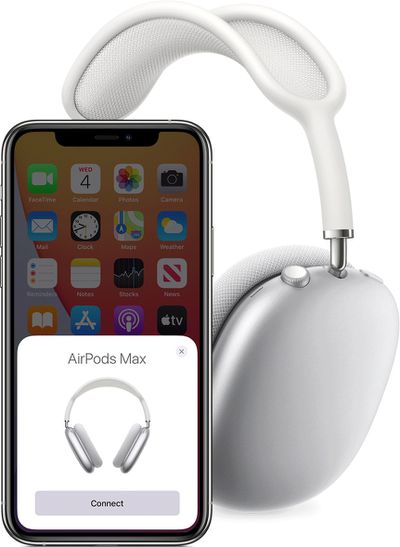
If you're signed in to iCloud, your AirPods Max will set up automatically with any of your other devices that are signed in to iCloud with the same Apple ID.
Set Up New AirPods Max on Mac
If you've set up your AirPods Max with your iPhone, iPad, or iPod touch and your Mac is signed in to iCloud with the same Apple ID, then your AirPods Max should be ready to use with your Mac. If AirPods Max are nearby, your Mac will detect them and display a notification asking if you want to connect with them.

If they don't connect, place your AirPods Max over your ears and click either the Bluetooth option in the menu bar or the volume control in the menu bar on your Mac, then choose AirPods Max from the list. If you still don't see your AirPods Max, pair them with your Mac manually by following these steps.
- Select System Preferences from the Apple menu, then click Bluetooth.
- Make sure Bluetooth is On, then press and hold the noise control button on your AirPods Max until the status light flashes white.
- Select your AirPods Max in the Devices list, then click Connect.
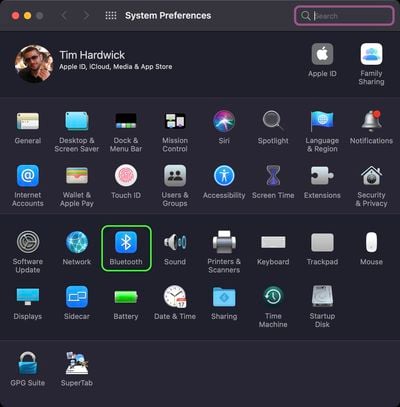
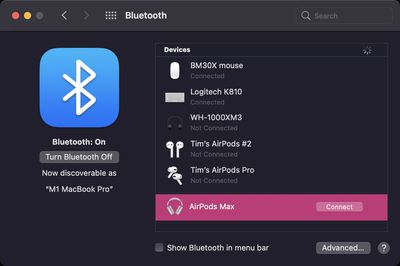
If sound still plays from your Mac speakers, click the volume control icon in the menu bar and make sure that your AirPods Max are selected as the output device.
Connect New AirPods Max to Android Devices
You can use AirPods Max with Android smartphones and other Bluetooth-supporting devices. You won't be able to use "Hey Siri" but you can use them to listen, talk, and you'll still be able to use the noise canceling and transparency modes.
To set up your AirPods Max with an Android phone or other non-Apple device, make sure Bluetooth is on and follow these steps:
- On an Android device, go to Settings -> Connections -> Bluetooth.
- Press and hold the noise control button on AirPods Max until the status light flashes white.
- Select your AirPods Max when they appear in the list of Bluetooth devices.
You can change how the physical controls work on AirPods Max, including reversing the Digital Crown volume nob, and customizing the noise control button.