

With the launch of the iPhone 13 Pro and Pro Max, Apple introduced Macro mode, a new camera feature that's exclusive to the Pro models and brings the immensely detailed world of close-up macro photography to iPhones for the first time. Keep reading to learn how it works.
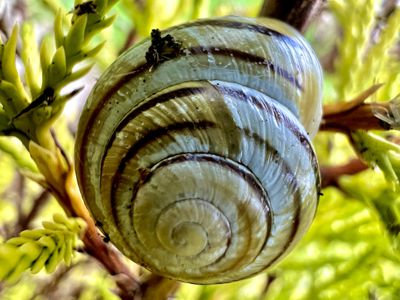
With Macro mode enabled, you can take pictures or video of subjects that are as close as 2cm to your iPhone's camera lens, which means you can now take shots of flowers, textures, insects, or pretty much anything small or at close distance, with accurate focus, rich detail, and no blurring.
Here's how to use the Macro mode feature on iPhone 13 Pro and iPhone 13 Pro Max. Bear in mind that Macro mode is exclusive to these models and isn't supported on iPhone 13 mini or iPhone 13.
- Launch the Camera app on your iPhone 13 Pro.
- Make sure Photo mode is highlighted in the camera mode menu. If you're shooting video, swipe to Video mode instead.
- Line up your close-up subject in the viewfinder and allow the camera to switch to the wide-angle lens. Move in closer – the subject can be as close as 2cm away from the lens (you can use the zoom if necessary).

- Hold the phone steady. Once the lens has focused on the subject, tap the shutter to take the shot or begin capturing video. If you're shooting video, tap the shutter button again to finish.
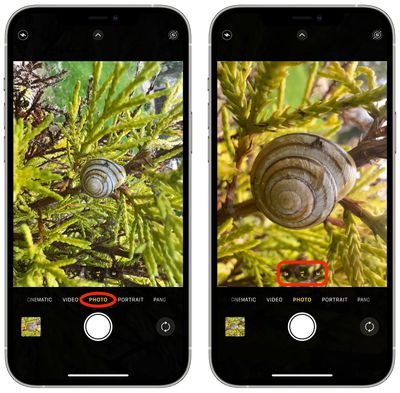
When you're experimenting with Macro mode, you'll likely notice that your iPhone 13 Pro switches automatically to the new mode as soon as it detects an object that's within 14cm away from the lens. This can cause the viewfinder to jitter as it switches between the wide-angle lens to ultra-wide angle, which can be quite jarring and distracting.
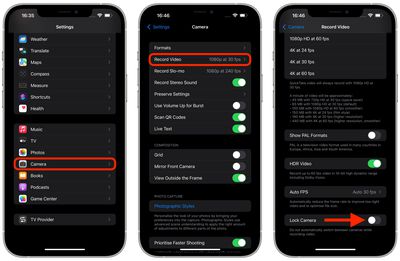
As of writing, there's no way to prevent this behavior when taking macro photos. If you're shooting macro video, however, you can prevent it by enabling the Lock Camera option under Settings -> Camera -> Record Video.
Apple says that a forthcoming update, due in the fall, will allow users to specifically turn off automatic camera switching when shooting macro photography at close distances.















