If you own a Mac powered by Apple silicon, you can download and install iOS and iPadOS apps from the Mac App Store in macOS Big Sur. But how do you uninstall them? Keep reading to learn how.
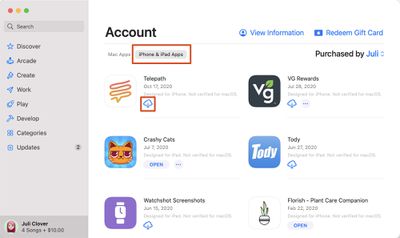
Apple's M1 Macs, which are the first to be powered by an Apple-designed Arm-based chip, are able to run iOS and iPadOS apps because of the common architecture between the different operating systems.
That means M1 Mac owners can download and install iOS apps from the Mac App Store just as if they were Mac apps, and Apple even includes preferences for Touch Alternatives that allow users to set keyboard commands for iPhone/iPad touch input alternatives.
However, many users have found themselves wondering how iOS apps are properly uninstalled on an Apple silicon-based Mac.
The question comes up because many users have tried dragging the app icon to the Trash in the usual way, only to find that the app binary gets deleted yet much of the app's related content remains on the disk, usually in the ~/Library/Containers folder, needlessly taking up storage.
Fortunately, there is a surefire way to ensure that all of the data associated with an iOS app is removed when you uninstall it, but it does require the use of a couple of Terminal commands, so make sure you're comfortable working in a command prompt window before you attempt the following.
How to Uninstall iOS Apps on an M1 Mac
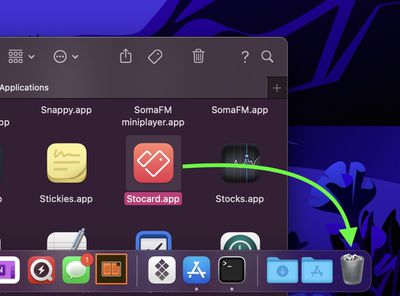
- Open the Applications folder and drag the app you want to uninstall into the Trash.

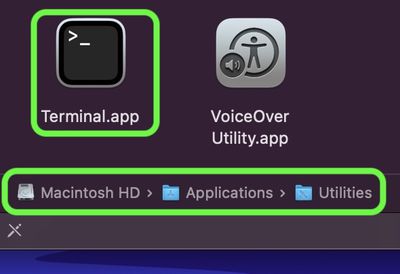
- Now, launch Terminal (Applications/Utilities/Terminal.app).
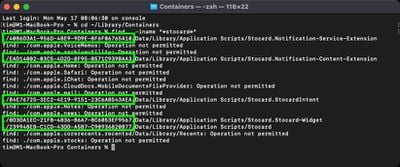
- At the Terminal window prompt, input the command cd ~/Library/Containers and hit Enter.
- Next, input the command find . -iname "*appname*" , and replace "appname" (but keeping the asterisks) with the name of the app you just dragged to the Trash. This command should output any matches found, typically in the form of obscured directory names (eg. 0D3DA1EC-21FB-4836-B6A7-8C6053EF9567).
- Next, input the command rm -Rf XXXXX-XXXX-XXXX-XXXXXXX but replace the XXXX with the obscured directory name shown in the previous output, then hit Enter.
- If several directories are shown in the output, repeat the previous step for each directory.
The iOS app and all data associated with it should now be removed from your Mac.