

Belkin is known for a range of accessories for the iPhone, and when Apple introduced support for Qi-based wireless chargers, Belkin was quick to come out with a range of options.
The Boost Up Wireless Charging Dock, which debuted in September, is the newest and most versatile offering, combining a Qi wireless charger with an Apple Watch charging puck and an extra USB-A port.
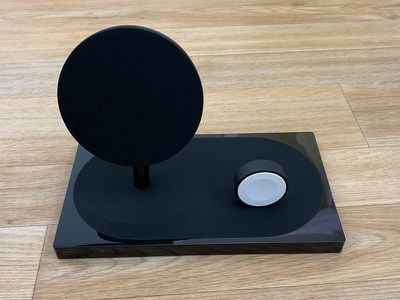
Design wise, the Boost Up Wireless Charging Dock has an upright Qi wireless charger similar in design to Belkin's other Boost Up charging options, with a round charging surface that houses the wireless charging coil.
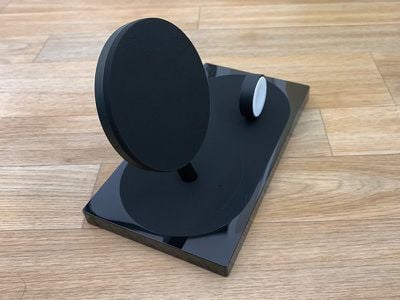
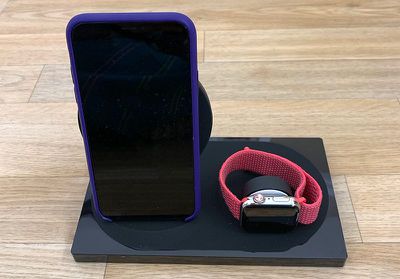
The iPhone is designed to sit upright against the back of the charger, with the base serving as a stand. Belkin has slightly angled the base, which makes it easier to see the iPhone's display while positioned on the dock. The base is covered in a grippy material that prevents the iPhone from shifting or moving while it charges.
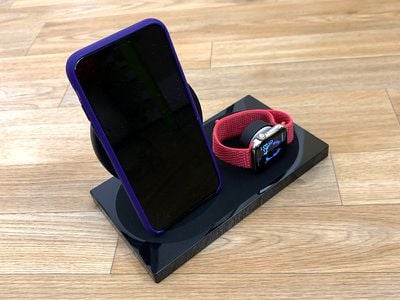
You can't put your iPhone on the dock horizontally because of the Apple Watch charger, so it's limited to vertical charging. The Apple Watch charges on the dock in landscape orientation so it works with Nightstand mode as a clock replacement.
I read some reviews that suggested the Belkin charger was not compatible with the iPhone XS Max in certain cases that make the iPhone a bit taller, but I didn't have that experience. Both my iPhone X and my iPhone XS Max charged without issue in Apple cases, and Belkin says that it supports cases up to 3mm thick.
The base of the dock measures in at 7.4 inches wide, 4.1 inches long, and 4.8 inches tall, so it does take up a decent amount of space on a desk. Since it's combining two charging options, though, it could be a space saver depending on what charging device you currently use.
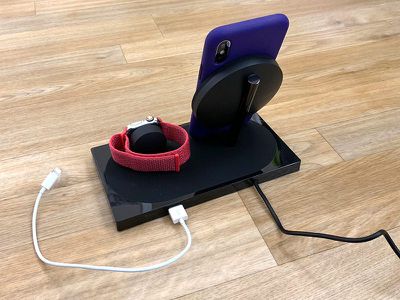
There's an LED at the side of the dock, which does glow noticeably in a dark room, but it's not so bright that it's distracting or keeps me from sleeping at night. I do wish it wasn't there, but Belkin says it provides foreign object detection to let you know if something's touching the Qi wireless charger that shouldn't be.
Belkin's Wireless Charging Dock supports 7.5W charging, so it can charge the iPhone 8 and later at 7.5W instead of 5W. 7.5W is fairly standard on Qi-based charging devices intended for Apple devices these days, so this comes as no surprise. 7.5W is the maximum wireless charging speed that iPhones support.
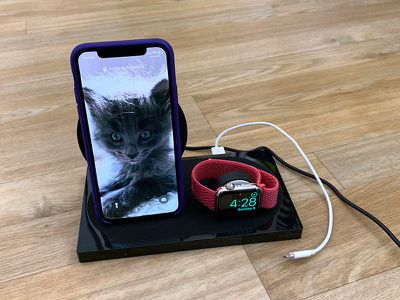
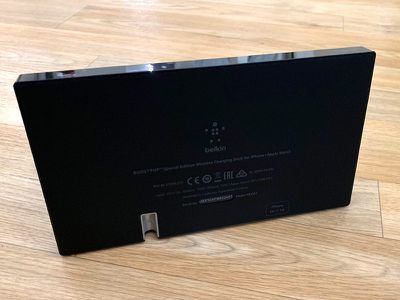
The Apple Watch charging puck charges the Apple Watch at 5W, which is standard Apple Watch charging, and the included USB-A port located at the back also charges at 5W. This is not ideal for higher-powered devices like an iPad, which kind of limits the versatility of the extra port.
You can charge your AirPods or another lower-powered device, but if you're trying to charge an iPad or iPad Pro, the charging is going to go slowly. I tested the charging dock on my nightstand, where I keep an iPad mini for reading. I charged my iPad mini with the dock, and it was fine for that purpose.
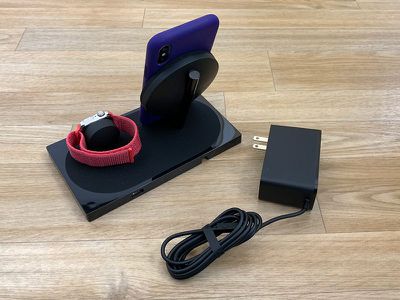
By the way, for using the extra USB-A port, you need to provide your own cable. The dock does, however, ship with its own power supply.
Bottom Line
I've been testing the Boost Up Wireless Charging Dock on my nightstand, and it's worked perfectly. It's a handy way to keep my iPhone XS Max, Apple Watch, and iPad mini charged, and when it comes to design and functionality, I have no complaints, with the exception of the 5W USB-A port
That's not enough power to sufficiently charge one of Apple's larger iPads, which limits the functionality of the additional port.
The Charging Dock works well overall, but the downside is the price tag. It sells for $160, which is expensive and much pricier than purchasing separate iPhone and Apple Watch chargers. It's nice to have these features combined into one device with a single cable to plug in, but the price is just too high for many people.
How to Buy
The Boost Up Special Edition Wireless Charging Dock for iPhone and Apple Watch can be purchased from the Belkin website for $159.99 or from Amazon for $140.
Note: Belkin provided MacRumors with a Boost Up Wireless Charging Dock for the purpose of this review. No other compensation was received.




















Top Rated Comments
This Belkin unit looks nice and is solidly built. The imitation crap on Amazon is just that: crap.
[doublepost=1547766023][/doublepost]Pieces of junk. Imitation metal is real classy.