PencilCozy Apple Pencil Cap Review - MacRumorsOpen MenuShow RoundupsShow Forums menuVisit ForumsOpen Sidebar
Skip to Content

Review: You Won't Lose Your Apple Pencil Cap With the PencilCozy

by

If you own an Apple Pencil, you've probably already misplaced its cap once or twice when charging it. The cap, which hides the Lightning connector, is fully removable and easily lost, a flaw the PencilCozy, from Cozy Industries, aims to fix.

Made of a soft, pliable silicone, the PencilCozy has a top portion that fits snugly over the cap of the Apple Pencil and a ring that fits over the Apple Pencil itself. Between the top of the cozy and the ring, there's a strip of silicone to connect the two pieces to ensure the cap of the Apple Pencil doesn't become separated from the body when it's removed for charging.

pencilcozymain
The PencilCozy comes in three colors: an opaque white that closely matches the white shade of the Apple Pencil, a minty teal green shade, and a glow-in-the dark color that's a translucent white in the light and a bright green in the dark. The glow-in-the-dark shade may be useful for locating the Apple Pencil in the dark, but because the glow doesn't last very long it's more of a novelty than a truly functional feature.

pencilcozycolors
Both the design and the colors are muted enough that they don't stand out or significantly interfere with the aesthetic of the Apple Pencil, but people who like the unadulterated look of the accessory may not want to sully it with an $8 piece of rubber. I didn't mind the appearance of the PencilCozy, taking into account its utility.

pencilcozycloseup
Along with the standalone PencilCozy, Cozy Industries sells a combo pack that includes a cozy to fit over the Lightning adapter that ships with the Apple Pencil. Like the PencilCozy, the Lightning adapter cozy is designed to keep the adapter attached to a Lightning cable so it doesn't get lost, which is handy because it's easy to misplace that tiny piece of plastic. The adapter cozy is made out of the same soft silicone and is available in white and glow-in-the-dark shades.

lightningadaptercozy
The material the adapter cozy and the PencilCozy are made of has a tendency to pick up dust and pet fur. It wipes away, but it's still an annoyance. Mine got quite a bit of dust and fuzz on it after being carried in my backpack for a day. As for durability, I did my best to tear or rip the PencilCozy by pulling on it, but it stayed intact. I've only had it on my Apple Pencil for a little over a week and a half, but it looks like it's going to be highly resistant to damage.

Applying the PencilCozy is simple. Slide the Apple Pencil cap into the top of the PencilCozy and then fit the ring over the body of the Apple Pencil. The fit is tight enough that the PencilCozy isn't going to slip off, even when it's carried in a pocket or a purse. The fit means the Apple Pencil's cap is secure, but it also prevents the PencilCozy from being easily removed from the Apple Pencil. It takes a lot of pushing and pulling to get the cap out, which was one of the biggest negatives to the product.

pencilcozyuncapped
Putting the Lightning adapter cozy in place is done in the same way, with a few simple application instructions that take less than 30 seconds to complete. Since the Lightning adapter cozy only fits over a portion of the adapter, it's much easier to remove than the PencilCozy. With the adapter cozy attached to a Lightning cable, it can be snapped in place whenever needed, leaving the cable free for charging other iOS devices the rest of the time.

lightningadaptercozy2
The PencilCozy keeps the Apple Pencil's cap in place, but it has one other use that shouldn't be overlooked -- it stops the Apple Pencil from rolling off of tables, desks, and other flat surfaces. The Apple Pencil itself is weighted in an effort to keep it from rolling, but the weighting doesn't always keep it from falling to the floor.

Bottom Line

For a little piece of silicone that's just $8, the PencilCozy is surprisingly useful and well worth purchasing for anyone who has a tendency to misplace things.

pencilcozycharging
Some people won't like the look of the PencilCozy because it mars the clean lines of the Apple Pencil, but for most, utility is likely to outweigh aesthetics. The PencilCozy is going to prevent the Apple Pencil's cap from getting lost, and it's also useful to stop it from rolling.

pencilcozyonipad
As for the additional Lightning cable adapter, if you charge with a Lightning cable rather than the iPad Pro, it's well worth picking up too. $10 is a reasonable price to pay to ensure you're not going to lose key components of an accessory that's priced at $99.

Pros

  • Keeps Apple Pencil cap in place when charging
  • Optional Lightning adapter cozy
  • Prevents Apple Pencil from rolling
  • Inexpensive

Cons

  • Collects dust
  • Difficult to remove

How to Buy

The PencilCozy can be purchased from the Cozy Industries website or from Amazon for $7.99. Combo packs that include the PencilCozy and the Lightning adapter are available for $9.99.

Note: Cozy Industries provided the PencilCozy and Lightning adapter cozy to MacRumors free of charge for the purposes of this review. No other compensation was received.
Related Forum: iPad Accessories

Top Rated Comments

140 months ago
Looks a lot like what I designed and 3d printed in rubber back in November ;)

http://www.thingiverse.com/thing:1158446
MacRumors content image
Score: 12 Votes (Like | Disagree)
ArtOfWarfare Avatar
140 months ago
Most of these products are so badly priced. At $8 it's not an opulse purchase for a small piece of rubber. Make it 4.99 and you will have far more sale.

You're arguing over $3.01. Do you really have so little that that makes a difference?

At $8, I don't expect people will hesitate to purchase this. If you already dropped $99 on the Apple Pencil + $1K on the iPad Pro, I don't think you're concerned about $8.
Score: 8 Votes (Like | Disagree)
jonnysods Avatar
140 months ago
$8 for real?
Score: 5 Votes (Like | Disagree)
69Mustang Avatar
140 months ago
I could be wrong but I feel like Apple of old would have thought of this when introducing the pencil. As long as we've been losing pen caps one could be forgiven for thinking it would have occurred to Apple.

Something else occurred to me. Pens typically have caps, not pencils. Ive just does things his own way, convention be damned.

Score: 4 Votes (Like | Disagree)
sunapple Avatar
140 months ago
This is actually very clever, but I like how clean the Pencil looks without it too much.

Score: 4 Votes (Like | Disagree)
SadBoy Pro Avatar
140 months ago
Surely being difficult to remove is a good thing? After all, the idea is to not loose the cap, so if it's difficult to remove then it's going to be decidedly safer using this little widget when trying to keep track of your cap?
[doublepost=1456525167][/doublepost]
What I find really stupid about all this is that Apple failed to figure out a way to store the pencil IN the iPad, in a similar way my Note5 stores its stylus. Nice and clean and elegant. Click in, click out.

Instead, they gave the iPad a dingaling while charging, a cap on the Pencil you can lose, and a Pencil you can misplace.

Like Steve said about Styluses: Yuck!
Then you would have a massive cavity in the device which would inevitably collect grime and be a cesspool for all sorts of things....
Score: 3 Votes (Like | Disagree)

Popular Stories

iPhone Duo Apple Pencil Useful Thumb

Using an Apple Pencil With the iPhone Duo: What to Know

Friday October 23, 2026 1:49 pm PDT by
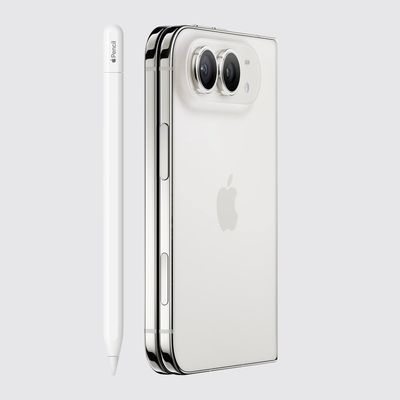
The iPhone Duo is compatible with the Apple Pencil, if you have the right one. MacRumors videographer Dan Barbera tested the Apple Pencil with the iPhone Duo to see if it's a useful tool to pick up. If you already have an Apple Pencil 1, Apple Pencil 2, or Apple Pencil Pro to use with an iPad, you're going to be disappointed to hear they won't work with the iPhone Duo. The iPhone Duo only...
iPhone Duo Apple Pencil

iPhone Duo Supports Apple Pencil Starting With iOS 27.2

Wednesday October 21, 2026 8:19 am PDT by
As noted by Creative Strategies analyst Max Weinbach, the iPhone Duo is gaining Apple Pencil support with iOS 27.2, which is expected to be released to the public next week. You can use the USB-C version of the Apple Pencil to draw, annotate, and scroll within supported apps on the iPhone Duo's inner and outer displays. In a post on X, Weinbach confirmed that Apple Pencil support was enabled...
duo aquarium

More Fun iPhone Duo Apps: 30 New Picks to Try

Friday November 6, 2026 3:27 pm PST by
When the iPhone Duo launched, we shared a list of some of the fun apps developers created for the new form factor. Two weeks out, developers are continuing to come up with fresh ideas, so we thought we'd share some of our favorites. Games Marbles Unhinged ($2.99) - Marbles Unhinged is a marble maze designed for the Duo. When you fold it, the floor turns into a ramp. If you stand the top...
Latest Stories
Apple Store Subscription Sign-Up Controversy Exposed
2 hours ago
Siri AI Rumored to Become 'More Like an Agent' as Early as Next Year
13 hours ago
Apple Taking New Approach to Developing iOS 28 and macOS 28
14 hours ago
Early Apple Black Friday Deals on Apple Watch, MacBook Air, and More
1 day ago
'Backglow' Lets You Customize New MacBook Pro's Glowing Apple Logo
1 day ago
Top Stories: Apple Product Launches, iOS 27.3 Beta, and More
2 days ago
More Fun iPhone Duo Apps: 30 New Picks to Try
2 days ago
Hands-On With Apple's New OLED Touchscreen MacBook Pro
2 days ago
Apple Store With All-New Design Opening Soon in Southern California
2 days ago
Control the Glowing Apple Logo on Your New MacBook Pro
2 days ago
Apple Shares New 'Apple Card: Apply and Use in Minutes' Ad
3 days ago
Apple Says More Than 100,000 Apps Optimized for iPhone Duo, Here's What's Still Missing
3 days ago
Early Black Friday Deals Kickoff With Steep Discounts on Apple Watch Ultras and More
3 days ago
The MacRumors Show: iOS 27.3 Looks Like a Huge Update
3 days ago
Best Buy's Black Friday Event Begins With Sitewide Savings on Apple, TVs, More
3 days ago
Apple Releasing Yet Another Two New Products Next Week
3 days ago
MacBook Air Drops to Lowest Price in Months With Amazon's $250 Discount
3 days ago
Apple Rumored to Drop the iPhone's Action Button Next Year
3 days ago
Apple's Extended Return Policy Now in Effect for 2026 Holiday Season
3 days ago
Apple Music Classical Updated With New Icon and Refreshed Design
3 days ago
OLED iPad Mini, M6 iMac, and New MacBook Pros Available From Today
3 days ago
Apple Surveys iPhone Duo Buyers About Crease and Camera
3 days ago
Apple's First Touchscreen Mac is Now Arriving to Customers
3 days ago
Claude Gets Personal Finance Feature With Bank Account Linking
3 days ago
Apple Arcade Adds Crossy Road Rush and NBA 2K27
3 days ago
Apple's New HomeView Smart Home Hub: Here's How Much RAM It Has
3 days ago
iPad Mini vs. iPad Air Buyer's Guide: Now Just $50 Apart
3 days ago
First iOS 27.3 and macOS Golden Gate 27.3 Public Betas Now Available
3 days ago
Apple Announces a New Mac Sales Record
4 days ago
Paid $200 for Logic Pro? Apple Says You Won't Get This New Feature
4 days ago







































