

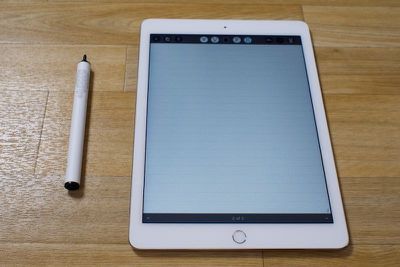
There are hundreds of different stylus options available for the iPhone and the iPad, but that hasn't stopped new company Stilo Co. from introducing a fresh take on the stylus. The battery-powered Stilo is a fine-tipped stylus designed to pair with a Precision Film to replicate the feel of writing on paper with a pen.
According to the company, the purpose behind the Stilo is to create a more "complete and organic" iPhone and iPad writing experience with a writing utensil that's universally compatible with existing sketching and drawing apps in the App Store. It also works with all different touchscreen devices, from the iPhone and iPad (including iPad Air 2) to Android devices.
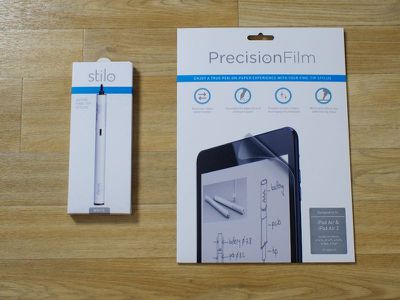
Stilo Co. invited us to go hands-on with the Stilo, so we took them up on their offer to see how the Stilo measures up to competing styluses and how well it mimics the pen-and-paper experience.
Design and Features
The main draw of the Stilo is its small 1.9mm tip, which allows for more accuracy when writing on a capacitive screen because you can see what you're doing. In comparison to a standard pen, it's thicker and heavier to accommodate the AAA battery that powers it.
It's thicker than a lot of other styluses I've used, and I'd say it compares most closely to a marker. It's not exactly uncomfortable to use, but it does get tiresome after long periods of time (upwards of a half hour), resulting in hand cramping and soreness. Some weight in a stylus is appropriate for a smooth pen-like writing experience, but the weight of the Stilo is not ideal - it feels too heavy with too much weight towards the bottom.
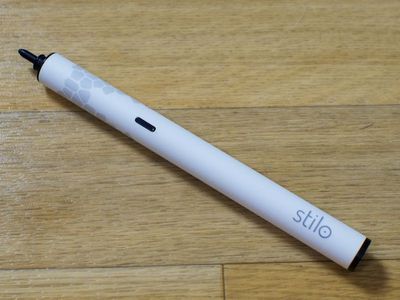
The Stilo weighs 30 grams. In comparison, the Adonit Jot Script weighs 19 grams, a standard Sharpie weighs 8 grams, and a Bic pen weighs 4.6 grams. Thickness and weight preference for a writing utensil is going to vary by person. If you prefer weightier pens that are on the thicker side, the Stilo could be a good fit.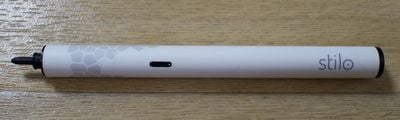
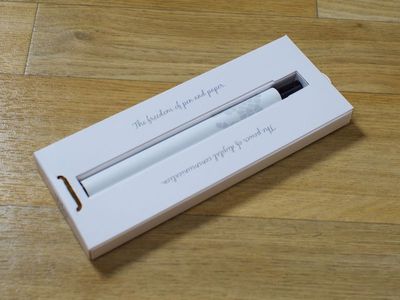
Design wise, the Stilo is attractive. It comes in black or white with a geometric design at the top. An on/off button with a built-in LED turns the power on and off, and it has a flat bottom so it can stand vertically on a desk. The coating of the stylus has a soft rubbery feel, so there's a lot of grip, and the tip itself is a smooth black plastic.
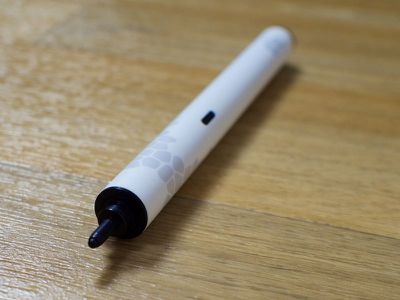
The tip is adjustable and can be rotated to make it longer or shorter, which supposedly changes the signal strength of the stylus to make it work better with screen protectors and different capacitive devices. "Some capacitive screens might prefer a weaker signal while others a stronger one," the website reads.
On my iPad and my iPhone, changing the length of the tip appeared to make no difference whatsoever when a screen protector wasn't involved. With the Precision Film applied on my iPad Air 2, I did need the longer tip to use the stylus. It didn't work when the tip wasn't extended, but even when it was, I had some connection problems with one of the two Stilo styluses I tested.
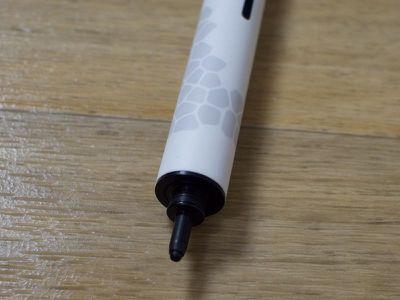
One of the styluses would sometimes cut out while I was writing, a problem that kept cropping up regardless of tip position. It didn't happen all of the time, but it was enough that it felt unreliable for note taking, so Stilo sent me a second stylus to test. I didn't have the same problems with this one, but it's definitely something to watch out for.
Because it takes a AAA battery, the Stilo does not need to be charged. The battery lasts for 10 hours of use.
Writing Experience
On an iPad or iPhone with no screen protector applied, the Stilo tip is smooth and glides across the glass easily. There's a slight lag when writing rapidly or sketching, but there is no offset between the tip and where a mark appears on the screen. When it comes to lines, they're slightly wavy. I wasn't able to draw the type of smooth, straight line I can draw with a rubber-tipped stylus (the same is true of the Adonit Jot Script).
With a small tipped stylus, it's natural to assume that writing legibility would improve, but that's not the case. My quality of writing is the same regardless of what stylus I'm using, but small tips do have the benefit of letting me see exactly what I'm writing on the screen.
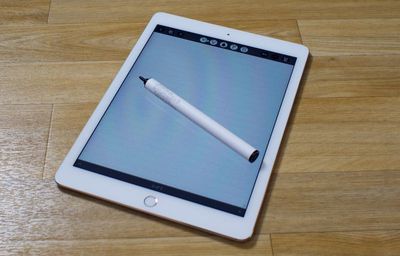
With a standard rubber-tipped stylus, the tip can cover whole words when writing small, as one might when taking notes. A smaller tip, like the 1.9mm tip of the Stilo, doesn't obscure the display while you write, and this is the sole reason why a fine-tipped stylus is my preference even though most, Stilo included, don't measure up to rubber tips in terms of smoothness.
The Stilo can be used with an optional Precision Film, which is available for the iPad 4, iPad Air and Air 2, and all models of the iPad mini. Like any screen protector, it fits over the display of the iPad and is a hassle to put on. Texturally, it doesn't feel smooth because it's designed to add more friction than the standard glass to emulate the experience of writing on paper.
Writing on the Precision Film with the Stilo does feel much less smooth than writing on the iPad's glass screen, but it feels more like writing on plastic with a plastic-tipped pen than pen on paper. It's not a comparable experience. Some people may like the feel of additional friction because it adds control, but it does seem to result in more hand strain.
When writing on glass with a plastic tip, a stylus has a tendency to slip and skid, which is what the Stilo and Precision Film aim to prevent. With a stylus that's slipping against the glass screen, the slippage can cause words to become illegible, especially when using small letters. With the Precision Film, writing with the Stilo feels a bit more precise, but it's not a writing experience that all users are going to prefer because it's not as smooth.
Most of us don't use our iPads solely for writing, but the screen protector is a permanent addition to the iPad. It can't be taken off and re-applied, so it's not a great solution for people who prefer the feel of glass for playing iOS games, reading, and browsing the web. As someone who plays a lot of iOS games, I didn't care for the texture of the screen protector when not writing with a stylus.
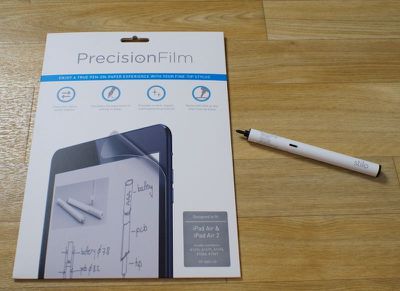
Several of the connected styluses in the market are designed to work with specific apps, but the Stilo is universal and will work in any iOS app on the iPhone or iPad.
Bottom Line
When the iPad Air 2 came out last October, it included a new screen technology that broke existing active and Bluetooth-connected styluses that were on the market, requiring companies to develop new iPad Air 2-compatible styluses.
It took quite a few months, but companies are now coming out with a range of new active styluses that work with the iPad Air 2 and all other Apple devices, and the Stilo falls into this category. It works well with the iPad Air 2 and it is going to perform better than a lot of styluses that were on the market before the iPad Air 2 was released.
According to Stilo Co., the Stilo supposedly outperforms competing styluses because it's compatible with screen protectors with its adjustable tip that changes the signal, but I got the same results from other active-tipped iPad Air 2-compatible styluses that don't have an adjustable tip. So, yes, while it's going to work better than many older battery-powered styluses on the market, it's not offering anything that sets it above other newer styluses.
From my point of view, the adjustable tip of the Stilo did not seem like a useful feature. When extended, it worked with all of my devices, so I never saw the point to making the tip shorter. There was no change in accuracy between the two tip lengths and it didn't improve line or writing quality. Maybe that's required for some Android devices, but it didn't seem to make a difference on the iPad Air 2, iPad mini 2, iPhone 6 Plus, and iPhone 5s I tested with it.
I asked the team behind the Stilo to explain what the adjustable tip was used for and was told it makes the Stilo "more universal" and improves its performance for "tasks that require an utmost level of precision."
Basically when the tip is extended all the way out you are using the maximum sensibility level which is something you would require with any device using a screen protector or some devices that require a high level of sensitivity to register. Allowing users to adjust the sensibility also improves the angle in which Stilo will register with the device allowing a more natural and precise usage experience.
Stilo's engineers also provided me with a list of devices where the Stilo would work better on low: HTC Butterfly, Sony Z3/Z3C, iPad Air 2, Samsung Note 3, Asus Zenfone 6. The only one I had on hand was the iPad Air 2, and like I said, I saw no difference between the settings on that device.
Compared to some of the other fine-tipped styluses that are on the market or are coming in the near future, the Stilo is somewhat overpriced and lacking in features. For example, it's priced nearly the same as the Adonit Jot Script 2 ($75), which also works with the iPad Air 2, but it does not have the same Bluetooth connectivity. The Stilo is compatible with any app, but without Bluetooth connectivity, it has no special features in any app like pressure sensitivity or palm rejection.
The Stilo's selling point is the companion screen protector, but that costs an additional $20 and while it has the potential to make note taking on the iPad more pleasant and precise, it's an imperfect solution because it has to be kept on all the time and isn't ideal for gaming and other activities.
People who use a stylus only on an occasional basis would be best served by a less expensive rubber-tipped or plastic-tipped stylus - unless you're an artist or taking notes on a daily basis, there's no reason to shell out for a fine-tipped stylus because the rubber-tipped ones do the exact same thing.
For artists or those who need more precision, a fine-tipped stylus like the Stilo is useful. There aren't a ton of options out there for customers who need a fine-tipped stylus that works with the iPad Air 2, but there are a few to choose between. Compared to other styluses, the Stilo is a bit pricy for what it's offering, but it may appeal to people who are seeking a thicker, weightier stylus.
Pros:
- Doesn't need to be charged
- Precise
- Tip is high-quality, smooth plastic
- Attractive design with solid grip
Cons:
- Too thick to be held comfortably
- On the heavier side because of battery
- No Bluetooth features
- Expensive, especially when paired with Precision Film
How to Buy
The Stilo can be purchased from Amazon.com in Black or White for $69.99. The Precision Film for the iPad 4, iPad Air, iPad Air 2, and all models of iPad mini is available from the Stilo website for $19.99.















































Top Rated Comments
As much as I love the iPad, I haven't found any stylus and note-taking app that comes even closer to what I need.