

Mac OS X Lion Notes: iOS Scroll Bars, Any Corner Resizing, Dock Changes - MacRumorsOpen MenuShow RoundupsShow Forums menuVisit ForumsOpen Sidebar
Skip to Content

Mac OS X Lion Notes: iOS Scroll Bars, Any Corner Resizing, Dock Changes

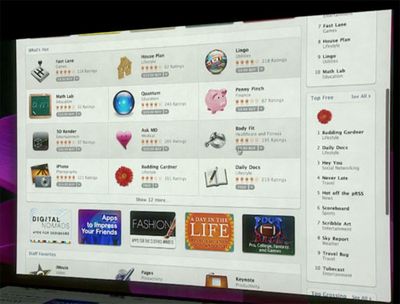
During last week's media event, Apple demoed a few early features of Mac OS X Lion which will be released in 2011. While Apple focused on a few particular features (Mac App Store, LaunchPad, and Full Screen Apps), readers have noticed a few other user interface changes coming to Apple's next operating system.
030119 scrollbar

One rumor that was posted ahead of the event predicted that Mac OS X 10.7 would be getting iOS-inspired scroll bars. During the event, Apple showed off new versions of their Apps with these new scroll bars in place. Like iOS, the scroll bars disappear when not in use, but reappear during scrolling or with mouse movement.

Meanwhile, one reader who had accurately predicted these changes also reveals that in Mac OS X 10.7, users will be able to resize windows from any corner.

ALSO you can now resize the windows from any corner, again, works nicely.

Currently, windows are only resizable on the bottom-right corner of the windows.
030726 resume

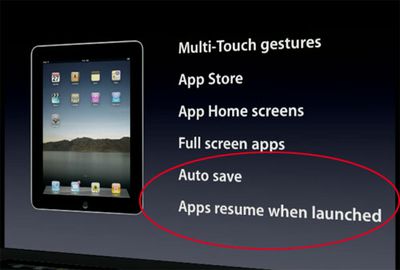
A couple of other new features that Apple glossed over during the presentation was "Auto Save" and "Apps resume when launched". As a result of these new features, it appears that Mac applications are no longer depicted as launched or unlaunched in the Mac OS X Dock:


031902 dock

032509 snow
Top: Lion; Bottom: Snow Leopard

This actually represents a big shift in Mac OS X's representation of apps. The typical "light" indicator under each launched application is gone from the Mac OS X Lion dock. Apple's implementation of instantly resuming applications when launched may blur the lines between launched/unlaunched, though the distinction still remains important when talking about multitasking.


Popular Stories

iCloud iPhone 17 Pro

iPhone Users Who Pay for iCloud Storage Get Two New Perks on iOS 27

Thursday July 2, 2026 6:10 am PDT by
If you pay for certain iCloud+ storage plans beyond the 5GB that Apple offers for free, you will receive two more perks on iOS 27 at no additional cost. A summary of the two new iCloud+ perks on iOS 27:Increased daily usage limits for some new Apple Intelligence features, including image generation in the revamped Image Playground app. HomeKit Secure Video cameras receive generated video...
Apple Event Logo

Apple Just Released a New Product

Thursday July 2, 2026 8:04 am PDT by
Apple's first product release of summer 2026 occurred this week, but do not get too excited, as it is merely the Beats Solo Buds in a new color. Beats Solo Buds are now offered in orange through Best Buy in the U.S., with availability set to expand to 7-Eleven stores in Japan on July 4. Apple already offered orange Solo Buds in India for free with the purchase of an iPhone 15 or iPhone 15 ...
iPhone 4 on Black Feature

Apple Facing One of Its Worst Leaks Since the iPhone 4

Thursday July 2, 2026 9:53 am PDT by
Apple supplier Tata Electronics recently suffered a cyberattack that resulted in thousands of confidential files being published on the dark web, and this reportedly included some photos and documents related to the upcoming iPhone 18 Pro. We have elected not to share any of the leaked photos in this story due to the illegal nature in which they were obtained, but they can easily be found...

Top Rated Comments

205 months ago
wouldn't that be confusing? Not knowing what's running at a glance?
Score: 2 Votes (Like | Disagree)
KnightWRX Avatar
195 months ago
no.
Historically : yes. Otherwise : Citation needed.
Score: 1 Votes (Like | Disagree)
205 months ago
Removing the light represents a fundamental shift: Apple doesn't want you to think about what's "open" or "closed," just like an application being open or closed shouldn't be an issue on iOS. But honestly it's not the same -- the amount of RAM that, say, Photoshop eats up when in the background is not the same as a piddly iOS app, so unless Apple begins restricting what OS X apps can do in the background I don't see this as exactly a great feature.
Score: 1 Votes (Like | Disagree)
205 months ago
What was wrong with the light indicator? If it ain't broke....
Score: 1 Votes (Like | Disagree)














