

Apple Releases watchOS 3.1 With Bug Fixes - MacRumorsOpen MenuShow RoundupsShow Forums menuVisit ForumsOpen Sidebar
Skip to Content

Apple Releases watchOS 3.1 With Bug Fixes

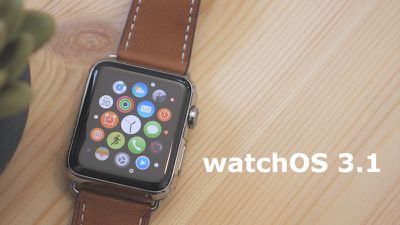
Apple today released a new software update for the Apple Watch, upgrading watchOS 3 to watchOS 3.1. The new watchOS 3.1 update comes more than one month after watchOS 3 was first provided to the public, marking the first update to the new operating system. watchOS 3.1 has been in testing since September 21, with Apple having seeded three betas before launch.

watchOS 3.1 can be downloaded through the dedicated Apple Watch app on the iPhone by going to General -> Software Update. To install the update, the Apple Watch must have 50 percent battery, it must be placed on the charger, and it must be in range of the iPhone. An iPhone running iOS 10 or later is required to download the new software, but it is available for all Apple Watch models.
watchos3-1
During the beta testing period, no major outward-facing changes or feature tweaks were discovered, so watchOS 3.1 focuses mainly on performance improvements and bug fixes to address issues that have popped up since the release of watchOS 3. The release notes list several bug fixes and improvements:

- New option to replay bubble and full screen effects in Messages
- Messages effects can play with Reduce Motion enabled
- Fixes an issue that could cause the notification for Timer complete to be delivered twice
- Resolves an issue that could prevent Apple Watch Series 2 from fully charging
- Resolves an issue where Activity rings may disappear from the watch face
- Fixes an issue that prevented Force Touch options from appearing in some third-party apps.

watchOS 3 is a significant update that brings a new interface to the Apple Watch, with a dedicated app dock, instant launch apps, and new watch faces. There are new Activity sharing features, a "Breathe" app guides users through deep breathing sessions to cut down on stress, and an SOS feature can automatically call emergency services. For more details on watchOS 3, make sure to check out our watchOS 3 roundup.


Related Roundup: Apple Watch 11
Buyer's Guide: Apple Watch (Caution)

Popular Stories

apple watch series 11 pink

Apple Starts Selling Refurbished Apple Watch Series 11, Ultra 3, and SE 3

Friday June 5, 2026 2:14 pm PDT by
Apple is now selling refurbished versions of the Apple Watch Series 11, Apple Watch Ultra 3, and Apple Watch SE 3 at discounted prices. This is the first time the Series 11, Ultra 3, and SE 3 have been available through Apple's online refurbished store since the devices launched last September. Refurbished pricing on the 46mm GPS Apple Watch Series 11 starts at $369, down from $429, while ...
Apple Watch Series 9 Pink Aluminum Feature

watchOS 27 Drops Support for Apple Watch Series 8, Ultra 1, SE 2, and Older

Monday June 8, 2026 11:37 am PDT by
Apple today confirmed that watchOS 27 will not support the Apple Watch Series 8, Apple Watch Ultra (first generation), or Apple Watch SE (second generation), effectively drawing a line at devices equipped with the S9 or S10 chip. The only Apple Watch models compatible with watchOS 27 are the Apple Watch Series 9, Series 10, Series 11, Ultra 2, Ultra 3, and SE 3. The cuts are the biggest...
Apple Watch Series 9

Apple Watch Series 9 Mistakenly Left Off watchOS 27 Compatibility List

Monday June 8, 2026 4:17 pm PDT by
Apple today confirmed that the Apple Watch Series 9 is compatible with watchOS 27, after the device was mistakenly omitted from the software's official compatibility page. Apple updated its website immediately following its WWDC 2026 keynote, and the watchOS 27 page listed a shorter compatibility list than many users expected: the Apple Watch SE 3, Series 10, Series 11, Ultra 2, and Ultra 3. ...

Top Rated Comments

macsplusmacs Avatar
127 months ago
Frosting on the delicious cake.
Score: 26 Votes (Like | Disagree)
127 months ago
My apple watch series 1 is slow and laggy on watchos 3. hope this at least alleviates that.

Can't help but think that lazy programming is behind all this. I mean come on, do we really need a dual core processor nowadays to smoothly run a 42mm screen computer on a wrist watch?

My main desktop computer 10 years ago was single core amd athlon xp with 512mb ram....same as my 'old' watch...and it was a beast and could do incredible and amazing things... like play online against 30+ people on battlefield lol.

Now 10 years later, the same specs can't send or receive emojis to one person without lag.
I bet that 10 yr old desktop wasn't milled from a solid ingot of aluminium! Was it the most personal computing device you ever owned? Probably wasn't even magical either.
Score: 7 Votes (Like | Disagree)
127 months ago
Is the build number the same as beta 3?
Score: 4 Votes (Like | Disagree)
127 months ago
I don't get what some of you guys are doing with your watches - I've had a S0 for around a year before upgrading and damn this battery in my S2 is amazing! Days with a trip to the gym or a run without my phone is still around 50% at night and days with no workout is around 70% remaining battery - never got near that with my S0
Agreed, same here. I have all the bells and whistles turned on, I do 1-2 hours of cardio a day, typically half of it using GPS. I've yet to ever go to bed with the battery below 30%.
Score: 3 Votes (Like | Disagree)
kissfan Avatar
127 months ago
With app updates that are much larger, when will Apple do away with Wi-Fi only update requirements? [emoji35]
Score: 3 Votes (Like | Disagree)
ipedro Avatar
127 months ago
I don't think the watch no longer needs to be placed in a charger to update. As long as your batter is greater than 50%, you should be good.
Incorrect.

MacRumors content image
Score: 3 Votes (Like | Disagree)













