Apple Seeds Third Beta of tvOS 13 to Public Beta Testers - MacRumorsOpen MenuShow RoundupsShow Forums menuVisit ForumsOpen Sidebar
Skip to Content

Apple Seeds Third Beta of tvOS 13 to Public Beta Testers

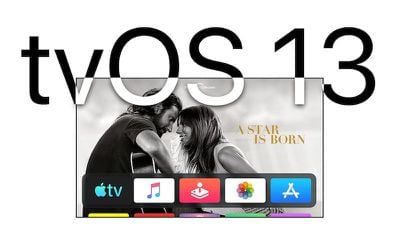
Apple today seeded the third beta of an upcoming tvOS 13 update to its public beta testing group, two weeks after seeding the second public beta and day after seeding the fourth developer beta of tvOS.

Public beta testers can download the new update by going to the Settings app on the Apple TV and navigating to the Software Updates section under "System." "Get Public Beta Updates" will need to be toggled on, and once it is, the ‌Apple TV‌ will download the beta software.

tvos13
Those who want to beta test the software can sign up to do so on Apple's beta testing website.

tvOS 13 includes a new Home screen that's aimed at making it easier to find new content, with support for autoplaying videos to show off new TV shows, movies, and apps, similar to Netflix.

Multi-user support is new in tvOS 13, letting each member of the family have their own customized ‌Apple TV‌ interface with separate recommendations, music playlists, and Watch Now lists. A new Control Center lets you swap between profiles.

tvOS 13 gets the ‌Apple TV‌ ready for Apple Arcade, Apple's new gaming service that's coming to the ‌Apple TV‌, iOS, iPadOS, and macOS later this year. ‌Apple Arcade‌ will offer unlimited access to more than 100 new and exclusive games, for one subscription fee.

‌Apple Arcade‌ preparations include support for the Xbox Wireless Bluetooth Controller and the PlayStation DualShock 4 Controller, both of which can be connected to an ‌Apple TV‌ over Bluetooth.

Apple is also adding new under-the-sea themed screensavers made in partnership with the BBC Natural History unit, also known for "Blue Planet," and the new software brings support for a picture-in-picture mode that lets you watch TV while doing other things on the ‌Apple TV‌.

For more on what's new in tvOS 13, make sure to check out our tvOS 13 roundup.

Related Roundup: Apple TV
Buyer's Guide: Apple TV (Don't Buy)

Popular Stories

General visionOS watchOS and tvOS Betas Feature Redux

Apple Releases Third watchOS 26.6, tvOS 26.6 and visionOS 26.6 Betas

Monday June 29, 2026 10:08 am PDT by
Apple today provided developers with the third betas of upcoming watchOS 26.6, tvOS 26.6, and visionOS 26.6 betas for testing purposes. The software comes two weeks after Apple seeded the second betas. The software updates are available through the Settings app on each device, and because these are developer betas, a free developer account is required. There's no word on what's in the...
Apple TV 2025 Thumb 2 Sans Text

iOS 27 Lets You Update Your Apple TV Using Your iPhone

Tuesday June 23, 2026 9:09 am PDT by
If the idea of digging out your Siri Remote to install a tvOS update on your Apple TV sounds like too much effort, Apple's upcoming iOS 27 software will have a new feature you'll surely welcome. Based on the latest iOS 27 beta 2, you can push Apple TV software updates straight from your iPhone, and you don't even need to turn the Apple TV on first. Apple's set-top box now appears in the...
Chase Sapphire Reserve Apple Perk Feature

Chase Sapphire Credit Cards Offering New Apple TV and Apple One Perks

Wednesday June 24, 2026 7:00 am PDT by
Chase recently introduced new Apple TV and Apple One perks for its Sapphire Preferred and Sapphire Reserve credit cards in the United States. Sapphire Preferred cardholders ($95 annual fee) are now eligible to receive a complimentary one-year Apple TV streaming subscription, or a $7.50/month discount on an active Apple One subscription for 12 months instead. Sapphire Reserve cardholders...

Top Rated Comments

92 months ago
So far, tvOS 13 is a disaster! :eek:
Based on the level at which this is sucking on the current hardware...I'm hoping there will be new hardware fairly soon. :rolleyes:
…it’s a beta. Past beta releases (tvOS 12) have been buggy too. Did you expect it to be perfect?!? They’ve still got about two months to work out the kinks.

In my experience with the previous public beta, it was actually pretty smooth though. A few bugs (like the Trailers app), but nothing major from what I can see.
Score: 1 Votes (Like | Disagree)
92 months ago
I tried that as well, but nothing changed. Very odd, and seems specific only to this app, which is first party. That was the confusion for me.
The other thing I’ve read is disabling location settings for the trailers app under Settings -> Apps - > Trailers
Score: 1 Votes (Like | Disagree)
Kaibelf Avatar
92 months ago
I had this issue. Deleting and reinstalling the trailers app sorted.
I tried that as well, but nothing changed. Very odd, and seems specific only to this app, which is first party. That was the confusion for me.
Score: 1 Votes (Like | Disagree)
Muero Avatar
92 months ago
Can the autoplay "feature" be turned off?
Score: 1 Votes (Like | Disagree)