

Apple today released macOS Catalina 10.15.4, the fourth update to the macOS Catalina operating system that was released in October. macOS Catalina 10.15.4 comes a couple of months after the release of macOS Catalina 10.15.3.
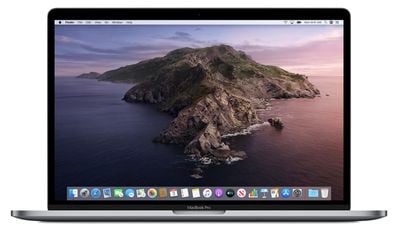
macOS Catalina 10.15.4 can be downloaded from the Mac App Store for free using the Update feature in the System Preferences app.
The macOS Catalina 10.15.4 update introduces Screen Time Communication Limits, a feature that was first brought to the iPhone in the iOS 13.3 update. Communication Limits allow parents to put limits on who children can contact through FaceTime, Phone, Messages, and iCloud Contacts.
There's a new Head Pointer Accessibility option that allows the mouse cursor to be controlled with head movements using the Mac's camera, plus real-time lyrics are included for Apple Music. Real-time lyrics allow lyrics for a song to scroll by in real-time to the music so you can follow along with what's being sung. Apple has also added iCloud Folder Sharing, which can be done from Finder.
Though not directly related to macOS Catalina 10.15.4, Apple is adding a new universal purchase option for macOS and iOS apps, which will allow Apple device users to purchase one app that works across multiple platforms. These features will be available following the release of macOS Catalina 10.15.4 and iOS 13.4. Release notes for the update are below:
macOS Catalina 10.15.4 introduces iCloud Drive folder sharing, Screen Time communications limits, Apple Music time-synced lyrics view, and more. The update also improves the stability, reliability, and security of your Mac.
Finder
- iCloud Drive folder sharing from Finder
- Controls to limit access only to people you explicitly invite or grant access to anyone with the folder link
- Permissions to choose who can make changes and upload files and who can only view and download filesScreen Time
- Communication limits for controlling who your children can communicate with and be contacted by throughout the day and during downtime
- Playback control of music videos for your childrenMusic
- Time-synced lyrics view for Apple Music, including the ability to jump to your favorite part of a song by clicking a line in lyrics viewSafari
- Option to import Chrome passwords into your iCloud Keychain for easy AutoFill of your passwords in Safari and across all your devices
- Controls for duplicating a tab and for closing all tabs to the right of the current tab
- HDR playback support on compatible computers for Netflix contentApp Store with Apple Arcade
- Universal Purchase support enables the use of a singular purchase of a participating app across iPhone, iPod touch, iPad, Mac, and Apple TV
- Recently played Arcade games appear in the Arcade tab so you can continue playing on iPhone, iPod touch, iPad, Mac, and Apple TVPro Display XDR
- Customized reference modes that you can tailor to specific workflow needs by selecting from several color gamut, white point, luminance, and transfer function optionsAccessibility
- Head pointer preference for moving a cursor on the screen based on the precise movements of your headThis update also includes bug fixes and other improvements.
- High Dynamic Range output to HDR10-compatible third-party displays and TVs connected with DisplayPort or HDMI
- OAuth authentication support with Outlook.com accounts for improved security
- CalDav migration support when upgrading to iCloud reminders on a secondary device
- Resolves an issue where text copied between apps may appear invisible when Dark Mode is active
- Fixes an issue in Safari where a CAPTCHA tile may display incorrectly
- Resolves an issue where Reminders may send notifications for completed reminders
- Fixes an issue with screen brightness for the LG UltraFine 5K display after waking from sleep
macOS Catalina 10.15.4 could be one of the last updates to the macOS Catalina operating system as Apple shifts its focus to macOS 10.16, set to be released later this year.





/https://forums.macrumors.com/attachments/900981/)

















