tvOS 14 Brings Apple TV Support for AirPods Audio Sharing and Watching YouTube Videos in 4K
tvOS 14, which Apple introduced briefly on stage while previewing HomeKit features, is bringing a few major new feature updates to the Apple TV.
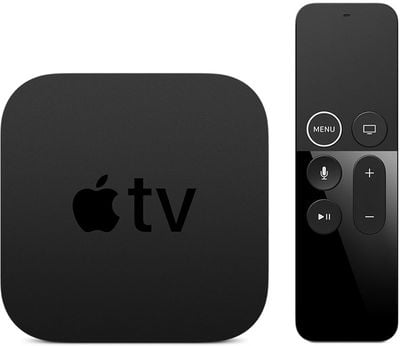
For Apple TV 4K users, with tvOS 14, you'll finally be able to watch YouTube videos in 4K resolution, something that has not been previously possible. The Apple TV has not supported the 4K video codec that YouTube uses, limiting viewing to 1080p.
As noted by The Verge, the Apple TV 4K website highlights new additions to tvOS, with a mention of the 4K YouTube feature.
Apple is also bringing Audio Sharing for AirPods to the Apple TV, which means two sets of AirPods can be connected to an Apple TV 4K at the same time. This will let multiple users watch movies and TV shows without disturbing others in the room.
Other new features include picture in picture support, an option to view HomeKit video feeds, multiuser support for gaming, and the option to use additional controllers like the Xbox Elite Wireless Controller Series 2 and Xbox Adaptive Controller.
Popular Stories
Apple today announced a new subscription initiative that turns paid iCloud+ subscriptions into a broader services bundle in more than 100 countries.
In select countries, Apple says every paid iCloud+ plan, including the cheapest 50GB tier, now includes Apple TV and Apple Arcade "at no additional cost," while family sharing extends the storage, TV and Arcade access to up to five people....
The next Apple TV 4K will be equipped with an A19 or A19 Pro chip, according to evidence in Apple's code uncovered by MacRumors contributor Aaron Perris. In particular, the device's model identifier points towards the A19 generation of chips.
Accordingly, the next Apple TV would have 8GB or 12GB of RAM, up from 4GB in the current 2022 model with the A15 Bionic chip. Other rumored upgrades for...
Apple today released the sixth public betas of iOS 27, iPadOS 27, tvOS 27, and macOS Golden Gate, allowing anyone with a compatible device to download and test the new software. The sixth betas come a week after Apple seeded the fifth betas and a few hours after the eighth developer betas.
You can get started by signing up on Apple's beta website and then opting in to the public beta by...