Best macOS 11 Big Sur Features: Control Center, Safari Updates, Notifications Overhaul, Design Changes and More - MacRumorsOpen MenuShow RoundupsShow Forums menuVisit ForumsOpen Sidebar
Skip to Content

Best macOS 11 Big Sur Features: Control Center, Safari Updates, Notifications Overhaul, Design Changes and More

macOS Big Sur, an update significant enough that Apple called it macOS 11 instead of macOS 10.16, introduces design changes, feature updates, and app tweaks that make macOS feel refreshingly new and streamlined.


In our latest YouTube video, we've highlighted some of the best features coming in macOS Big Sur that will make upgrading to the new software worth it.

  • Fresh Design - macOS Big Sur overhauls the macOS interface with a design meant to be fresh but familiar at the same time. Windows have a lighter appearance and cleaner look with rounded edges, there are new icons, the menu bar has been redesigned to be more useful, and there are new, more cohesive symbols throughout the OS. On the whole, most of the tweaks are minor, but all together, it's a welcome change.
  • Control Center - Part of the macOS Big Sur redesign includes a new Control Center accessible from the menu bar, which puts useful Mac functions just a click away. It has quick access controls for WiFi, AirDrop, Bluetooth, volume, and display and keyboard brightness, along with toggles for options like Dark Mode, True Tone, and Night Shift. It's also customizable, so you can make sure your most used controls are readily available.
  • Notification Center - Notification Center received one of the biggest design updates in macOS Big Sur, with Apple redesigning widgets and changing the way notifications work. Widgets more closely match the widgets introduced in iOS 14, with customizable sizes and functions to go along with the updated look. Notifications are now grouped together by app, which makes them more readable, and many notifications are more interactive with options to do things like reply to an email without opening the Mail app.
  • Safari Customization - You can set a wallpaper for Safari in macOS Big Sur, choosing from one of Apple's options or a photo of your own. You can also add Favorites, Frequently Visited websites, Siri Suggestions, Reading List, iCloud Tabs, and the new Privacy Report to the Safari start page so you can have your most used Safari functions more readily available.
  • Safari Privacy Report - Privacy Report is a new Safari feature that lets you know which trackers Safari is blocking from tracking you across the web. You can see what trackers a website has installed by clicking on the little shield button in Safari, but Apple also provides a Tracking Report with info on trackers blocked each week and which trackers are used across the most sites.
  • Safari Tab Preview - Safari tabs have been updated in macOS Big Sur, and if you hover over any tab you have open, you can see a little preview of the site. The preview lets you get a glimpse of what's in the tab so you don't need to click all the way over to it to see what it is, which is handy when you have a bunch of tabs open.
  • Safari Translation - There's a built-in translation feature in Safari, which lets you translate languages with a click so you don't need to install a separate extension. Apple's built-in translation option works with English, Spanish, Chinese, French, German, Russian, and Brazilian Portuguese.
  • Messages - Messages in macOS Big Sur is now a Mac Catalyst app, so it's got much of the same functionality that's available in Messages for iOS. It supports all of the new iOS 14 features like pinned conversations, inline replies, and mentions, plus there's an updated Photos picker, an option for creating and sharing Memoji stickers, an images search for finding trending images and GIFs to share, and support for Message effects like balloons, confetti, and more. Search is also much improved and brings up separate listings for conversations, photos, contacts, and locations, similar to Messages for iOS.
  • Battery Usage - In the Battery section of System Preferences, Apple now provides details on the Mac's battery life over 24 hours or the last 10 days, broken up by battery level and screen on usage so you can see how your battery is performing. Apple also brought back an estimate of remaining battery life, which is a feature that was removed from macOS Sierra in 2016.
  • Video Editing - The Mac ‌Photos‌ app now supports video editing, so you can adjust parameters like light and color, add filters, and crop and rotate videos without having to use a third-party app.
  • New Startup Sound - There are a whole bunch of new and updated sounds in macOS Big Sur and we have a video coming that will exclusively cover sound changes, but there's one major update worth noting here -- the return of the macOS startup sound. macOS Big Sur once again chimes when the Mac is booted up.

There are many more new features in macOS Big Sur, and more detail on what's coming in the update can be found in our macOS Big Sur roundup. macOS Big Sur is limited to developers at the current time, but Apple should be making a public beta available in the near future.

Related Forum: macOS Big Sur

Popular Stories

apple pro tell logo

Apple Launching Five New Products Today

Thursday November 5, 2026 12:59 am PST by
Apple is launching five new products on Friday, November 6, following pre-orders that opened last week, including its first touchscreen MacBook Pro models. The following new products will be available from today: iPad mini with OLED display and A20 Pro chip iMac with M6 chip 14-inch MacBook Pro with M6 chip 14-inch MacBook Pro with OLED touchscreen 16-inch MacBook Pro with OLED...
duo aquarium

More Fun iPhone Duo Apps: 30 New Picks to Try

Friday November 6, 2026 3:27 pm PST by
When the iPhone Duo launched, we shared a list of some of the fun apps developers created for the new form factor. Two weeks out, developers are continuing to come up with fresh ideas, so we thought we'd share some of our favorites. Games Marbles Unhinged ($2.99) - Marbles Unhinged is a marble maze designed for the Duo. When you fold it, the floor turns into a ramp. If you stand the top...
silver iphone 18 pro

Apple Rumored to Drop the iPhone's Action Button Next Year

Friday November 6, 2026 6:07 am PST by
Apple plans to merge the iPhone's Action button with the Camera Control starting next year, according to the leaker known as "Instant Digital." In a new post on Weibo, the leaker claimed that a single press of the combined button would open the camera, while a long press would trigger the function assigned to the Action button. They explicitly clarified that the dedicated Action button would ...

Top Rated Comments

krfr Avatar
82 months ago
If only they’d kept the messages icon blue... and made it blue on iPhone.
Score: 13 Votes (Like | Disagree)
GeoStructural Avatar
82 months ago
To me Big Sur looks gorgeous, so streamlined and easy to use. I understand the frustration of long time users and their resistance to change, I only use Mac when I have to, I mostly use Linux and Windows, but this to me looks like a professional product, not childish as many reviewers and forum members have said. Both iOS 14 and Big Sur are some of the best software experiences Apple has produced.


I am currently on the betas for both iOS and MacOS and they are very stable, they have improved on that sense too.

Edit: I think Apple is working towards merging MacOS and iOS (iPadOS) even if they deny it.
Score: 13 Votes (Like | Disagree)
82 months ago
On the new dock icons - I find it odd that Messages is not blue - but rather green - Which shows it's not an iMessage with other iOS or macOS users… With such a significant overhaul of the UI, I'd think going blue would make more sense. Otherwise, I am looking forward to Big Sur.
Score: 12 Votes (Like | Disagree)
AngerDanger Avatar
82 months ago

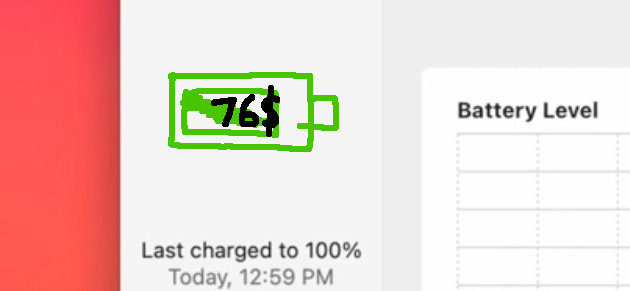
Wait, that battery icon is still a thing in settings?? oh my gosh I thought that was a placeholder for when the actual icon was finished.
Yeah, I've spent a lot of time thinking of what I'd prefer to see in a battery icon, and I've come up with something I think is far superior:


Attachment Image
Score: 10 Votes (Like | Disagree)
82 months ago

Edit: I think Apple is working towards merging MacOS and iOS (iPadOS) even if they deny it.
I think so too. Each version of macOS inches closer to iOS, not the other way around.


What does Big Sur do to a carefully cultivated pre-Catalina iTunes library?

As someone who has been in iCloud Music Library hell for the past week, all I can say is multiple backups!!! My iTunes to (Catalina) Music upgrade went well, however.
Score: 6 Votes (Like | Disagree)
82 months ago

After the disastrous iOS 12 and 13 betas I was also wary of installing them, but these are so much better. I still would not install them on daily drivers, the iPad has crashed a few times but the iPhone and Mac have worked flawlessly.
iOS and iPadOS are both so stable they feel like a GM release, not had a single crash on either device since it was publicly released. Battery and temps fine too. Running a 2020 iPad Pro and an iPhone X.

Really excited to give Big Sur a shot, hopefully it's the same experience as iOS 14.

Score: 5 Votes (Like | Disagree)
Latest Stories
Early Apple Black Friday Deals on Apple Watch, MacBook Air, and More
10 hours ago
'Backglow' Lets You Customize New MacBook Pro's Glowing Apple Logo
11 hours ago
Top Stories: Apple Product Launches, iOS 27.3 Beta, and More
17 hours ago
More Fun iPhone Duo Apps: 30 New Picks to Try
1 day ago
Hands-On With Apple's New OLED Touchscreen MacBook Pro
1 day ago
Apple Store With All-New Design Opening Soon in Southern California
1 day ago
Control the Glowing Apple Logo on Your New MacBook Pro


1 day ago
Apple Shares New 'Apple Card: Apply and Use in Minutes' Ad
2 days ago
Apple Says More Than 100,000 Apps Optimized for iPhone Duo, Here's What's Still Missing
2 days ago
Early Black Friday Deals Kickoff With Steep Discounts on Apple Watch Ultras and More
2 days ago
The MacRumors Show: iOS 27.3 Looks Like a Huge Update
2 days ago
Best Buy's Black Friday Event Begins With Sitewide Savings on Apple, TVs, More
2 days ago
Apple Releasing Yet Another Two New Products Next Week
2 days ago
MacBook Air Drops to Lowest Price in Months With Amazon's $250 Discount
2 days ago
Apple Rumored to Drop the iPhone's Action Button Next Year
2 days ago
Apple's Extended Return Policy Now in Effect for 2026 Holiday Season
2 days ago
Apple Music Classical Updated With New Icon and Refreshed Design
2 days ago
OLED iPad Mini, M6 iMac, and New MacBook Pros Available From Today
2 days ago
Apple Surveys iPhone Duo Buyers About Crease and Camera
2 days ago
Apple's First Touchscreen Mac is Now Arriving to Customers
2 days ago
Claude Gets Personal Finance Feature With Bank Account Linking
2 days ago
Apple Arcade Adds Crossy Road Rush and NBA 2K27
2 days ago
Apple's New HomeView Smart Home Hub: Here's How Much RAM It Has
2 days ago
iPad Mini vs. iPad Air Buyer's Guide: Now Just $50 Apart
2 days ago
First iOS 27.3 and macOS Golden Gate 27.3 Public Betas Now Available
3 days ago
Apple Announces a New Mac Sales Record
3 days ago
Paid $200 for Logic Pro? Apple Says You Won't Get This New Feature
3 days ago
Instagram's Edits Video Editor is Now Available on Mac
3 days ago
Prevent Siri and Search From Accessing Specific iPhone Apps
3 days ago
Best Early Black Friday Deals on iPhone 18 Pro and iPhone Duo
3 days ago