

Apple today seeded the seventh beta of an upcoming macOS Big Sur update to developers for testing purposes, two weeks after releasing the sixth beta and more than two months after the new update was unveiled at the Worldwide Developers Conference.
The macOS Big Sur beta can be downloaded through the Apple Developer Center and once the appropriate profile is installed, subsequent betas will be available through the Software Update mechanism in System Preferences.
macOS Big Sur introduces a refreshed design to the Mac operating system, overhauling the entire look from the curvature of the window corners to the dock icons to the system sounds. Everything feels fresh but familiar, with a lighter and more modern appearance. There's a new customizable Control Center that mirrors the Control Center on iOS devices, putting key system controls right at your fingertips.
The Notification Center has been redesigned with iOS-style widgets that are available in multiple sizes, plus there are more interactive notifications that are now grouped by app to make it easier to see what's going on. Safari is faster and more battery efficient, plus there's a new start page that can be customized with wallpapers and sections that include Reading List and iCloud Tabs, which makes Safari more tailored to your individual usage needs.
Tabs have been redesigned, there's a built-in language translation feature, Chrome and Firefox Extensions can be ported to Safari, and YouTube supports 4K video playback. There's also an option to choose which sites an extension works with for greater privacy. Speaking of privacy, a new Privacy Report feature lets users know the trackers Safari is blocking when you visit websites.
Messages is more similar to the Messages app on iOS with support for pinned conversations, mentions, inline replies, and Memoji creation, plus the built-in search feature has been overhauled to make it easier to find links, photos, and conversations in the app.
Apple redesigned the Maps app to add support for Look Around, indoor maps, and Guides, which are lists of notable attractions, restaurants, and more created by trusted sources. Maps can also be used to generate directions for cycling routes and electric vehicle trips that can be sent to iPhone, and shared ETA updates are now viewable on the Mac.
Photos includes a better Retouch tool, Apple Music's For You section has been replaced with a Listen Now section, HomeKit Secure Video cameras support Face Recognition and Activity zones, and Siri can answer a wider range of questions than before.
In the future, the macOS Big Sur App Store will help users better understand privacy practices with clear info on the information that an app collects, and after installing macOS Big Sur, you'll see faster updates that begin in the background and then finish more quickly to make it easier to keep your Mac up to date.
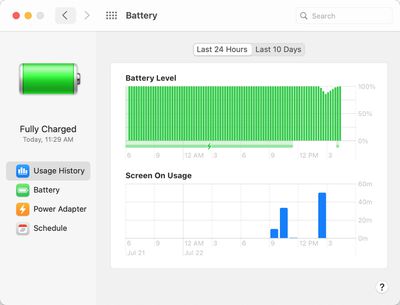
Apple in the third beta of macOS Big Sur changed the battery icon for the Battery section in System Preferences, refining the design to make it look more clean and streamlined. The beta testing period also brought a new design for the Music app icon (it's red), and some color changes to the buttons and icons inside the music app.
For more on everything that's new in macOS Big Sur, make sure to check out our roundup.





















