Apple Releases tvOS 15.6 for Apple TV HD and Apple TV 4K With Performance Improvements - MacRumorsOpen MenuShow RoundupsShow Forums menuVisit ForumsOpen Sidebar
Skip to Content

Apple Releases tvOS 15.6 for Apple TV HD and Apple TV 4K With Performance Improvements

Apple today released tvOS 15.6, the sixth major update to the tvOS operating system that first launched in September 2021. tvOS 15.6 comes more than two months after the release of tvOS 15.5.
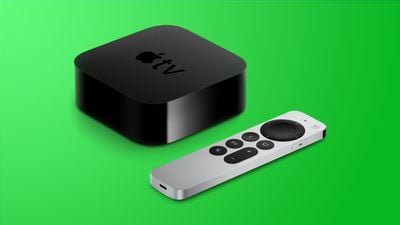
apple tv 4k design green
tvOS 15.6 can be downloaded over the air on the Apple TV through the Settings app by going to System > Software Update. ‌‌‌‌‌‌‌Apple TV‌‌‌‌‌‌‌ owners who have automatic software updates enabled will be upgraded to tvOS 15.6 automatically.

Apple's tvOS updates are typically minor in scale, focusing on bug fixes, performance updates, and small tweaks rather than major outward-facing changes. There were no new features discovered in tvOS 15.6 during the beta testing process.

Apple's release notes say tvOS 15.6 includes "general performance and stability improvements."

Related Roundup: Apple TV
Buyer's Guide: Apple TV (Don't Buy)

Popular Stories

General visionOS watchOS and tvOS Betas Feature Redux

Apple Releases Third watchOS 26.6, tvOS 26.6 and visionOS 26.6 Betas

Monday June 29, 2026 10:08 am PDT by
Apple today provided developers with the third betas of upcoming watchOS 26.6, tvOS 26.6, and visionOS 26.6 betas for testing purposes. The software comes two weeks after Apple seeded the second betas. The software updates are available through the Settings app on each device, and because these are developer betas, a free developer account is required. There's no word on what's in the...
Apple TV 2025 Thumb 2 Sans Text

iOS 27 Lets You Update Your Apple TV Using Your iPhone

Tuesday June 23, 2026 9:09 am PDT by
If the idea of digging out your Siri Remote to install a tvOS update on your Apple TV sounds like too much effort, Apple's upcoming iOS 27 software will have a new feature you'll surely welcome. Based on the latest iOS 27 beta 2, you can push Apple TV software updates straight from your iPhone, and you don't even need to turn the Apple TV on first. Apple's set-top box now appears in the...
Chase Sapphire Reserve Apple Perk Feature

Chase Sapphire Credit Cards Offering New Apple TV and Apple One Perks

Wednesday June 24, 2026 7:00 am PDT by
Chase recently introduced new Apple TV and Apple One perks for its Sapphire Preferred and Sapphire Reserve credit cards in the United States. Sapphire Preferred cardholders ($95 annual fee) are now eligible to receive a complimentary one-year Apple TV streaming subscription, or a $7.50/month discount on an active Apple One subscription for 12 months instead. Sapphire Reserve cardholders...

Top Rated Comments

iamgalt Avatar
52 months ago
I really wish MacRumors would just put out one article about software updates. Just come out and say apple released updates to MacOS, iOs, iPadOS, WatchOS, TVOS, and list the updates for each in that one article and be done with it. Instead we get 5 articles with almost IDENTICAL wording from the last update article; just change the release number and list of fixes.
Score: 19 Votes (Like | Disagree)
52 months ago

I really wish MacRumors would just put out one article about software updates. Just come out and say apple released updates to MacOS, iOs, iPadOS, WatchOS, TVOS, and list the updates for each in that one article and be done with it. Instead we get 5 articles with almost IDENTICAL wording from the last update article; just change the release number and list of fixes.
The separation is nice for comments. I like not having to wade through 30 pages of iOS comments when all I care about is macOS.
Score: 12 Votes (Like | Disagree)
52 months ago
Does this fix the Dolby Atmos issue?
Score: 8 Votes (Like | Disagree)
greenmeanie Avatar
52 months ago

I think one of the things I don't like about this forum is MacRumors spams itself for the most part. On Update day, just one news story would suffice. It seems like this site has at least 7 articles a day and I think only about 3 or 4 really are that important.
I rather have them separate so all the moaning for that one update stays there.
Do you really want to read through pages of post with all the complaining for all the updates in one thread?
I sure don't
Score: 7 Votes (Like | Disagree)
52 months ago
Time to update and notice nothing new as usual 🤣
Score: 7 Votes (Like | Disagree)
zorinlynx Avatar
52 months ago

Anyone know how to fix the Micro-Stutter issue when watching Disney Plus content?
I used to have occasional stuttering issues, until I went into Settings -> Video and enabled "Match Rate".

This tells the Apple TV to send the signal to your TV at the rate it is encoded at. So for 24FPS movie content, it gets sent at 24FPS.

After doing this, 24FPS content got much smoother with zero stuttering.
Score: 6 Votes (Like | Disagree)