

Apple Seeds Second Beta of macOS Ventura 13.1 to Developers - MacRumorsOpen MenuShow RoundupsShow Forums menuVisit ForumsOpen Sidebar
Skip to Content

Apple Seeds Second Beta of macOS Ventura 13.1 to Developers

Apple today seeded the second beta of an upcoming macOS Ventura 13.1 update to developers for testing purposes, with the beta launching two weeks after Apple seeded the first macOS Ventura 13.1 beta.
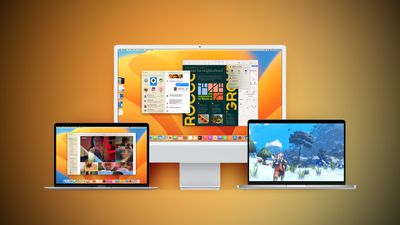
Ventura Macs Feature Yellow
Registered developers can download the beta through the Apple Developer Center and after the appropriate profile is installed, the beta will be available through the Software Update mechanism in System Settings.

With macOS Ventura 13.1, Apple has debuted the Freeform app, which is aimed at creative collaboration. It can be used for brainstorming, planning out ideas, jotting down thoughts, sketching, and other creative purposes.

Users can insert drawings, sticky notes, shapes, text boxes, photos, videos, PDFs, links, and other documents, with Freeform serving as a blank canvas. Freeform "boards" can be shared with other people and discussed over FaceTime, with updates from all participants synced to everyone in real-time.

macOS Ventura 13.1 also introduces support for an updated Home app architecture that improves performance for smart home devices, with these features also available in iOS 16.2 and iPadOS 16.2.


Related Forum: macOS Ventura

Popular Stories

Apple Wallet

iOS 27 Will Add Two New Apple Wallet Features to Your iPhone

Monday June 1, 2026 12:15 pm PDT by
Apple is set to unveil iOS 27 during its WWDC 2026 keynote on Monday, June 8, and the update will reportedly include two new Apple Wallet features. First, iOS 27 will reportedly let users create their own digital passes by scanning items like movie tickets, concert passes, and gym membership cards. Many apps already offer Apple Wallet passes, but now users will be able to create a custom...
Dynamic Island iPhone 18 Pro Feature

iPhone 18 Pro Battery Capacities Allegedly Leaked

Tuesday June 2, 2026 1:54 am PDT by
Battery capacities for Apple's upcoming iPhone 18 Pro have allegedly surfaced, and the numbers suggest only a modest increase over the iPhone 17 Pro. According to prolific Weibo-based leaker Digital Chat Station, Apple is testing the iPhone 18 Pro with different battery capacities for the China and U.S. versions of the device, similar to last year's iPhone 17 Pro models. The Chinese model is ...
macOS 27 on MacBook Pro

Apple Says macOS 27 Won't Be Compatible With These Macs

Wednesday June 3, 2026 8:29 am PDT by
During WWDC 2025, Apple revealed that macOS 26 Tahoe would be the final major macOS version for Intel-based Macs. macOS 27 will be compatible with Apple silicon Macs only, meaning that you will need a Mac with an M-series chip or a MacBook Neo with an A18 Pro chip in order to install the software update. Apple will unveil macOS 27 during its WWDC 2026 keynote this Monday, June 8, and the...

Top Rated Comments

Realityck Avatar
47 months ago

Is System Settings still a steaming pile of dumpster fire?
from a earlier post. Try the View Menu.
============
One of the more obvious things about Ventura system settings is forgetting that you can use the pull down menu under view to see a alphabetical list view in Mac System Settings rather then look for things nestled in the groupings of the system settings window. Image courtesy 9to5 Mac. So Apple did make it easier to go to specific settings if you're aware of this.

MacRumors content image
Score: 11 Votes (Like | Disagree)
rpmurray Avatar
47 months ago
Is System Settings still a steaming pile of dumpster fire?
Score: 5 Votes (Like | Disagree)
Realityck Avatar
47 months ago

They did everything they can to slow down navigation
Spotlight is very fast and does more. There is nothing about this beta that is slow.
Score: 4 Votes (Like | Disagree)
47 months ago

Am I the only one who thinks that hiding some more setting behind a small button with an „i“ in it is a horrible idea? From such a button I would expect some sort of help text but not any further settings.

The new printing dialog is the same mess, settings behind these buttons and now I have to scroll in the printing dialog.

This is the sort of UI I create for a „quick & dirty“ application I create to be used only by myself, but the UI a company that claims to value design should release.
They did everything they can to slow down navigation
Score: 2 Votes (Like | Disagree)
47 months ago
Also, the new build number for 13.1 beta 2 is 20C5044e
Score: 2 Votes (Like | Disagree)
47 months ago
Spotlight is very good in Ventura
Score: 1 Votes (Like | Disagree)














