

Apple Seeds Third Beta of tvOS 17.2 to Developers - MacRumorsOpen MenuShow RoundupsShow Forums menuVisit ForumsOpen Sidebar
Skip to Content

Apple Seeds Third Beta of tvOS 17.2 to Developers

Apple today seeded the third beta of an upcoming tvOS 17.2 to developers for testing purposes, with the beta coming a week after the release of the second tvOS 17.2 beta.
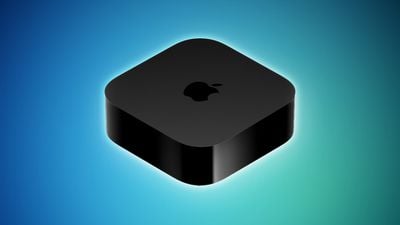
Apple TV 2022 Feature Blue
Registered developers are able to download the tvOS 17.2 update by opting in to the beta through the Settings app on the Apple TV. A registered developer account is required.

tvOS updates are often minor in scale compared to other operating system updates, focusing primarily on bug fixes and smaller improvements rather than notable outward-facing changes, but tvOS 17.2 introduces an overhauled ‌Apple TV‌ app.

The app now includes a sidebar that houses content from both Apple's services and streaming services that integrate with the tvOS Watch Now feature. There are dedicated sections for Search, Watch Now, ‌‌Apple TV‌+‌, MLS Season Pass, Sports, the Store, and the Library at the top of the sidebar, along with dedicated sections for streaming services like ABC, CBS, Comedy Central, Hulu, ESPN, Discovery, Peacock, Prime Video, and more.

You can click into each streaming service to see content that's available specifically on that service, and there's also a new My TV section that replaces "My Channels."


Related Roundup: Apple TV
Buyer's Guide: Apple TV (Don't Buy)

Popular Stories

tvOS 26 Feature

Apple Releases tvOS 26.5

Monday May 11, 2026 10:02 am PDT by
Apple today released tvOS 26.5, the fifth update to the tvOS operating system that came out last fall. tvOS 26.5 is available for the Apple TV 4K, and it comes over a month after Apple released tvOS 26.4. tvOS 26.5 can be downloaded using the Settings app on the ‌‌Apple TV‌‌. Open up Settings and go to System > Software Update to get the new software. ‌‌Apple TV‌‌ owners who...
General visionOS watchOS and tvOS Betas Feature Redux

Apple Releases First watchOS 26.6, tvOS 26.6 and visionOS 26.6 Betas

Tuesday May 26, 2026 10:03 am PDT by
Apple today provided developers with the first betas of upcoming watchOS 26.6, tvOS 26.6, and visionOS 26.6 betas for testing purposes. The software two weeks after Apple launched the 26.5 versions of each platform. The software updates are available through the Settings app on each device, and because these are developer betas, a free developer account is required. There's no word on...
Where is the New Apple TV Feature

Apple Previews New tvOS 27 Feature

Wednesday May 20, 2026 1:02 pm PDT by
Apple has announced that "Larger Text" support is coming to tvOS, allowing users to increase the on-screen text size to make it easier to read. "Larger Text" lets you adjust the size of text in supported apps, with the option already available on other devices like the iPhone, iPad, and Vision Pro. This was one of the new accessibility features that Apple previewed earlier this week, with ...

Top Rated Comments

bigpoppa Avatar
34 months ago

Can't wait to see if this fixes spoken search to work in each app rather than activating system-wide Siri.
It’s not broken. What they did was change how the button reacts. If you’re in a search field, just tap the button once and it acts as it should. Long press invokes Siri. Just don’t press the button that long.
Score: 6 Votes (Like | Disagree)
EndlessSummer71 Avatar
34 months ago

Hopefully Apple fixed their 5.1 issues with beta 3.
It's finally fixed!
Score: 3 Votes (Like | Disagree)
iOSBry Avatar
33 months ago

It’s not broken. What they did was change how the button reacts. If you’re in a search field, just tap the button once and it acts as it should. Long press invokes Siri. Just don’t press the button that long.
This works perfectly; wish it was more discoverable in tvOS - they should display a pop-up explaining the new behavior.
Score: 2 Votes (Like | Disagree)
iOSBry Avatar
34 months ago

It’s not broken. What they did was change how the button reacts. If you’re in a search field, just tap the button once and it acts as it should. Long press invokes Siri. Just don’t press the button that long.
Oh, thank you! Will test this tomorrow.
Score: 2 Votes (Like | Disagree)
srbNYC Avatar
34 months ago
Can't wait to see if this fixes spoken search to work in each app rather than activating system-wide Siri.
Score: 2 Votes (Like | Disagree)
Futhark Avatar
33 months ago
MacRumors content image
Here’s the official response from Apple on my feedback regarding the Siri / Dictation and great to see their fast reply and they are aware they need to change the wording to make it clearer for users [emoji1319]
Score: 1 Votes (Like | Disagree)














