

Apple Releases macOS Sonoma 14.3 With Collaborative Apple Music Playlists - MacRumorsOpen MenuShow RoundupsShow Forums menuVisit ForumsOpen Sidebar
Skip to Content

Apple Releases macOS Sonoma 14.3 With Collaborative Apple Music Playlists

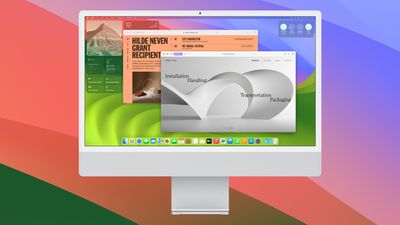
Apple today released macOS Sonoma 14.3, the third major update to the macOS Sonoma operating system that came out last September. macOS Sonoma 14.3 comes over a month after the release of macOS Sonoma 14.2.
macos sonoma 4
The ‌‌‌macOS Sonoma‌ 14.3‌ update can be downloaded for free on all eligible Macs using the Software Update section of System Settings. There's also a macOS 13.6.4 release for those who are still running macOS Ventura and a macOS 12.7.3 release for those who have macOS Monterey installed.

macOS Sonoma 14.3 brings collaborative playlists in Apple Music, so that ‌Apple Music‌ subscribers can create playlists with friends and family members. The software also has an updated AppleCare & Warranty section in Settings that shows coverage for all devices signed in with an Apple ID.

Apple's full release notes for macOS Sonoma 14.3 are below:

macOS Sonoma 14.3 introduces enhancements to Apple Music, as well as other features, bug fixes, and security updates for your Mac.

  • Collaborate on playlists in Apple Music allows you to invite friends to join your playlist and everyone can add, reorder, and remove songs
  • Emoji reactions can be added to any track in a collaborative playlist in Apple Music
  • AppleCare & Warranty in Settings shows your coverage for all devices signed in with your Apple ID

More information on the features that have been introduced in macOS Sonoma to date can be found in our macOS Sonoma roundup.


Related Forum: macOS Sonoma

Popular Stories

macOS 27 on MacBook Pro

Apple Says macOS 27 Won't Be Compatible With These Macs

Wednesday June 3, 2026 8:29 am PDT by
During WWDC 2025, Apple revealed that macOS 26 Tahoe would be the final major macOS version for Intel-based Macs. macOS 27 will be compatible with Apple silicon Macs only, meaning that you will need a Mac with an M-series chip or a MacBook Neo with an A18 Pro chip in order to install the software update. Apple will unveil macOS 27 during its WWDC 2026 keynote this Monday, June 8, and the...
MacBook Neo on Yellow Feature

MacBook Neo is So Popular That Apple Reportedly Doubled Production

Wednesday June 3, 2026 9:24 am PDT by
On an earnings call in late April, Apple's CEO Tim Cook said that customer response to the MacBook Neo was "off the charts," and the popularity of the laptop has reportedly led the company to significantly boost production. Apple supply chain analyst Ming-Chi Kuo this week said he believes that MacBook Neo shipments to Apple were doubled from an initial target of 5 million units to 10...
iphone 18 pro blue%402x

iPhone 18 Pro: Dark Cherry, Light Blue, and Dark Gray Chassis Leaked [Update]

Thursday June 4, 2026 5:18 am PDT by
Update: Since publication, new information has come to light suggesting the images have been AI-manipulated and are not in fact iPhone 18 Pro chassis parts. The original article follows. The color options Apple is reportedly planning for the upcoming iPhone 18 Pro and ‌iPhone 18 Pro‌ Max have appeared online today in the form of images of chassis parts of unknown authenticity....

Top Rated Comments

swrobel Avatar
31 months ago
So silly that an entire OS update is still required to roll out an enhancement to one app
Score: 16 Votes (Like | Disagree)
sjsharksfan12 Avatar
31 months ago

So silly that an entire OS update is still required to roll out an enhancement to one app
I've been saying this for years. Separate the Apps from the OS apple. Hire a development team solely for Apple Music (You can even allow someone like Lowe to be head of that team) and give us Apple Music updates a little more frequently. If you want to be a service company, then the services should be like priority number 5 in the rankings of how said company is run.
Score: 12 Votes (Like | Disagree)
31 months ago

First - build number?
23D56 - same as RC

ipsw: https://updates.cdn-apple.com/2024WinterFCS/fullrestores/042-78241/B45074EB-2891-4C05-BCA4-7463F3AC0982/UniversalMac_14.3_23D56_Restore.ipsw

full installer: https://swcdn.apple.com/content/downloads/62/31/042-78233-A_YIMC5ZQM8T/yj7iay56cmvc2cux0qm55lfweb2u90euyo/InstallAssistant.pkg

The Ventura and Monterey builds are also the same as their RC 4s:

13.6.4 is build 22G513

full installer: https://swcdn.apple.com/content/downloads/32/13/052-33049-A_UX3Z28TPLL/702vi772ckrytq1r67eli9zrgsu8jxxoqw/InstallAssistant.pkg

12.7.3 is build 21H1015

full installer: https://swcdn.apple.com/content/downloads/53/08/052-33037-A_AKHX79ZA4S/z7yb5wdcrk453a3hi7c3hc9n6zzju9di7f/InstallAssistant.pkg
Score: 8 Votes (Like | Disagree)
31 months ago

The ‌‌‌macOS Sonoma‌ 14.3‌ update can be downloaded for free on all eligible Macs using the Software Update section of System Settings. There's also a macOS 13.6.4 release for those who are still running macOS Ventura and a macOS 12.7.3 release for those who have macOS Monterey installed.
I was running macOS Ventura until six days ago when Apple force upgraded my system to Sonoma ('https://forums.macrumors.com/threads/ventura-magically-updated-to-sonoma.2416284/') with no user input from me. I'd like to see a MacRumors article explaining what is going on here and how to prevent it in the future.
Score: 7 Votes (Like | Disagree)
31 months ago
For public release full installers you can run these in terminal:

Sonoma:

for file in $(curl -# https://swscan.apple.com/content/catalogs/others/index-14-1.sucatalog | grep Info.plist | grep -Evw '(Info.plist.integrityDataV1|InstallInfo.plist)' | sed -e s/"<string>"//g -e s/"<\/string>"//g -e s/\ //g); do
curl -# $file | egrep -EA 1 '(>Build<|OSVersion)' | sed -e s/"<string>"//g -e s/"<\/string>"//g -e s/\ //g | sed -e s/"<key>"//g -e s/"<\/key>"//g -e s/\ //g
echo $file | sed -e "s/Info.plist/InstallAssistant.pkg/g"
done

Ventura:

for file in $(curl -# https://swscan.apple.com/content/catalogs/others/index-13-1.sucatalog | grep Info.plist | grep -Evw '(Info.plist.integrityDataV1|InstallInfo.plist)' | sed -e s/"<string>"//g -e s/"<\/string>"//g -e s/\ //g); do
curl -# $file | egrep -EA 1 '(>Build<|OSVersion)' | sed -e s/"<string>"//g -e s/"<\/string>"//g -e s/\ //g | sed -e s/"<key>"//g -e s/"<\/key>"//g -e s/\ //g
echo $file | sed -e "s/Info.plist/InstallAssistant.pkg/g"
done


Monterey:

for file in $(curl -# https://swscan.apple.com/content/catalogs/others/index-12-1.sucatalog | grep Info.plist | grep -Evw '(Info.plist.integrityDataV1|InstallInfo.plist)' | sed -e s/"<string>"//g -e s/"<\/string>"//g -e s/\ //g); do
curl -# $file | egrep -EA 1 '(>Build<|OSVersion)' | sed -e s/"<string>"//g -e s/"<\/string>"//g -e s/\ //g | sed -e s/"<key>"//g -e s/"<\/key>"//g -e s/\ //g
echo $file | sed -e "s/Info.plist/InstallAssistant.pkg/g"
done


The links and builds will be revealed.

So you don't have to wait till some dude posts them up on the net somewhere. You can get them as fast as apple puts them up.
Score: 6 Votes (Like | Disagree)
31 months ago
A personal ongoing battle, does it fix Missing artwork in Library ('https://forums.macrumors.com/threads/unable-to-add-album-artwork-for-some-albums-in-library-on-macos.2416337/') ?
Score: 5 Votes (Like | Disagree)














