

Here's Why You Shouldn't Use iPhone Mirroring on a Corporate Mac - MacRumorsOpen MenuShow RoundupsShow Forums menuVisit ForumsOpen Sidebar
Skip to Content

Here's Why You Shouldn't Use iPhone Mirroring on a Corporate Mac

Apple's new iPhone Mirroring feature in macOS Sequoia might seem like a convenient way to access your phone from your work computer, but security firm Sevco has uncovered a significant privacy risk that should make employees think twice before enabling this feature on company-owned Macs, at least for now.
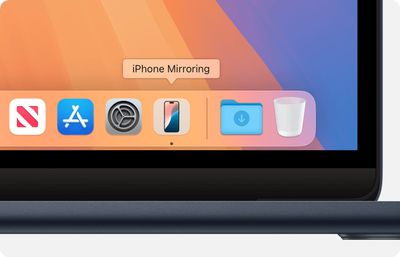
macos sequoia macbook air iphone mirroring app icon in dock
According to a new blog post by Sevco, the core issue lies in how iPhone Mirroring interacts with macOS's file system and metadata. When activated, the feature creates "app stubs" for iOS applications in a specific directory on the Mac:

/Users//Library/Daemon Containers//Data/Library/Caches/

These app stubs contain metadata about the iOS apps, including icons, application names, dates, versions, and file descriptions. While they don't include the full executable code, they provide enough information for macOS to treat them as installed applications.

The problem arises because many enterprise security and IT management tools routinely scan Macs for installed software. These tools often use macOS's built-in metadata system, which now includes these iOS app stubs. As a result, personal iPhone apps can inadvertently appear in corporate software inventories.

Sevco demonstrated this issue using the macOS command line tool mdfind, which interfaces with the Spotlight search subsystem:

mdfind "kMDItemContentTypeTree == com.apple.application" | grep Daemon

When executed in a Terminal window that has been granted full disk access without setting up iPhone Mirroring, the command returns a normal list of macOS applications. But when executed in that same Terminal window after setting up iPhone Mirroring, it also returns personal iOS applications and metadata.

For employees, this means that apps they use privately could become visible to their employer's IT department without their knowledge or consent. This could potentially reveal sensitive personal information, such as dating apps, health-related apps, or VPNs used in countries with restricted internet access.
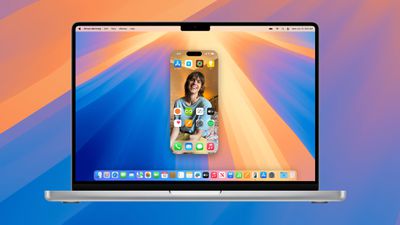
macos sequoia iphone mirroring

Sevco has alerted Apple to this privacy concern, and the company is reportedly working on a fix. However, until a patch is released and widely implemented, the risks remain. For now, employees should avoid using iPhone Mirroring on work Macs. Companies should also be aware of this potential data liability and consider temporarily disabling the feature on corporate devices if possible.


Related Forum: macOS Sequoia

Popular Stories

Aston Martin CarPlay Ultra Screen

Apple Says CarPlay Ultra is Coming to These Vehicle Brands

Thursday May 21, 2026 11:53 am PDT by
Last year, Apple launched CarPlay Ultra, the long-awaited next-generation version of its CarPlay software system for vehicles. Nearly a year later, CarPlay Ultra is still limited to Aston Martin's latest luxury vehicles, but that should change fairly soon. In May 2025, Apple said many other vehicle brands planned to offer CarPlay Ultra, including Hyundai, Kia, and Genesis. CarPlay Ultra...
iphone 18 pro blue%402x

iPhone 18 Pro: Dark Cherry, Light Blue, and Dark Gray Chassis Leaked [Update]

Thursday June 4, 2026 5:18 am PDT by
Update: Since publication, new information has come to light suggesting the images have been AI-manipulated and are not in fact iPhone 18 Pro chassis parts. The original article follows. The color options Apple is reportedly planning for the upcoming iPhone 18 Pro and ‌iPhone 18 Pro‌ Max have appeared online today in the form of images of chassis parts of unknown authenticity....
iOS 27 All the New App Features

iOS 27: All the Rumored App Features

Wednesday June 3, 2026 3:48 pm PDT by
Siri is getting a major overhaul in iOS 27, but Apple also has some big updates planned for apps like Camera, Photos, and Wallet. There are multiple new AI features in the works, plus some non-AI upgrades. Camera Apple is moving Visual Intelligence from the Camera Control button to the Camera app in iOS 27, according to Bloomberg. There will be a Siri mode that will be available alongside...

Top Rated Comments

22 months ago
More pointedly, don’t use your personal Apple ID on a corporate Mac. Because that’s a requirement for enabling iPhone Mirroring.
Score: 25 Votes (Like | Disagree)
mattopotamus Avatar
22 months ago
It is times like this I am happy I work for a small business and I am the "IT" person haha.
Score: 11 Votes (Like | Disagree)
00001000bit Avatar
22 months ago
I imagine employers also do not want this.

I use the personal (free) license for Fusion360 and have it on my phone. If that appears on a corporate owned computer, is the company now liable for a commercial license? It's not like Autodesk is particularly forgiving about commercial licensing.
Score: 11 Votes (Like | Disagree)
22 months ago
You can't mirror your personal iPhone mirroring onto a Mac signed into a different Apple ID.

If your work computer and your personal iPhone are signed into the same Apple ID, that Mac already has access to ALL OF YOUR STUFF -- texts, files, browsing history and even your ****ing iCloud Keychain.

There is no "security failure" here whatsoever, except on the part of any user stupid enough to set up a machine they don't own with access to all their personal information.
Score: 10 Votes (Like | Disagree)
22 months ago

Well now we know why Apple does not release it in the EU-SSR
Uh, why? Apple’s security failure in this instance has literally nothing to do with the EU.

I suppose a company choosing to abuse the flaw might fall afoul of GDPR’s privacy protections, depending on why they’re gathering the data and what they do with it, but that has nothing to do with Apple.

Though I suppose the way you misnamed the EU shows clearly enough that you are only posting in bad-faith, without having any actual argument.
Score: 10 Votes (Like | Disagree)
B4U Avatar
22 months ago
And why would you use a personal Apple ID on the work laptop anyway?
Score: 9 Votes (Like | Disagree)














