iFixit Shares iPad Mini 7 Teardown, Adds Mystery to 'Jelly Scrolling' Fix - MacRumorsOpen MenuShow RoundupsShow Forums menuVisit ForumsOpen Sidebar
Skip to Content

iFixit Shares iPad Mini 7 Teardown, Adds Mystery to 'Jelly Scrolling' Fix

Electronics repair website iFixit this weekend shared an iPad mini 7 teardown video, and it adds some mystery to the device's "jelly scrolling" improvements.
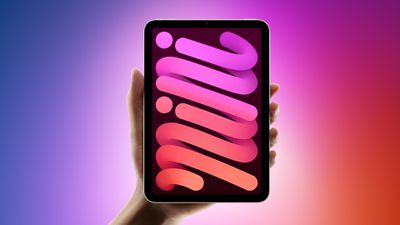
ipad mini 7 feature red and blue
"Jelly scrolling" refers to screen tearing, which can cause text or images on one side of the screen to appear to be tilted downwards because of a mismatch in refresh rates. It can cause one side of the display to look as if it is responding faster than the other side, resulting in a visual disturbance that is hard to ignore once noticed. Some customers noticed the effect on the iPad mini 6 when the device was used in portrait orientation, leading to complaints over the past three years, but not everyone noticed it or was bothered by the effect.

Despite an Apple spokesperson once stating that "jelly scrolling" was "normal" behavior for iPads with LCD displays, it appears the company still felt inclined to reduce the effect on the iPad mini 7. Many reviewers said that "jelly scrolling" was less noticeable or not noticeable at all on the latest iPad mini, and it seems that Apple vaguely told some of these reviewers that it made display-related changes to address the matter.

It was speculated that Apple might have rotated the display controller inside the iPad mini 7 to make "jelly scrolling" less visible in portrait orientation, but interestingly, iFixit said that the display controller's position has not changed compared to the iPad mini 6. The website concluded that Apple has done some unknown "trickery" to reduce "jelly scrolling," so it still remains unclear exactly what Apple has done to mitigate the issue.


The teardown video also revealed that the iPad mini 7's rear Apple logo can be removed, but otherwise the device's internal design is similar to the iPad mini 6.

Apple released the iPad mini 7 last week, with key features including the A17 Pro chip, Apple Intelligence support, Apple Pencil Pro support, and more.

Related Roundup: iPad mini
Buyer's Guide: iPad Mini (Buy Now)
Related Forum: iPad

Popular Stories

iPad mini OLED feature 1

Apple Announces New iPad Mini With 8.5-Inch OLED Display, A20 Pro Chip, and More

Monday October 26, 2026 6:05 am PDT by
Apple today announced a new iPad mini with a larger 8.5-inch OLED display, a nano-texture display option, a thinner and lighter design, an A20 Pro chip, a new Acoustic Display audio system that eliminates speaker holes, IP67-rated water and dust resistance, a landscape front camera, Apple's N1 chip with Wi-Fi 7 and Bluetooth 6 support, and more. Altogether, Apple says this amounts to the iPad...

Black Apple Event Logo

Apple Now Inviting Media to October 28 'Launch Experience'

Thursday October 15, 2026 4:13 am PDT by
Apple has begun inviting selected members of the media to a product launch experience in Los Angeles on Wednesday, October 28, according to Bloomberg's Mark Gurman. In a post on X, Gurman described the gathering as an "all-day product launch experience" for touchscreen MacBooks, a new iPad mini, and Macs equipped with M6 chips. Gurman previously reported that Apple would introduce the...
iPad mini OLED feature 1

Apple Executive Comments on New iPad Mini Lacking 120Hz Display

Thursday October 29, 2026 1:47 pm PDT by
While the new iPad mini has an OLED display, the device does not support ProMotion, meaning the display's refresh rate is limited to 60Hz instead of 120Hz. ProMotion support would have allowed for the iPad mini's refresh rate to automatically adjust from 10Hz to 120Hz depending on the content being displayed, but evidently Apple has kept the feature exclusive to the iPad Pro among iPad...

Top Rated Comments

klasma Avatar
27 months ago

Is there a technical reason why the iPad mini 5 either has no jelly scroll, or it wasn't a big enough issue like the mini 6? And if the mini 5 didn't have this, what caused the regression moving forward with the mini 6 and 7?
The pixels within an LCD panel (i.e. the actual “liquid crystals”) are not refreshed all at once for each new picture frame, but instead are refreshed line by line. This means that if you take a snapshot of the panel while it refreshes from one frame to the next, some of the pixels will show the new frame while others will still show the previous frame.

In addition, each pixel doesn’t change its state instantaneously, but needs a number of milliseconds to transition from the previous state to the new state. This means that in the snapshot, pixels will be in various degrees of blending between the old state and the new state. When comparing the first line with the last line, the first line may already have fully transitioned to the new frame, whereas the last line is still completely on the old frame. And the lines in between will be in some intermediate state.

Now, when you scroll perpendicular to those refresh lines, this means that one edge of the screen will already show the next scroll position while the other edge still shows the old scroll position. Due to the continuous state change of the pixels between those two edges, it looks as if the contents is slanted between the old and new scroll position.

This effect is stronger the narrower the display is in the problematic direction, and also the longer the pixel response time (the longer they take to change their state). If the response time is especially slow, it may even “smear” across multiple successive frames or scroll positions.

From the mini 5 to the mini 6, Apple (a) changed the refresh direction from the long side to the short side, and in addition (b) made the aspect ratio of the screen much narrower than before (from 4:3 to less than 3:2), and (c) (this is just my suspicion from comparing both side by side) the new panels have a worse pixel response time.

From what has been reported about the mini 7, my guess is that the response time (c) has been improved, but obviously (a) and (b) hasn’t changed.

Since the frame contents is transferred line by line from RAM to the panel, the lines are physically driven along either the long side or the short side of the display panel, and that’s where the display controller sits along the edge of the panel. Presumably, because the bezel widths changed from the mini 5 to the mini 6, it was more convenient to place the display controller along the long edge than the short edge, however with the side effect of switching to the refresh direction where the slanting effect is more pronounced.

Apple would have to switch that positioning back to the short side in order to completely eliminate the issue in portrait orientation. Apparently they didn’t want to invest the engineering effort to change the internal component layout of the mini again.

@Joe Rossignol IMO there isn’t much of a mystery here.

Score: 21 Votes (Like | Disagree)
firstcitazen Avatar
27 months ago

I cannot believe we are discussing such minutia. I use my iPad mini 6 in the hospital almost every day, for 10-12 hours a day (for almost 2 years). This is not even on my mind.
Perhaps people should use it for real work, rather than just pure entertainment devices?
I use it for real work and notice the jelly scrolling. What is real work? I work at a hospital too....
Score: 15 Votes (Like | Disagree)
27 months ago
Is there a technical reason why the iPad mini 5 either has no jelly scroll, or it wasn't a big enough issue like the mini 6? And if the mini 5 didn't have this, what caused the regression moving forward with the mini 6 and 7?
Score: 15 Votes (Like | Disagree)
Apple_Robert Avatar
27 months ago

Saw it in Best Buy - it’s still a terrible screen because of the refresh rate. Maybe the jelly scrolling is better but that low refresh rate stutter is a show stopper.


I find it curious that so many people used the iPhone before Promotion was ever uttered by Apple and it wasn’t the unusable device so many here and elsewhere want to claim devices to be now.
Score: 14 Votes (Like | Disagree)
Crow_Servo Avatar
27 months ago

I have absolutely no trust in Apple when it comes to their displays.

They use PWM (pulse-width modulation) aka flickering in almost all of their products. They have zero credibility.

I'm sure their "fix" for this iPad mini 7 is not without some compromise. Hopefully not, but we'll see. I'm picking up one of these next week.
lol. Okay. Enjoy?
Score: 14 Votes (Like | Disagree)
27 months ago

The redesign of the mini with 6th gen caused it.
You answered a "what" question with a "when" answer.
Score: 13 Votes (Like | Disagree)
Latest Stories
Apple Store Subscription Sign-Up Controversy Exposed
52 minutes ago
Siri AI Rumored to Become 'More Like an Agent' as Early as Next Year
11 hours ago
Apple Taking New Approach to Developing iOS 28 and macOS 28
13 hours ago
Early Apple Black Friday Deals on Apple Watch, MacBook Air, and More
1 day ago
'Backglow' Lets You Customize New MacBook Pro's Glowing Apple Logo
1 day ago
Top Stories: Apple Product Launches, iOS 27.3 Beta, and More
2 days ago
More Fun iPhone Duo Apps: 30 New Picks to Try
2 days ago
Hands-On With Apple's New OLED Touchscreen MacBook Pro
2 days ago
Apple Store With All-New Design Opening Soon in Southern California
2 days ago
Control the Glowing Apple Logo on Your New MacBook Pro
2 days ago
Apple Shares New 'Apple Card: Apply and Use in Minutes' Ad
2 days ago
Apple Says More Than 100,000 Apps Optimized for iPhone Duo, Here's What's Still Missing
2 days ago
Early Black Friday Deals Kickoff With Steep Discounts on Apple Watch Ultras and More
3 days ago
The MacRumors Show: iOS 27.3 Looks Like a Huge Update
3 days ago
Best Buy's Black Friday Event Begins With Sitewide Savings on Apple, TVs, More
3 days ago
Apple Releasing Yet Another Two New Products Next Week
3 days ago
MacBook Air Drops to Lowest Price in Months With Amazon's $250 Discount
3 days ago
Apple Rumored to Drop the iPhone's Action Button Next Year
3 days ago
Apple's Extended Return Policy Now in Effect for 2026 Holiday Season
3 days ago
Apple Music Classical Updated With New Icon and Refreshed Design
3 days ago
OLED iPad Mini, M6 iMac, and New MacBook Pros Available From Today
3 days ago
Apple Surveys iPhone Duo Buyers About Crease and Camera
3 days ago
Apple's First Touchscreen Mac is Now Arriving to Customers
3 days ago
Claude Gets Personal Finance Feature With Bank Account Linking
3 days ago
Apple Arcade Adds Crossy Road Rush and NBA 2K27
3 days ago
Apple's New HomeView Smart Home Hub: Here's How Much RAM It Has
3 days ago
iPad Mini vs. iPad Air Buyer's Guide: Now Just $50 Apart
3 days ago
First iOS 27.3 and macOS Golden Gate 27.3 Public Betas Now Available
3 days ago
Apple Announces a New Mac Sales Record
3 days ago
Paid $200 for Logic Pro? Apple Says You Won't Get This New Feature
3 days ago





































