New Mac Mini's Storage Can Be Upgraded, But It's Not Easy - MacRumorsOpen MenuShow RoundupsShow Forums menuVisit ForumsOpen Sidebar
Skip to Content

New Mac Mini's Storage Can Be Upgraded, But It's Not Easy

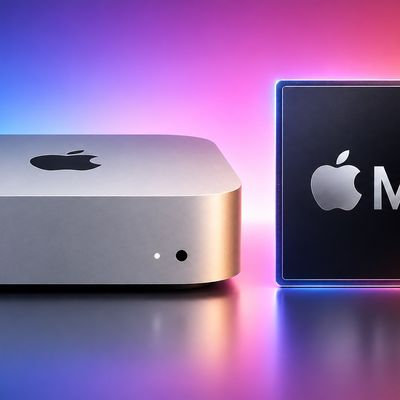
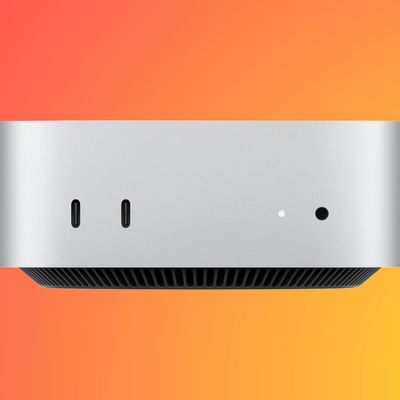
Quinn Nelson has shared a super informative teardown video for the new Mac mini on his YouTube channel Snazzy Labs, offering the most comprehensive look inside Apple's smallest computer ever that we have seen so far. Give it a watch below.

Yesterday, we reported that the new Mac mini features modular storage, and YouTube channel dosdude1 has already opened up the base model and upgraded its storage capacity from 256GB to 1TB. The steps included removing the original NAND storage chips from the board with a heat gun, preparing the new NAND chips by reballing them, soldering the new NAND chips to the board, and restoring the Mac mini in DFU Mode.

While those steps are impractical for the average customer, the video proves that storage in the new Mac mini can technically be upgraded without having to pay for Apple's overpriced storage upgrade options when ordering the computer.

Related Roundup: Mac mini
Buyer's Guide: Mac Mini (Caution)
Related Forum: Mac mini

Popular Stories

apple price hike

Apple Just Increased Prices on MacBooks, iPads, and More

Thursday June 25, 2026 5:44 am PDT by
Apple today dramatically increased device prices across multiple product lines. Subscribe to the MacRumors YouTube channel for more videos. After temporarily taking it down earlier today, Apple's online store is back up with a series of product price increases. The changes are as follows: HomePod mini: $129, up from $99 (+$30) HomePod: $349, up from $299 (+$50) Apple TV: $199, up from...
mac mini blue

Apple Hikes M4 Pro Mac Mini Starting Price Amid Rising Memory Costs

Thursday June 25, 2026 6:10 am PDT by
Apple today increased the starting price of the Mac mini with M4 Pro chip by $200, taking the higher-tier model up to $1,599 on its online store. When the M4 Pro model launched in October 2024, the starting price was $1,399, but Apple has been hit by the rapid expansion of AI data centres, which has driven up the demand for memory and storage chips across the tech industry. Apple had...
iCloud iPhone 17 Pro

iPhone Users Who Pay for iCloud Storage Get Two New Perks on iOS 27

Thursday July 2, 2026 6:10 am PDT by
If you pay for certain iCloud+ storage plans beyond the 5GB that Apple offers for free, you will receive two more perks on iOS 27 at no additional cost. A summary of the two new iCloud+ perks on iOS 27:Increased daily usage limits for some new Apple Intelligence features, including image generation in the revamped Image Playground app. HomeKit Secure Video cameras receive generated video...

Top Rated Comments

adamw Avatar
22 months ago
Best (and cutest) Mac ever! And now expandable too, even with a Thunderbolt 3, 4, or 5 external drive as your Startup Drive. I took my base M4 Mac mini, added a 4TB SanDisk PRO-G40 External Thunderbolt 3 SSD drive, and set it up as my Startup Disk with macOS on it, and now I boot up having a 4TB SSD M4 Mac Mini for less than $1,000. The External Thunderbolt 3 SSD speed (at up to 3,200 MB/second with both read and write) is even faster than the Apple internal 256GB SSD drive. Thunderbolt 5 External SSD drives (coming out soon from OWC) should be up to twice that speed on M4 Pro Mac Minis.

Note: I recommend a Thunderbolt 3, 4 or 5 External SSD drive, and not a USB 3 or USB 4 external SSD drive for your Startup Drive, as they usually can't maintain speeds as well as a Thunderbolt SSD drive. USB drives work great for data storage, but for use as a Swap Drive for full flash RAM memory and for your macOS and Program Applications, I recommend a Thunderbolt 3/4/5 SSD drive as your primary Startup Drive on your Mac. Just make sure that you set it up per the below Apple instructions which SSD drive (Internal or External) is your Startup Drive for your Mac to boot up with, and use for reading and writing to. You will have to change your Startup Drive back in the General Settings to boot up with the 256GB Internal SSD drive, if you ever need to use it, otherwise it is good for read only use. I had to use the macOS Recovery method (by holding the power button down on boot) outlined in Apple's link below to install macOS on my external Thunderbolt 3 SSD drive, before I could set it up to be my System Startup (Boot) Drive.

Here are Apple's Instructions on how to install macOS on an external storage device (like a Thunderbolt SSD drive) and use it as a startup disk: https://support.apple.com/en-us/111336

WARNING I was not aware of previously: If you boot off an external Startup Drive with your Mac, due to Apple's New Security, you can NOT run Apple Intelligence, and likely Apple Pay, and other security related things from your external Thunderbolt or SSD drive. See this video from a guy who just discovered this limitation:

Thanks to gargetfreak98 for this potential workaround of moving your home folder to the external SSD drive:
https://appleinsider.com/inside/macos-ventura/tips/how-to-move-your-home-directory-in-macos-ventura

Here are some videos to help you Install Your Home folder on an External Drive to make Apple Intelligence, macOS, and other Apple apps work properly. This goes along with the above linked instructions about how to move your Home folder to your external drive:


Score: 35 Votes (Like | Disagree)
Mac Fly (film) Avatar
22 months ago
Guy who did the storage upgrade made a good video. None of the typical YouTuber annoyances, just plainly spoken and does the job.
Score: 27 Votes (Like | Disagree)
tomtad Avatar
22 months ago
All we need is a handle to easily open it now

MacRumors content image
Score: 23 Votes (Like | Disagree)
GraXXoR Avatar
22 months ago

Guy who did the storage upgrade made a good video. None of the typical YouTuber annoyances, just plainly spoken and does the job.
That’s not just a mere a guy. That’s a dude: dosdude… And he’s number one.
Score: 23 Votes (Like | Disagree)
Rumoresque Avatar
22 months ago

That’s not just a mere a guy. That’s a dude: dosdude… And he’s number one.
So! you’d need hundreds of dollars of tools and equipment, 6-8 hours of your time, high risk of destroying your equipment, but you might save $200 over Apple’s storage upgrade? Where do sign? 🤣😂
Score: 18 Votes (Like | Disagree)
22 months ago

The EU needs to look into this and their ESG sustainability rating should automatically receive a downgrade of X points each time they release another product with glued and other restrictive elements
I strongly disagree. The idea that some government entity like an EU committee should [via politics, by definition] decide today what possible tech improvements tech companies should be investigating then innovating in the future is absurd.

E.g. imagine if some committee had long ago decided watches must use user-replaceable gears; or [actually quite likely under the type of EU rulemaking that you are supporting] that all computers must include a 1990s era parallel port to achieve printer uniformity.

Tech advances when creative thinkers are not constrained by silly political goals or the wishes of individuals who may be too poorly informed, too poorly educated, or simply not smart enough to understand what may be achieved by evolving technologies. Note that every user can always vote with his/her wallet.

Note that physics rules SoC operation, and that the physically and electrically closer RAM gets to CPU/GPU the faster and more energy efficient the computer can be. Folks wishing for EU to incentivize gross modularity are also encouraging EU to incentivize less energy efficiency . There are reasons Apple SoC is so much more efficient than the old style modular PC boxes.
Score: 11 Votes (Like | Disagree)