5+ New Features Coming in macOS 27 - MacRumorsOpen MenuShow RoundupsShow Forums menuVisit ForumsOpen Sidebar
Skip to Content

5+ New Features Coming in macOS 27

iOS 27 has been the star of the rumors we've been hearing ahead of Apple's WWDC 2026 event, but there have also been a few tidbits about the next version of macOS, macOS 27. We don't know as much about macOS 27 as we do about ‌iOS 27‌, so there will be some surprises in store.
5 New Features Coming in macOS 27 Feature

Liquid Glass Revision

Hate Liquid Glass on the Mac? It's not going anywhere, but Apple is planning a "slight redesign."

Liquid Glass transparency and shadows don't work as well on the Mac as they do on the iPhone, and Apple has some revisions in mind. Don't expect Apple to revert to the pre-Tahoe design, but minor improvements are likely.

Siri

Most people probably never use Siri on the Mac, but that could change with macOS 27. The smarter, more capable version of ‌Siri‌ that we've been hearing about endlessly isn't just for iOS. ‌Siri‌ is also coming to macOS, with a new ‌Siri‌ interface planned and, presumably, a standalone ‌Siri‌ app for the Mac.

We don't know as much about the macOS 27 ‌Siri‌ interface as we do about the ‌iOS 27‌ interface, but it'll probably parallel what's coming in iOS. On the iPhone, ‌Siri‌ will be integrated in the Dynamic Island. Will Apple somehow carry that over to the Mac's notch? Who knows, but it's possible. ‌Siri‌ on iOS has a dark interface that's hinted at in WWDC graphics, and we could get that same style in macOS 27.

If you want to read more about the changes coming to ‌Siri‌, check out our iOS 27 roundup.

AI App and Feature Updates

Most of these rumors are for ‌iOS 27‌, but a lot of what's available on iOS is also available on macOS.

  • Photos - The Photos app will include new Extend and Reframe options. Extend generates image content beyond the original frame of the photo, and Reframe lets users change the perspective of an image after it's captured. There's also a tool for natural language photo edits, but it might not be ready to go when macOS 27 launches.
  • Image Playground - Apple is testing new models that produce more lifelike images, plus there could be some updates to the app interface.
  • Wallpaper - ‌iOS 27‌ is getting a wallpaper-generating feature that uses Image Playground, so it makes sense for it to be available in macOS 27 too.
  • Shortcuts - The Shortcuts app will let users ask ‌Siri‌ to generate a shortcut using natural language. With a short statement on what a shortcut should do, AI will whip it up and add it to the app. It'll make shortcuts much easier for the average person to use.
  • Writing Tools - In addition to spell check, there will be a grammar check feature. Writing Tools will also support expanded rewriting and text generation capabilities.
  • Safari - Safari is getting a feature for automatically organizing browser tabs into groups, which will be useful for tab addicts who like to see just how many tabs their Mac can handle before it starts to feel sluggish.

Bug Fixes and Performance Improvements

Bug fixes and performance improvements will be a focus in both ‌iOS 27‌ and macOS 27. In fact, Bloomberg's Mark Gurman said Apple is working on a "Snow Leopard-style update" for ‌iOS 27‌ and macOS 27.

Apple wants to improve the underlying quality and performance of macOS.

Touchscreen Support

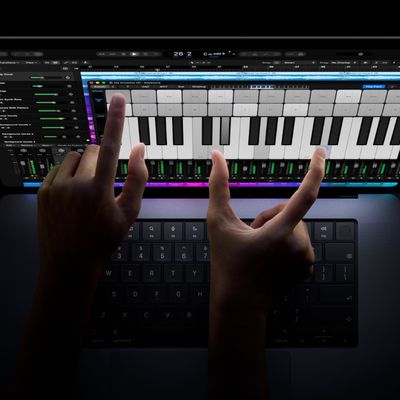
There is a MacBook Pro with a touchscreen OLED display that's going to come at some point during the macOS 27 release cycle, so there could be hidden touch-based tweaks. This isn't a device that we're expecting until late 2026 at the earliest (and 2027 is more likely), but researchers who like to dig into macOS code might find some hints of touchscreen support.

No More Intel Macs

It's the end of the road for Intel Macs. If you're still using a Mac with an Intel chip, you won't be able to upgrade to macOS 27. macOS Tahoe is the last version of macOS that runs on Intel Macs, and macOS 27 will require an M1 Apple silicon chip or later.

Apple has phased out all Intel Macs, and it stopped selling the last Mac with an Intel chip in 2023.

Speaking of phasing things out, Apple is ending support for Rosetta 2 after macOS 27. Rosetta will still be available in macOS 27, but not macOS 28. If you're still using an app that relies on Rosetta, it will need an Apple silicon update by fall 2027 or it's not going to work anymore.

macOS Name

One detail that rarely leaks ahead of WWDC is Apple's name for the next version of macOS. Apple uses California landmarks for its Mac software, and there are still plenty to choose from. "Project Big Bear" is the name of the hashmoji file that Apple shared on X, so macOS Big Bear is a possibility. If macOS 27 focuses on bugs and is a "Snow Leopard" update, Apple could pick macOS Emerald after Emerald Bay.

Emerald Bay is a small bay off of Lake Tahoe, and it would be a fitting choice. "Snow Leopard" followed "Leopard," and using the same kind of linked name would be a strong signal of Apple's commitment to performance improvements in the macOS 27 update.

Launch Date

macOS 27 will be available for developers after the June 8 WWDC keynote event. A public beta will follow in July, and the software will see a public launch in the fall.
Related Roundup: macOS Golden Gate
Related Forum: macOS Golden Gate

Popular Stories

macOS 27 next to MacBook Pro Running macOS 27

Apple Releases macOS Golden Gate 27.2

Monday October 26, 2026 10:48 am PDT by
Apple today released macOS Golden Gate 27.2, the first major update to the macOS 27 operating system that launched in September. Mac users can download macOS Golden Gate 27.2 by opening up the System Settings app and using the Software Update option. macOS Golden Gate 27.2 overhauls the brightness and volume sliders, plus it expands Siri AI to new languages including French, Japanese,...

rosetta 2

macOS 27.2 Stops Upgrades From Removing Rosetta

Monday October 26, 2026 6:55 pm PDT by
Upgrading to macOS 27 no longer removes an existing Rosetta installation, according to Apple's enterprise release notes for macOS 27.2. Previously, upgrading to macOS 27 removed existing installations of Rosetta, the translation tool that lets Intel-based apps run on Apple silicon Macs. macOS 27 remains the final release with full Rosetta support. Apple plans to phase out general-purpose...
MacBook Pro PROLED Touch 1

You Can Turn Off the New MacBook Pro's Touchscreen Functionality

Thursday October 29, 2026 9:58 am PDT by
The new MacBook Pro models with OLED displays have an accessibility setting that allows you to turn off touch input entirely, according to MacStories editor-in-chief Federico Viticci. He also said there is an option to turn on pinch-to-zoom functionality across the macOS Golden Gate...

Top Rated Comments

FatLouie Avatar
22 weeks ago
"Hate Liquid Glass on the Mac? It's not going anywhere ('https://www.macrumors.com/2026/03/15/ios-27-macos-27-no-major-liquid-glass-changes/'),..."

Neither is Sequoia on my Mac Studio M4 Max going anywhere.
Score: 47 Votes (Like | Disagree)
carswell Avatar
22 weeks ago

Liquid Glass transparency and shadows don't work as well on the Mac as they do on the iPhone
Puh-lease. They don't work well on the iPhone, make elements harder to identify and text harder -- sometimes nearly impossible -- to read. Those used to be cardinal sins in user interface design but Apple has apparently decided they are of little importance and take a backseat to flashy but useless look-at-what-we-can-do effects.
Score: 30 Votes (Like | Disagree)
milkrocket Avatar
22 weeks ago
Absolutely skippable. Ill stick to Sequoia
Score: 27 Votes (Like | Disagree)
22 weeks ago
So loads of crappy ai "features". Hard pass.
Score: 24 Votes (Like | Disagree)
ThomasJL Avatar
22 weeks ago
The best thing Apple can do in terms of GUI user-friendliness is to do a 100% purge of every last pixel of flat design and all flat design variants like neumorphism and glassmorphism, and then work with Scott Forstall in some capacity (even if limited) to bring back all of iOS 6's exact same skeuomorphism and Mac OS X Mountain Lion's exact same skeuomorphism. Forstall could help to update their resolutions for the higher-resolution displays of today, as well as to create new skeuomorphic graphics and icons for things that exist now that didn't exist when those two operating systems were originally released.
Score: 17 Votes (Like | Disagree)
IceCool Avatar
22 weeks ago
Like many others here, I have used macOS for many years and absolutely love it. However, Tahoe was the first macOS release that I've actually been a bit unhappy with.

I don't hate the design - I don't think it needs to go. But it absolutely needs work. I think Tahoe could look and feel really nice on the Mac, but it's far enough from "baked" to make it feel kind of "bleh".

As for the performance, I can't really say much on this given the hardware that I use... What I can say is that this is also the first release of macOS that I've actually experienced super frustrating quirks or bugs that are sometimes work-stopping. While the "work-stopping" issues have only happened like once or twice, it's still concerning.

I truly hope that Apple reverses course with macOS (and iOS) 27 to address the stability. I would truly love to see nothing more than OS X Snow Leopard again + iOS 12!
Score: 14 Votes (Like | Disagree)
Latest Stories
Early Apple Black Friday Deals on Apple Watch, MacBook Air, and More
6 hours ago
'Backglow' Lets You Customize New MacBook Pro's Glowing Apple Logo
6 hours ago
Top Stories: Apple Product Launches, iOS 27.3 Beta, and More
13 hours ago
More Fun iPhone Duo Apps: 30 New Picks to Try
1 day ago
Hands-On With Apple's New OLED Touchscreen MacBook Pro
1 day ago
Apple Store With All-New Design Opening Soon in Southern California
1 day ago
Control the Glowing Apple Logo on Your New MacBook Pro
1 day ago
Apple Shares New 'Apple Card: Apply and Use in Minutes' Ad
1 day ago
Apple Says More Than 100,000 Apps Optimized for iPhone Duo, Here's What's Still Missing
1 day ago
Early Black Friday Deals Kickoff With Steep Discounts on Apple Watch Ultras and More
1 day ago
The MacRumors Show: iOS 27.3 Looks Like a Huge Update
1 day ago
Best Buy's Black Friday Event Begins With Sitewide Savings on Apple, TVs, More
1 day ago
Apple Releasing Yet Another Two New Products Next Week
1 day ago
MacBook Air Drops to Lowest Price in Months With Amazon's $250 Discount
2 days ago
Apple Rumored to Drop the iPhone's Action Button Next Year
2 days ago
Apple's Extended Return Policy Now in Effect for 2026 Holiday Season
2 days ago
Apple Music Classical Updated With New Icon and Refreshed Design
2 days ago
OLED iPad Mini, M6 iMac, and New MacBook Pros Available From Today
2 days ago
Apple Surveys iPhone Duo Buyers About Crease and Camera
2 days ago
Apple's First Touchscreen Mac is Now Arriving to Customers
2 days ago
Claude Gets Personal Finance Feature With Bank Account Linking
2 days ago
Apple Arcade Adds Crossy Road Rush and NBA 2K27
2 days ago
Apple's New HomeView Smart Home Hub: Here's How Much RAM It Has
2 days ago
iPad Mini vs. iPad Air Buyer's Guide: Now Just $50 Apart
2 days ago
First iOS 27.3 and macOS Golden Gate 27.3 Public Betas Now Available
2 days ago
Apple Announces a New Mac Sales Record
2 days ago
Paid $200 for Logic Pro? Apple Says You Won't Get This New Feature
2 days ago
Instagram's Edits Video Editor is Now Available on Mac
2 days ago
Prevent Siri and Search From Accessing Specific iPhone Apps
2 days ago
Best Early Black Friday Deals on iPhone 18 Pro and iPhone Duo
2 days ago