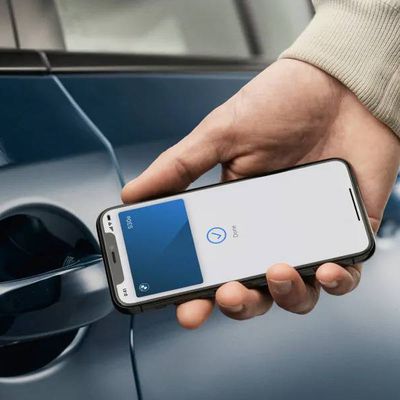
In iOS 15, Apple has introduced the ability to add a hotel room key to the Wallet app on your iPhone, allowing users to consult their phone or Apple Watch for reservation details, as well as use them to check in and unlock their room.
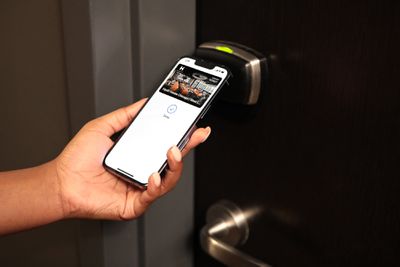
For example, Hyatt, a well-known hotel chain, in December 2021 announced its adoption of Apple's Wallet technology, with guests able to use Apple Wallet room keys across six U.S. hotels in Hawaii, Key West, Chicago, Dallas, Silicon Valley, and Long Beach.
To add a hotel room key to your iPhone, you'll need an Apple ID signed in to iCloud with two-factor authentication enabled, a reservation at a hotel or resort that supports the feature, and the hotel or resort app installed and signed in with a valid account.
How to Add a Hotel Room Key on iPhone
- Open the hotel or resort app and sign in to your account.
- Open your reservation in the app.
- Tap Add to Apple Wallet.
- Follow the instructions on the screen to add your hotel room key.
Once you've added your hotel room key to iPhone, the key will also be automatically added to your paired Apple Watch. You can view the key on both devices in the Wallet app, where you can tap the ellipsis (three dots in a circle) icon for additional information.
Note that Express Mode is automatically enabled, which allows you to use your hotel room key by simply holding your device against the lock. When your stay is over, your room key will be remotely deactivated and archived in your Apple Wallet.
How to Check in to Your Hotel With Your iPhone
On the day of your reservation, you can check in using your iPhone like so:
- Open the Wallet app and tap the hotel room key.
- The key should say "Check-in Available Now" and you should be able to tap the Check-in button.
- Follow the on-screen instructions to check in to your room.
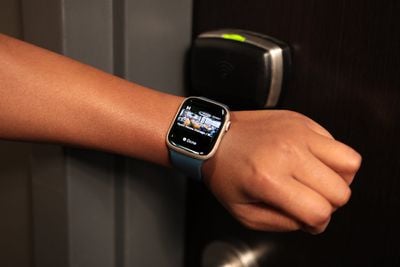
How to Open Your Hotel Room Using iPhone or Apple Watch
- With your iPhone turned on, hold the top of the device or the display of your Apple Watch near the lock.
- If Express Mode is enabled, the door should unlock. If you turned off Express Mode, you can use the hotel room key by double-clicking the Side button of your iPhone or Apple Watch to open Wallet app, then selecting your hotel room key and authenticating with Face ID, Touch ID, or your passcode. Finally, hold the device near the lock to use the key.
Note that if your device is lost or stolen and you mark it as lost, this will automatically turn off all cards and passes in the Apple Wallet app, including your hotel room key.