How to Change Your Default Card for Apple Pay Purchases on Your iPhone - MacRumorsOpen MenuShow RoundupsShow Forums menuVisit ForumsOpen Sidebar
Skip to Content

How to Change Your Default Card for Apple Pay Purchases on Your iPhone

by

You can use Apple Pay in stores to make purchases using your iPhone wherever there's a contactless card terminal or wherever you see the ‌Apple Pay‌ symbol. It's as easy as holding your iPhone near the terminal and authenticating the transaction with Face ID or Touch ID.
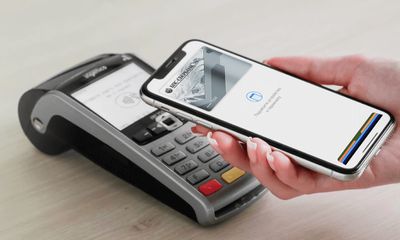
apple pay belarus
Your iPhone will use the default card in your Wallet that set up to work with ‌Apple Pay‌. If you have multiple cards in your wallet, you can easily change the default card by following the steps below.

How to Change Your Default Card for Apple Pay

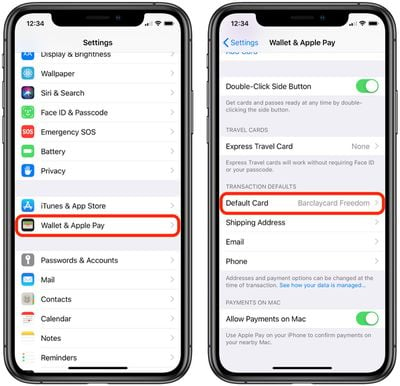
  1. Launch the Settings app on your iPhone or iPad.
  2. Tap Wallet & Apple Pay.apple pay transaction defaults
  3. Under Transaction Defaults, tap Default Card.
  4. Select the card you wish to use for ‌Apple Pay‌ purchases.

If you frequently use different cards for different transactions, you can actually switch the default card that ‌Apple Pay‌ uses on the fly: Launch the Wallet app and simply touch and hold the card that you want to use, then drag it to the front of your card stack.

Related Roundup: Apple Pay

Popular Stories

Apple Pay Walmart Feature

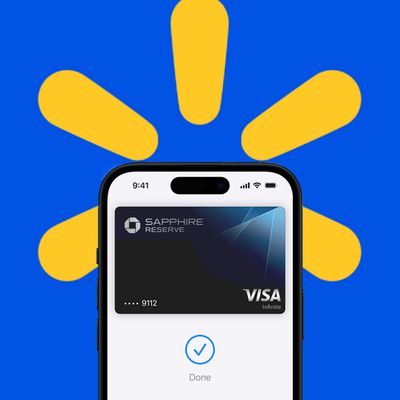
Walmart to Begin Accepting Apple Pay in U.S. Stores

Friday August 21, 2026 7:09 am PDT by
After years of holding out, Walmart today announced that it will finally begin accepting tap-to-pay options like Apple Pay in some of its Walmart and Sam's Club stores in the U.S. starting Monday, August 24. The retailer plans to roll out tap-to-pay support to all of its U.S. stores by the end of 2026 and to its gas stations by mid-2027. "We want customers and members to have choice in how...
Apple National Parks

Apple Pay Supporting U.S. National Park Foundation Over the Next Week

Friday August 21, 2026 8:52 am PDT by
Now through August 28, Apple will donate $10 to the National Park Foundation for every purchase made in the U.S. using Apple Pay on Apple.com, in the Apple Store app, or at an Apple Store, up to a maximum of $1 million. In addition, the annual U.S. national parks Apple Watch Activity Challenge returns on Sunday, August 23 this...
iOS 27 Next to iPhone

Here's When iOS 27 Rolls Out Today in Every Time Zone [Update: It's Out]

Sunday September 13, 2026 3:00 am PDT by
Update 10:04 a.m.: iOS 27 is rolling out now, though it may take a bit for all users to see it, so keep checking! Apple is about to release iOS 27, which will finally deliver more advanced Siri AI capabilities as well as a variety of other refinements, improvements, and new features to iPhones. It's Apple's biggest software update of the year, and Apple announced at Wednesday's iPhone event...