

 Signal Encrypted Messenger has become increasingly popular among smartphone users, thanks above all else to its emphasis on privacy and security. Signal chats are end-to-end encrypted, meaning no one – not even the Signal service – can see the messages that you send and receive to other users.
In addition, Signal supports the creation of group chats, and like regular conversations in the app, the Signal service has no record of your group memberships, group titles, group avatars, or group attributes.
Group features in Signal include the ability to invite members via a group link or QR code, in-chat @mentions, admin controls to edit group info, remove members, and adjust the disappearing message timer.
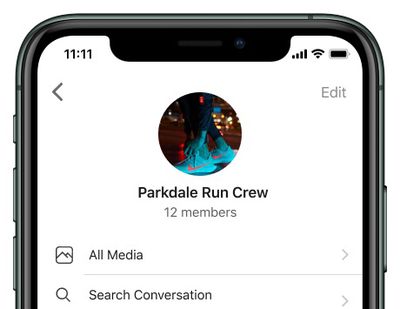
The following simple steps show you how to create your first group in Signal. Note that the size limit of Signal groups is 1,000 members.
How to Create a New Signal Group
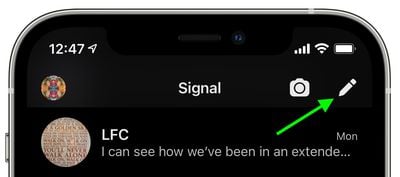
- Launch the Signal app on your iPhone or iPad, then tap Compose (the pencil icon) in the top-right corner of the chat list.

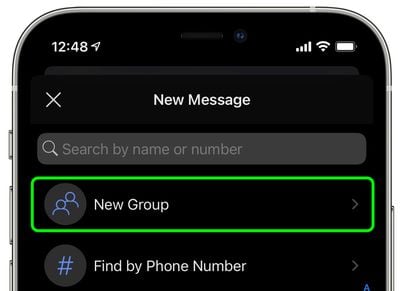
- Select New Group.
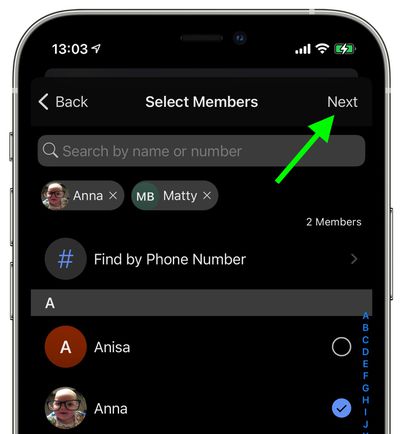
- Select the contacts you want to include in the group, or enter phone numbers, then tap Next in the top-right corner.
- Give your group a name (you can also optionally give your group an avatar by tapping the camera icon), then tap Create.
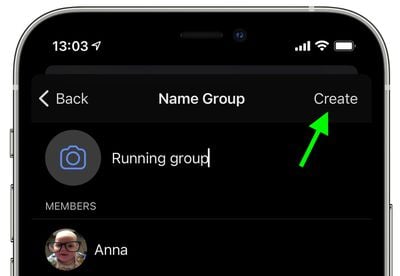
That's all there is to it. The new group will now appear in your chat list as well as the chat lists of group members. Note that some members may need to accept their message request or invitation before they can participate in your group.















