

How to Disinfect an Apple Keyboard, Trackpad, and Mouse - MacRumorsOpen MenuShow RoundupsShow Forums menuVisit ForumsOpen Sidebar
Skip to Content

How to Disinfect an Apple Keyboard, Trackpad, and Mouse

by

Computer keyboards and input devices can be hotbeds of bacteria, especially if they're used by several people – in a school or office environment, for example.
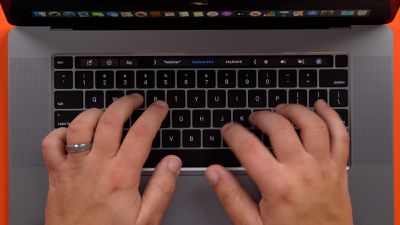
macbookpro16inchkeyboard
Regularly disinfecting your Apple keyboard, trackpad, and/or mouse is the best way to sterilize these devices and remove any nasties, and it only takes five minutes to do. Keep reading to learn how.

To follow the steps below, you'll need some bleach-free disinfectant wipes – Apple specifically recommends Lysol Wipes for the job.

  1. Before you do anything else, shut down your Mac and unplug the power adapter.
  2. Take one of the wipes and squeeze it to remove any excess dampness, then gently clean your Mac's trackpad, keyboard, and/or mouse. Keep your pressure light to prevent any excess liquid from escaping onto the surfaces.
  3. Next, use a water-dampened microfiber or lint-free cloth and wipe the areas again.
  4. Take a dry microfiber or lint-free cloth and wipe over the keyboard and trackpad one last time.

Apple has a support document that includes some important "don'ts" when it comes to disinfecting keyboards, trackpads, and mice, so it's worth reiterating them here:

  • Do not use disinfectant wipes containing bleach or disinfectant sprays in general.
  • Do not use an extremely damp disinfectant wipe to clean the area. If you encounter a very damp wipe it may need to be squeezed to remove some of the excess liquid before use.
  • Do not allow the liquid from the disinfectant wipe to sit or pool on the area being disinfected for a long amount of time.
  • Do not use rough towels or cloths to dry the area.
  • Do not use excess force when disinfecting the area around the keyboard; this could damage the keys.

If you're a regular traveler, it's worth picking up something like iKlear iPod Cleaning Kit For All Apple Products. The compact kit costs $19.92 and includes a 1-2 ounce spray bottle and several travel-size antimicrobial polishing cloths.


Top Rated Comments

82 months ago

Wearing gloves doesn't stop the transmission of pathogens... It only makes the wearer think it does and therefore causes them to be less aware of what they're touching and reduce the number of times they actually wash their hands. This is especially true in food service. People think because they wear gloves they can do a weak job of washing their hands and then proceed to touch money, tables, handles, trash cans, cutting boards, food items, etc. in the kitchen without ever rewashing. My favorite move is when the glove wearer touches all over the outside of the gloves while he's putting them on, and assumes because he's wearing gloves he's ok. 🤦‍
Clean hands are preferable to dirty gloves.

McDonald's uses this process.
Score: 5 Votes (Like | Disagree)
82 months ago
Bacteria and viruses are two entirely different things.

Your best course of action is keeping your own hands clean. Soap and water, 20 seconds.

... and there needs to be an automatic trip-line installed in bathroom doorways for everyone that doesn't wash after using the facilities. Humans are disgusting!
Score: 3 Votes (Like | Disagree)
H3LL5P4WN Avatar
82 months ago

How about when you’re in there washing your hands and you hear someone in a stall pooping their guts out and then they flush and walk past you and out the door? I don’t expect those people to ever start washing their hands for any reason.
I like to hope that when I yell "THANKS FOR WASHING YOUR HANDS, <name if you know it>!" at them, especially if it's in public, that maybe they will next time.
Score: 3 Votes (Like | Disagree)
82 months ago

Bacteria and viruses are two entirely different things.

Your best course of action is keeping your own hands clean. Soap and

... and there needs to be an automatic trip-line installed in bathroom doorways for everyone that doesn't wash after using the facilities. Humans are disgusting!
Bolded: Your claim about 20 seconds is very accurate. The misconception people have with washing their hands, is they don’t do it nearly long enough To be effective. It’s Not a difficult concept to grasp, but apparently it is for some. Aside from washing your hands for 20 seconds, the water should be semi-hot Where it allows the pores in your hands to open to clean more thoroughly.


What about cleaning the screen.... and having it streak-free afterwards?
Apple stores carry a product called ‘Whoosh’. It’s safe for displays, it’s also available on Amazon. Highly rated and backed by solid reviews. Word of caution though, _Never_ spray the product directly onto the display/device. Always spray the product on a microfiber cloth first, then apply to the display/keyboard.
Score: 2 Votes (Like | Disagree)
stumpapi Avatar
82 months ago

How do I do this on a 2019 MacBook Pro? I shut down the machine but as soon as any key is pressed, it turns on.
[/https://www.howtogeek.com/fyi/temporarily-disable-your-laptop-keyboard-so-you-can-clean-all-that-gunk-off/
Score: 2 Votes (Like | Disagree)
Unity451 Avatar
82 months ago

Side note, I went to an Apple Store yesterday and all the employees were wearing gloves. This should be required at all businesses.
Wearing gloves doesn't stop the transmission of pathogens... It only makes the wearer think it does and therefore causes them to be less aware of what they're touching and reduce the number of times they actually wash their hands. This is especially true in food service. People think because they wear gloves they can do a weak job of washing their hands and then proceed to touch money, tables, handles, trash cans, cutting boards, food items, etc. in the kitchen without ever rewashing. My favorite move is when the glove wearer touches all over the outside of the gloves while he's putting them on, and assumes because he's wearing gloves he's ok. 🤦‍
Score: 2 Votes (Like | Disagree)

Popular Stories

macOS 27 on MacBook Pro

Apple Says macOS 27 Won't Be Compatible With These Macs

Wednesday June 3, 2026 8:29 am PDT by
During WWDC 2025, Apple revealed that macOS 26 Tahoe would be the final major macOS version for Intel-based Macs. macOS 27 will be compatible with Apple silicon Macs only, meaning that you will need a Mac with an M-series chip or a MacBook Neo with an A18 Pro chip in order to install the software update. Apple will unveil macOS 27 during its WWDC 2026 keynote this Monday, June 8, and the...
MacBook Neo on Yellow Feature

MacBook Neo is So Popular That Apple Reportedly Doubled Production

Wednesday June 3, 2026 9:24 am PDT by
On an earnings call in late April, Apple's CEO Tim Cook said that customer response to the MacBook Neo was "off the charts," and the popularity of the laptop has reportedly led the company to significantly boost production. Apple supply chain analyst Ming-Chi Kuo this week said he believes that MacBook Neo shipments to Apple were doubled from an initial target of 5 million units to 10...
iphone 18 pro blue%402x

iPhone 18 Pro: Dark Cherry, Light Blue, and Dark Gray Chassis Leaked [Update]

Thursday June 4, 2026 5:18 am PDT by
Update: Since publication, new information has come to light suggesting the images have been AI-manipulated and are not in fact iPhone 18 Pro chassis parts. The original article follows. The color options Apple is reportedly planning for the upcoming iPhone 18 Pro and ‌iPhone 18 Pro‌ Max have appeared online today in the form of images of chassis parts of unknown authenticity....













