Apple's Studio Display comes with three built-in microphones that allows it to recognize "Hey Siri" voice commands and respond to spoken queries, and the connected Mac doesn't even have to officially support Siri for it to work. Keep reading to learn how.
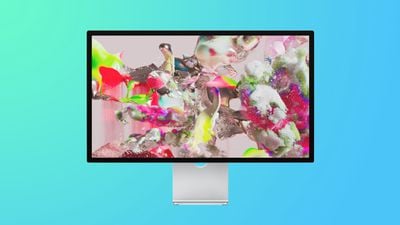
While Siri support has been available on most recent Macs for some time, some Macs such as the 2019 Mac Pro and Mac mini (2018 and later) have never offered support for Apple's virtual assistant. But if you've got a Studio Display in your computer setup, that may well not matter, because it can bring "Hey Siri" support to your Mac anyway thanks to its integrated A13 chip.
The A13 Bionic chip inside the Studio Display is the same processor Apple used in the iPhone 11 series, and it drives the display's webcam processing, which includes Apple's Center Stage feature, as well as powering Spatial Audio output. The inclusion of a dedicated computer processor also means the display can bring Siri functionality to the connected Mac even if it doesn't have Siri support out of the box, provided it is running macOS Monterey 12.3 or later.
With the release of macOS 12, Apple made some major changes to the way Siri works. Now, all Siri speech processing and personalization occurs locally on your Mac, making the virtual assistant more secure and faster at processing requests. This also means Siri can now handle a range of requests entirely on-device, without needing the internet.
You don't need to enable anything for Siri to work either online or offline, because it works automatically. Simply say "Hey Siri," followed by a query or command. If you don't have a cellular data or Wi-Fi connection and you ask Siri to do anything that requires internet access – such as messaging someone, weather updates, or playing streamed content – you'll get the response like "To do that, you'll need to be online" or "I can help with that when you're connected to the internet."
For reference, the following bullets list the Macs compatible with the Studio Display on macOS Monterey 12.3 or later and which support Siri:
- Mac Studio
- 14-inch MacBook Pro introduced in 2021
- 16-inch MacBook Pro introduced in 2019 or later
- 13-inch MacBook Pro introduced in 2016 or later
- 15-inch MacBook Pro introduced in 2016 or later
- MacBook Air introduced in 2018 or later
- iMac introduced in 2017 or later
- iMac Pro
- Mac mini introduced in 2018 or later
- Mac Pro introduced in 2019
Other key features of the Studio Display include a 27-inch screen size, 5K resolution, a 12-megapixel Ultra Wide camera, a six-speaker sound system, one Thunderbolt 3 port, and three USB-C ports.