iOS 26.1 Beta Liquid Glass Battery Drain Test: Tinted vs Clear Mode - MacRumorsOpen MenuShow RoundupsShow Forums menuVisit ForumsOpen Sidebar
Skip to Content

iOS 26.1 Beta Liquid Glass Battery Drain Test: Tinted vs Clear Mode

In the fourth iOS 26.1 beta, Apple added a "Tinted" option that reduces the translucency of Liquid Glass for those who prefer a more opaque look. I saw some comments wondering whether the setting might preserve battery life, so I thought I'd do some testing.
iOS 26 Battery Glass Feature

Test Settings

I did four separate tests using the iPhone 17 Pro Max, and I kept the parameters as similar as possible. Here are the settings I used for each test:

  1. Liquid Glass set to Clear.
  2. Liquid Glass set to Tinted.
  3. Liquid Glass set to Tinted with Reduce Transparency and Increase Contrast on.
  4. Liquid Glass with Reduce Transparency, Increase Contrast, and Reduce Motion turned on.

For every test, I used Light mode and not Dark mode, I turned off True Tone and Night Shift, and set my iPhone to 50% brightness. The display was also set not to turn off. My battery health is still 100%, and ambient temperature during testing was 68 to 72 degrees.

I left my notifications turned on because I get a fairly even distribution of notifications throughout the day and I wanted to mimic how I'd use my iPhone. My Home Screen was set to the standard icons.

How I Tested

I did the exact same series of actions for each test, timed to the second.

  • 30 minutes of scrolling TikTok.
  • 30 minutes of YouTube videos.
  • 30 minutes of scrolling Instagram/watching reels.
  • 30 minutes of Safari on the MacRumors website. Scrolling and tapping to a handful of different pages.
  • 30 minutes of the Maps app. I routed myself to the same location, but I didn't actually go. It was more of a test to have the Liquid Glass interface up for a solid 30 minute period.

During each of the five segments, I swiped to access notifications on the Lock Screen four times, and swiped to open Control Center four times. I opened up notifications and Control Center 20 times total for each test, then swiped back to close them. These were timed to roughly 3.5 minute intervals.

When I swapped from one app to another, I swiped up to close it and exit to the ‌Home Screen‌, swiped down to bring up search, typed in the app name, and tapped to open it.

Every test was 2.5 hours, with a few extra seconds between each segment to switch apps. Tests were split over two days, one at approximately 3:00 p.m., and one at 5:30 p.m.

I only charge my iPhone to 80%, so between each 2.5 hour period, I charged my iPhone back to 80% before starting the next test. The only wildcard factors were notifications and the content that was on TikTok and Instagram as I scrolled.

Test Results

The results weren't what I expected. I went into this test thinking that turning on Reduce Transparency and Reduce Motion would have an effect, but it didn't. I didn't find a selection of settings that changed the battery that my iPhone used.

  • Round 1 - This was the "Clear" round, and my baseline. I started at 80% and ended right at 70%.
  • Round 2 - Tinted mode. I started at 80% and ended at 69%.
  • Round 3 - Tinted mode, Reduce Transparency, and Increase Contrast. I started at 80% and I ended at 69%.
  • Round 4 - Tinted mode, Reduce Transparency, Increase Contrast, and Reduce Motion. I started at 80% and ended at 70%.

I did end up with 1% less battery with the two middle tests, but there wasn't enough of a deviation to draw any conclusion. I can't see fractions of a percent with battery measurements, so it's possible that the two 70% tests were close to 69% and I had minor differences because of the small variations in content between tests.

Test Results Expanded

I wanted to include the percent totals for each segment of testing because there were some minor differences.

  • Round 1 - TikTok ended at 79%, YouTube ended at 77%, Instagram ended at 74%, Safari ended at 72%, Maps ended at 70%.
  • Round 2 - TikTok ended at 78%, YouTube ended at 75%, Instagram ended at 72%, Safari ended at 70%, Maps ended at 69%.
  • Round 3 - TikTok ended at 78%, YouTube ended at 76%, Instagram ended at 73%, Safari ended at 70%, Maps ended at 69%.
  • Round 4 - TikTok ended at 79%, Instagram ended at 77%, YouTube ended at 74%, Safari ended at 72%, and Maps ended at 70%. In this round, I accidentally swapped Instagram and YouTube, but restarting would have changed the time of day of the test so I just did those two apps swapped.

Caveats

I wanted my test to mimic how I might regularly use my phone, but it was only a 2.5 hour period. It's possible that a full 16 hours of swiping in and out of apps and features that use Liquid Glass could have more of an aggregate battery saving effect. I'm guessing it would only be a tiny percent of overall battery usage though, and mostly inconsequential.

The apps that I used don't all have Liquid Glass-heavy interfaces. TikTok and Instagram, for example, barely use Liquid Glass at all. Heavy use of apps that have more Liquid Glass elements could change the results, but there aren't many apps that I spend a lot of time on that use Liquid Glass like that.

I use an ‌iPhone 17‌ Pro Max. I am curious if there would be a difference in battery life on an older iPhone that might struggle more to render Liquid Glass effects.

If anyone with an older iPhone wants to do similar testing, I'd be happy to revisit this with another article that includes more testing from MacRumors readers. I am also able to do more testing if anyone has suggestions on what I might be able to change to actually reduce battery consumption.

Conclusion

On the ‌iPhone 17‌ models, I don't think there are Liquid Glass-related settings to change that will make a meaningful difference in battery consumption.

There seems to be no reason to turn on something like Tinted mode or Reduce Transparency unless you want the opacity for visual preference reasons.

Low Power Mode, Adaptive Power Mode, Dark Mode, and turning down screen brightness seem to still be the most effective ways to eke out more battery life.


Popular Stories

iOS 28 AI

Apple Taking New Approach to Developing iOS 28 and macOS 28

Sunday November 8, 2026 7:42 am PST by
Apple has made a change to its development process for iOS 28, macOS 28, and corresponding software updates, according to Bloomberg's Mark Gurman. In his Power On newsletter today, he said Apple separates development of each year's new operating systems into three major stages. Typically, he said each stage consists of four weeks of coding followed by a four-week "convergence" period where...

duo aquarium

More Fun iPhone Duo Apps: 30 New Picks to Try

Friday November 6, 2026 3:27 pm PST by
When the iPhone Duo launched, we shared a list of some of the fun apps developers created for the new form factor. Two weeks out, developers are continuing to come up with fresh ideas, so we thought we'd share some of our favorites. Games Marbles Unhinged ($2.99) - Marbles Unhinged is a marble maze designed for the Duo. When you fold it, the floor turns into a ramp. If you stand the top...
apple pro tell logo

Apple Launching Five New Products Today

Thursday November 5, 2026 12:59 am PST by
Apple is launching five new products on Friday, November 6, following pre-orders that opened last week, including its first touchscreen MacBook Pro models. The following new products will be available from today: iPad mini with OLED display and A20 Pro chip iMac with M6 chip 14-inch MacBook Pro with M6 chip 14-inch MacBook Pro with OLED touchscreen 16-inch MacBook Pro with OLED...

Top Rated Comments

jz0309 Avatar
14 months ago
Thanks for doing this test!
Score: 47 Votes (Like | Disagree)
pdoherty Avatar
14 months ago
Some people on Reddit the other day were guessing that even in tinted/disabled mode, Liquid Glass effects were still being rendered and then just masked after-the-fact. Meaning the visibility, for those who needed it disabled, is helped, but there was no compute savings from it.
Score: 28 Votes (Like | Disagree)
Mr.Mozi Avatar
14 months ago
This test only deals with liquid glass for an hour as instagram, tiktok, and youtube apps have nothing to do with liquid glass.
Score: 23 Votes (Like | Disagree)
jclo Avatar
14 months ago

Well, compared to what... to not having it? I haven't looked at the code so I don't know how expensive it is, but for sure it's more expensive than not having it.
I have an older iPhone still on iOS 18, so I could theoretically run this same kind of test on that device, upgrade it to iOS 26, and run it again if anyone is interested.
Score: 19 Votes (Like | Disagree)
Parowdy Avatar
14 months ago
If only it had decent battery life to begin with.
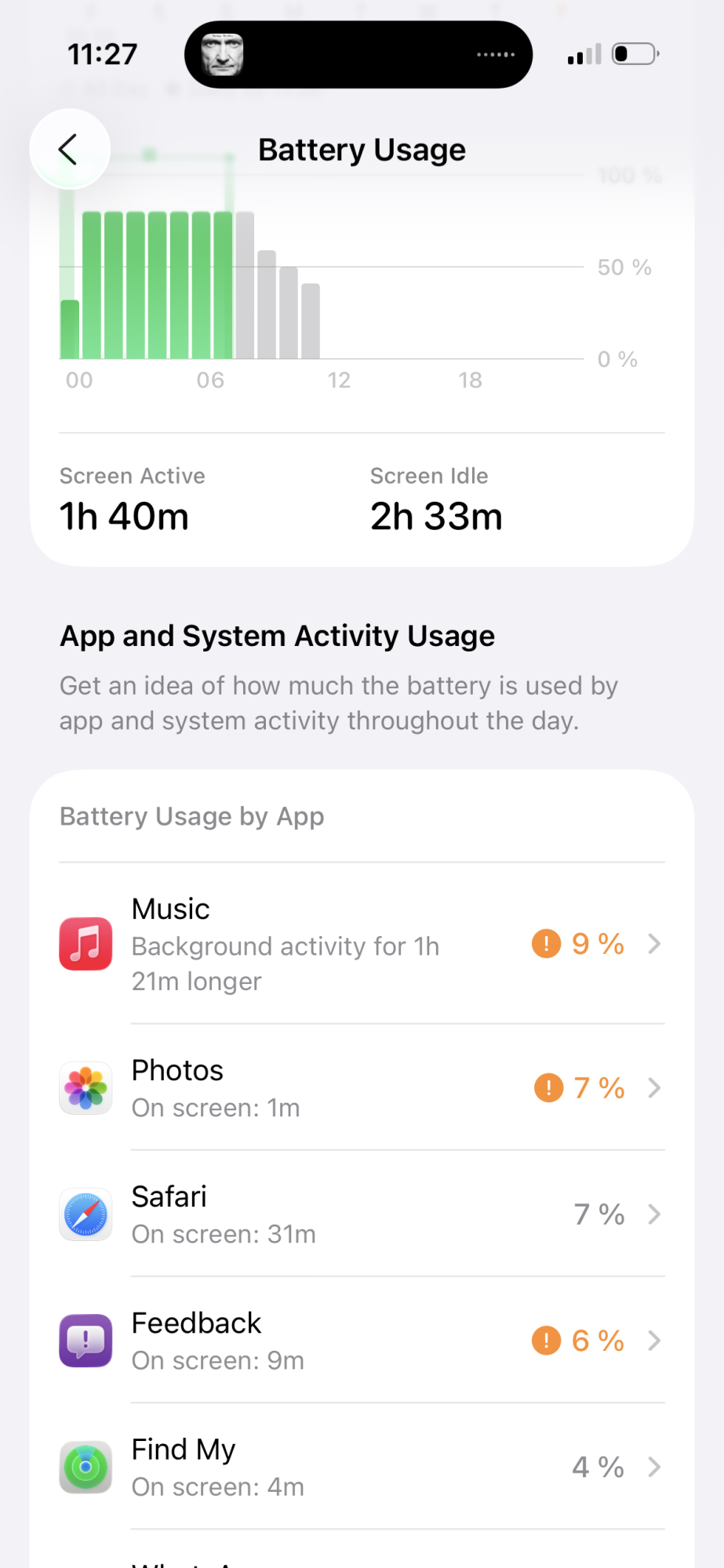
I can easily go from 80 to 20% in 2.5 hours using Safari and Apple Music. It’s rough on my 93% 15 Pro, 18 was already bad but now I miss 4 hours of usage for the same amount of drain.

Edit: the battery page is outrageously useless too, compared to iOS 18.


Attachment Image
Score: 17 Votes (Like | Disagree)
techfirth Avatar
14 months ago
Thank you for doom scrolling / going full potato on our behalf. We don’t deserve MacRumors. 🙌
Score: 14 Votes (Like | Disagree)
Latest Stories
Some HomePod Mini 2 Buyers Returning Units Over Mac Speaker Issues
6 minutes ago
MacBook Pro With PROLED XDR Display: Details You Might Have Missed
17 minutes ago
Satechi Offers MacRumors Readers 30% Off Select Accessories in Early Black Friday Sale
39 minutes ago
Leaker Envisions a Shorter iPhone With a New iOS Layout
1 hour ago
Apple to Give You More Control Over When Your Mac Passwords Lock
2 hours ago
Siri Is Getting a Better Memory
2 hours ago
iPhone 18e Could Feature Bigger Display and Battery
3 hours ago
Apple's Siri Boss May Leave - Here's Who Could Take Over
3 hours ago
Apple Launching Two More New Products This Friday
3 hours ago
Apple Store Subscription Sign-Up Controversy Exposed
12 hours ago
Siri AI Rumored to Become 'More Like an Agent' as Early as Next Year
22 hours ago
Apple Taking New Approach to Developing iOS 28 and macOS 28
1 day ago
Early Apple Black Friday Deals on Apple Watch, MacBook Air, and More
2 days ago
'Backglow' Lets You Customize New MacBook Pro's Glowing Apple Logo
2 days ago
Top Stories: Apple Product Launches, iOS 27.3 Beta, and More
2 days ago
More Fun iPhone Duo Apps: 30 New Picks to Try
3 days ago
Hands-On With Apple's New OLED Touchscreen MacBook Pro
3 days ago
Apple Store With All-New Design Opening Soon in Southern California
3 days ago
Control the Glowing Apple Logo on Your New MacBook Pro
3 days ago
Apple Shares New 'Apple Card: Apply and Use in Minutes' Ad
3 days ago
Apple Says More Than 100,000 Apps Optimized for iPhone Duo, Here's What's Still Missing
3 days ago
Early Black Friday Deals Kickoff With Steep Discounts on Apple Watch Ultras and More
3 days ago
The MacRumors Show: iOS 27.3 Looks Like a Huge Update
3 days ago
Best Buy's Black Friday Event Begins With Sitewide Savings on Apple, TVs, More
3 days ago
Apple Releasing Yet Another Two New Products Next Week
3 days ago
MacBook Air Drops to Lowest Price in Months With Amazon's $250 Discount
3 days ago
Apple Rumored to Drop the iPhone's Action Button Next Year
3 days ago
Apple's Extended Return Policy Now in Effect for 2026 Holiday Season
3 days ago
Apple Music Classical Updated With New Icon and Refreshed Design
3 days ago
OLED iPad Mini, M6 iMac, and New MacBook Pros Available From Today
3 days ago