How to Set Up Home Theater Audio with HomePod and Apple TV 4K - MacRumorsOpen MenuShow RoundupsShow Forums menuVisit ForumsOpen Sidebar
Skip to Content

How to Set Up Home Theater Audio with HomePod and Apple TV 4K

by

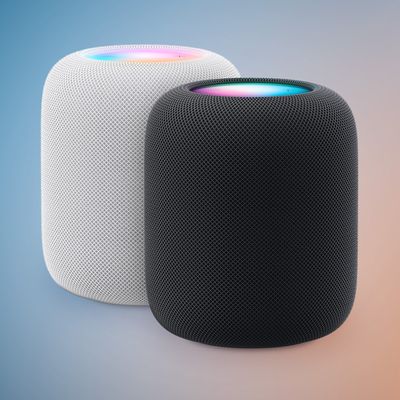
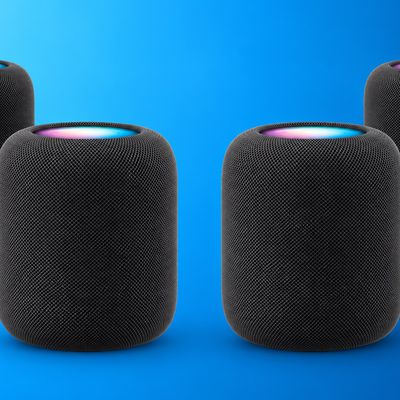
If you have an Apple TV 4K and own a HomePod or a stereo pair, you can create a theater experience with Dolby Atmos or surround sound right in your home.
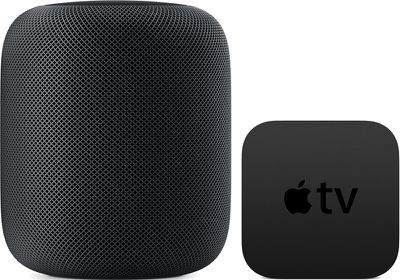
homepodappletv
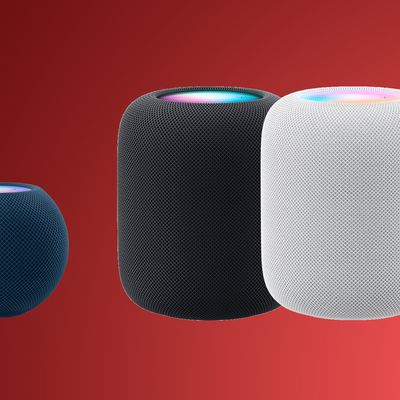
Note that this feature is reliant on the directional and spatially aware capabilities of the original ‌‌HomePod‌‌, so it is not available on the ‌HomePod mini‌. Here's what you need.

Home Theater Audio: What You'll Need

  • An ‌Apple TV‌ 4K updated to tvOS 16.3 or later
  • One or two ‌HomePod‌ speakers updated to ‌HomePod‌ 16.3 software or later
  • An iPhone or iPad updated to iOS or iPadOS 16.3 or later

How to Set Up Home Theater Audio

  1. Using the Home app on your iOS device, put your ‌Apple TV‌ and ‌HomePod‌ in the same room. If you want to use two ‌HomePod‌ speakers, create a stereo pair, then put the stereo pair in the same room as your ‌Apple TV‌ in the Home app.
  2. Turn on your ‌Apple TV‌.
  3. A screen will appear asking if you want to use ‌HomePod‌ as TV Speakers. Select Use as TV Speakers to turn on home theater audio.
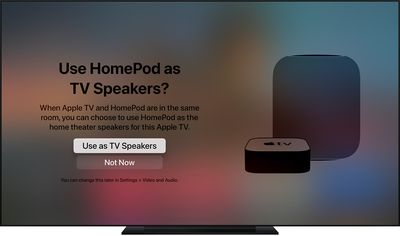
tvos14 use homepod as tv speaker
If you don't see the setup screen on your ‌Apple TV‌, you can manually enable home theater audio on ‌Apple TV‌ or using your iOS device.

On Apple TV:

  1. From the Home screen on ‌Apple TV‌, select Settings -> Video.
  2. Select Audio > Default Audio Output.
  3. Select the room with your ‌HomePod‌ or stereo pair.

On iPhone, iPad, or iPod touch:

  1. In the Home app, press and hold the ‌Apple TV‌ pane.
  2. Scroll down and tap Default Audio Output.
  3. Select the room with your ‌HomePod‌ or stereo pair.
  4. Tap Back, then tap Done.

You should now be able to enjoy a more immersive home theater experience when playing content on your ‌Apple TV‌ 4K. An additional benefit of using HomePods as home theater speakers is that it fixes a relatively common issue where ‌‌Apple TV‌‌ sometimes forgets that HomePods are the preferred speakers for audio output.
Related Roundup: HomePod
Buyer's Guide: HomePod (Caution)

Popular Stories

HomePod 2 and Mini feature 1

Apple Releases HomePod Software 26.5

Monday May 11, 2026 9:59 am PDT by
Alongside iOS 26.5, iPadOS 26.5, and macOS Tahoe 26.5, Apple has released new HomePod 26.5 software for the HomePod and the HomePod mini. The update comes a little over a month after Apple released HomePod Software 26.4. According to Apple's release notes, HomePod Software 26.5 includes performance and stability improvements. ‌HomePod‌‌‌‌‌‌‌ software is installed...
Apple Card iPhone 16 Pro Feature

Apple Card Promo to Offer Free AirPods Pro 3

Friday May 15, 2026 8:59 am PDT by
Starting as early as next week, customers who sign up for an Apple Card at Apple's retail stores in the U.S. will receive $249 cash back when they purchase AirPods Pro 3, according to Bloomberg's Mark Gurman. The promotion has yet to be officially announced by Apple, so exact terms and conditions are not available at this time. AirPods Pro 3 are priced at $249 in the U.S., so customers who...
Apple WWDC25 iOS 26 CarPlay Light mode 250609

Six Popular iPhone Apps Now Available on CarPlay

Thursday May 14, 2026 9:10 am PDT by
Apple's CarPlay system for accessing iPhone apps on a vehicle's dashboard screen has received six popular apps in recent weeks: ChatGPT, Perplexity, Grok, Google Meet, WhatsApp, and the indie artist streaming platform Audiomack. Make sure you have the latest version of each app and they will automatically appear on CarPlay. ChatGPT Starting with iOS 26.4, CarPlay supports voice-based...