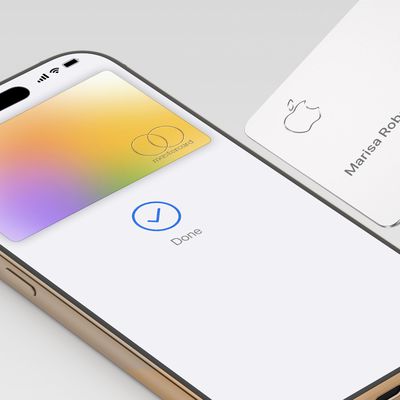
If you've just had your Apple Card application approved then you'll probably want to start using it right away. This article shows you how.
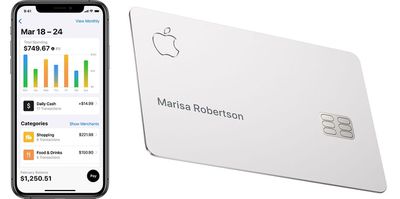
If you've requested a titanium Apple Card, the good news is you don't have to wait for it to arrive before you can make purchases. You can pay with Apple Card using Apple Pay on your iPhone, iPad, Apple Watch, or Mac.
How to Make an Online Purchase with Apple Card
You can make a purchase online with your Apple Card wherever you see the Apple Pay symbol in checkout. When you tap the symbol, the Apple Pay transaction sheet slides up the screen and the website is dimmed.

Tap the blue chevrons on the right to change any details related to the transaction, including which card to use, your shipping address, the shipping method, and your contact details.
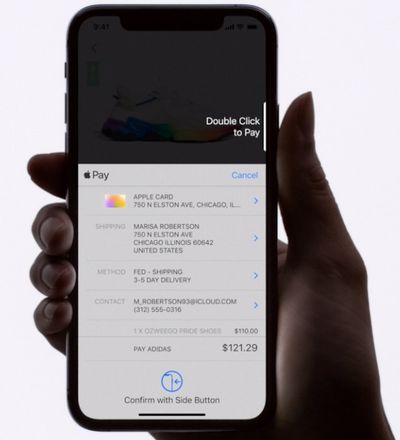
Obviously you'll want to choose to pay using your Apple Card if it isn't already selected, but if you make Apple Card the default card to use with Apple Pay, it's automatically selected when you use Apple Pay.
When you're sure that all your details are correct, double-click the Side button on your iPhone, and glance at the screen to authenticate the transaction with Face ID (older iPhones, use Touch ID or your passcode).
How to Make an In-Store Purchase With Apple Card
You can make Apple Card purchases in stores wherever you see the Apple Pay logo or the contactless symbol.
To pay for something with Apple Card, double-click the Side button on your iPhone, glance at the screen to authenticate with Face ID (on older iPhones, put your finger on the Home button to use Touch ID), then hold your iPhone near the store's card reader.
Remember, if a store doesn't accept Apple Pay or contactless, you can still pay with Apple Card – your titanium Apple Card or card number can be used anywhere Mastercard is accepted. The titanium Apple Card works just like any other credit card in a retail store as it is equipped with a magstripe. For online purchases, you can find your card number and CVV in the Wallet app.