How to Use the 'Hey Siri' Command With AirPods (2nd Generation) and AirPods Pro - MacRumorsOpen MenuShow RoundupsShow Forums menuVisit ForumsOpen Sidebar
Skip to Content

How to Use the 'Hey Siri' Command With AirPods (2nd Generation) and AirPods Pro

by

Apple refreshed its AirPods wireless earbuds in March 2019 and released Airpods Pro later the same year, adding a number of new features that set the two models apart from the original AirPods. One of those features is the ability to summon Siri entirely handsfree, allowing you to speak a variety of commands and ask questions.
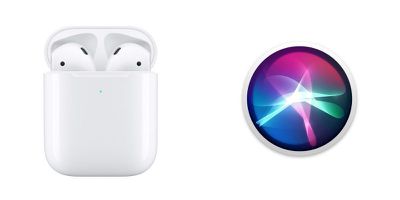
airpods 2 hey siri
With the first-generation AirPods, you had to use the default double tap gesture on the left or right earpiece to activate ‌Siri‌ before you could start talking. But with second-generation AirPods and AirPods Pro, all you have to do is say "Hey ‌Siri‌" and the digital assistant will be ready to respond to the words that follow.

You can still use the double-tap gesture on the new AirPods or set the press-and-hold gesture on Airpods Pro to summon ‌Siri‌ if you prefer, but you should find the immediacy of using the "Hey ‌Siri‌" invocation a lot more convenient if you tend to be working with your hands when you're wearing Apple's wireless earbuds.

‌Siri‌ can be used with your AirPods to control your music, ask queries, make phone calls, and check the status of your AirPods. At the bottom of this article is a quick list of commands to get you started.

Note that these commands won't do anything if your iOS device doesn't have a network connection. It's an odd requirement, but unlike Voice Control, ‌Siri‌ needs an internet connection even for basic playback commands.

  • "Turn volume up/down" or "Raise the volume by 50 percent."
  • "Play" or "Pause music."
  • "Resume music."
  • "Play [Song Name]" or "Play [Podcast Name]."
  • "Play my Favorites List."
  • "Play my New Music List."
  • "Skip back/forward" or "Skip back/forward X seconds/minutes."
  • "Skip to the next song."
  • "How is the battery life of my AirPods?"

Related Roundup: AirPods 4
Buyer's Guide: AirPods (Caution)
Related Forum: AirPods

Popular Stories

iOS 27 Ft

iOS 27: New Siri Features Could Be Gated Behind a Waitlist

Friday June 5, 2026 4:24 am PDT by
Bloomberg's Mark Gurman has published his WWDC preview ahead of Monday's keynote, and while almost all of the iOS 27 features he covers have already made the rounds, there are a couple of details worth highlighting. As we've covered previously, Apple is turning Siri into a full chatbot that users can interact with, similar to Claude or ChatGPT. The Siri chatbot will be integrated into...
WWDC26 MR Live Coverage Article

WWDC 2026 Apple Event Live Keynote Coverage: iOS 27, Revamped Siri, and More

Monday June 8, 2026 9:15 am PDT by
Apple's Worldwide Developers Conference (WWDC) starts today with the traditional keynote kicking things off at 10:00 a.m. Pacific Time. MacRumors is on hand for the event and we'll be sharing details and our thoughts throughout the day. We're expecting to see a number of software-related announcements today, headlined by a reset on Apple's push into AI that should see a significant overhaul...
Siri AI

Apple Announces 'Siri AI' at WWDC 2026

Monday June 8, 2026 10:52 am PDT by
Apple today announced a significantly revamped Siri at WWDC 2026, rebranding it as "Siri AI" and unveiling out a wave of new capabilities spanning conversational depth, system-wide integration, and a redesigned interface across platforms. Apple framed the update with the acknowledgment that "there are times when you expect more from Siri." The company is describing the redesigned assistant...