

Note: The SharePlay feature in FaceTime requires macOS Monterey 12.1, which is only available to beta testers at the time of writing. Expect Monterey 12.1 to be released to all users in late fall 2021.
In macOS Monterey, FaceTime received some major enhancements on the Mac, including the ability for you to share your screen with other people on a video call.
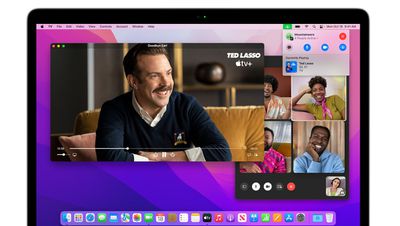
Officially called SharePlay, and previously only available on iPhone and iPad, Apple's new screen sharing feature allows you to share your Mac's screen with other people on a FaceTime call, which opens up new possibilities for sharing experiences with friends and family.
Thanks to SharePlay, you can share your screen or a specific app window on your Mac's desktop with the people you're chatting with, provided they're also using an Apple device running iOS 15.1 or later or macOS 12.1 Monterey or later. You can also watch streamed movies and TV shows together, which is the focus of this article. The following steps show you how it's done on a Mac.
- Launch FaceTime on your Mac.
- Click New FaceTime and add the contacts that you want to share your screen with, then click the FaceTime button. Alternately, select a recent contact to initiate a video call.

- When the call has connected, launch the TV app on your Mac and choose a TV show or movie to watch. You'll be notified that any content you subsequently play will SharePlay automatically, and everyone on the call will see the same synced playback and video controls.
- When you're finished watching, close the media window and choose to either End for Everyone or – if other people on the call wish to continue watching – End Only for Me.

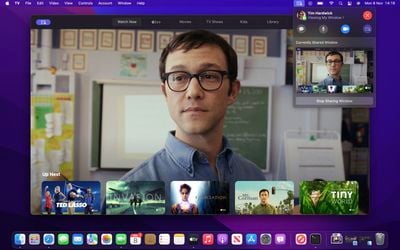

That's all there is to it. The introduction of SharePlay on Mac also means you can listen to music together over FaceTime. Simply initiate a FaceTime call and launch the Music app, then choose your music, and everyone on the call will be able to enjoy it. The whole group will see what's next and can add songs to a shared queue with synced playback and media controls.
In addition to first-party Apple experiences like Apple TV and Apple Music, SharePlay is also compatible with third-party app experiences. Developers have already been building SharePlay experiences for iOS devices, and now they can build SharePlay features into Mac apps as well.



















