


How to Reinstall Deleted Apps on iPhone and iPad
If you've deleted an app on your iPhone and iPad to save space or because you didn't find the app useful at the time, it's not a one-way street – you can always re-install said app on your device in a few short steps.
While there's no section in iOS that exclusively lists "recently deleted" apps as such, you can still find the apps that you've purchased in the past but are no longer...
Read Full Article
How to Erase Your iPhone or iPad
Erasing your iPhone or iPad is a good idea when it comes to selling the device, giving it away, or taking it to a store for repairs. It's also one way to start afresh if your device's storage is nearing full capacity, so it's worth knowing how it's done.
Before you erase anything though, you should back up your device, just in case. You can back up your data to iCloud, but we'd advise you...
How to Wirelessly Sync Your iPhone or iPad to a Windows PC
When you connect your iPhone or iPad to a Windows PC, you'll be able to sync to it albums, songs, playlists, movies, TV shows, podcasts, books, audiobooks, photos and videos, contacts and calendars. This article shows you how.
You can sync your iPhone or iPad to a Windows PC by physically connecting them, but did you know that you can sync your Apple device by having them connected over same ...
How to Wirelessly Sync iPhone or iPad to Mac
When you connect your iPhone or iPad to your Mac, you can sync a range of media to your device, including albums, songs, playlists, movies, TV shows, podcasts, books, audiobooks, photos and videos, contacts and calendars. This article shows you how it's done.
It used to be the case that you could only sync an iPhone and iPad to a Mac using a physical cable, but these days you can sync your...
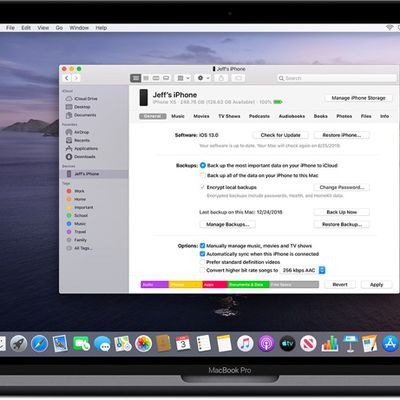
How to Back Up Your iPhone or iPad to a Mac
There are two types of backup available to iOS users. iCloud backups are encrypted automatically and stored in the cloud, and you can create and use them anywhere with a Wi-Fi connection. By contrast, Mac-based backups are created and stored on your Mac, encryption is optional, and you have to connect your device to your computer to restore one. This article shows you how to back up your iPhone,...
How to Back Up Your iPhone or iPad Using iCloud
Creating an iPhone or iPad backup should be routine for most users, as it's a simple procedure and the easiest way to recover your data if your device is replaced, lost, or stolen.
There are two types of backup available to iOS users. iCloud backups are encrypted automatically and stored in the cloud, and you can create and use them anywhere with a Wi-Fi connection. By contrast, computer-base...
How to Back Up iPhone and iPad on Macs Running Mojave or Earlier
There are two types of backup available to iOS users. iCloud backups are encrypted automatically and stored in the cloud, and you can create and use them anywhere with a Wi-Fi connection. By contrast, Mac-based backups are created and stored on your Mac, encryption is optional, and you have to connect your device to your computer to restore one. This article shows you how to back up your iPhone,...
How to Back Up Your iPhone or iPad to a Windows PC
Not everyone who owns an iPhone or iPad has a Mac, which is why Apple made its mobile devices compatible with Windows PCs, too. Using USB, you can you can connect an iPhone or iPad to a Windows PC to set up the device, charge its battery, share its internet connection, transfer files, and sync content. This article shows you how to back up your iOS device on a Windows PC.
Make Sure You...

How to Stop AirPods From Automatically Switching to Other Devices
Apple in 2020 issued an update for AirPods, AirPods Pro, AirPods Max, and some Beats-branded headphones that allows them to automatically switch between your iPhone, iPad, and Mac depending on which device you want to listen to.
Say you're listening to another device with your AirPods but you want to listen to your iPhone instead. If you start playing music, a podcast, or other...

How to Delete Downloaded Videos on iPhone and iPad
The videos that you keep on your iPhone or iPad naturally take up storage space on your device, which can fill up quickly depending on the available storage capacity and how much content you have.
For example, if you regularly download Apple Fitness+ videos to your iPhone or iPad, this can quickly take up a lot of storage. If you see a message that your device's storage is full, don't worry ...
How to Change the Background Color of Notes on iPhone and iPad
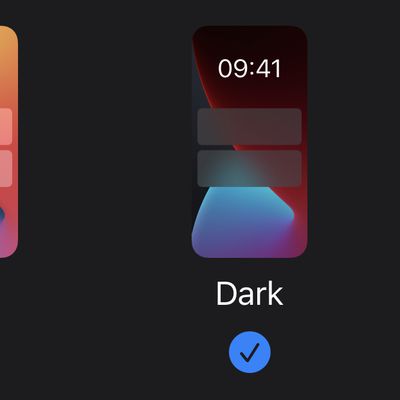
In iOS, you can set the system appearance to Dark or Light Mode, which changes the look of every native app on your Apple device, including Notes. If you set your iPhone or iPad to Dark Mode, for example, each note in the Notes app appears by default as white text on a black background.
However, Apple Notes also allows you to switch the background color of individual notes or all of your...
How to Clear Your Location History in Apple Maps
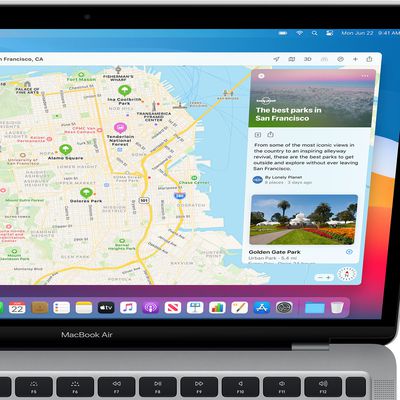
When you search a location in Apple Maps on iOS and Mac, the app conveniently remembers your search in case you want to return to it at a later time.
However whether for housekeeping or privacy reasons, you can quickly and easily remove your Maps search history at any time. Keep reading to learn how its done.
Delete Apple Maps History on iPhone and iPad
Launch Apple's Maps app on your...

How to Turn on Closed Captions and SDH on iPhone, iPad, and Mac
This article explains how to turn on closed captions and subtitles for the Deaf or Hard of Hearing on Apple devices. Keep reading to learn how it works.
The terms "closed captions" and "subtitles" are sometimes used interchangeably, but they’re actually designed for two different audiences. Subtitles offer a text alternative for spoken dialogue in video, while closed captions not only show ...

How to Clear Google Maps Search History on iPhone and iPad
If you prefer using Google Maps over Apple Maps on your iPhone or iPad, it's useful to know that you have the ability to manage how long your map search history is stored on Google's servers. This article shows you how.
When you start typing the name of somewhere in Google Maps, the app throws up suggestions of your recent searches for places and directions, which can be useful if you visit...

How to Turn On Subtitles and Change Languages in the Apple TV App
Apple's TV app allows you to choose customized audio languages, subtitles, and other accessibility features on your iPhone, iPad, Mac, PC, and Apple TV.
This article explains how to change subtitles and languages for videos viewed in the app on the above devices as well as smart TVs and streaming devices that feature Apple's TV app.
How to Change Subtitles or Languages on Apple TV
On...
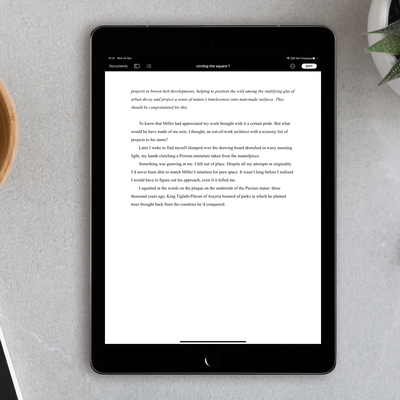
How to Use Reading View in Apple Pages, Numbers, and Keynote
In Apple's Pages, Numbers, and Keynote apps for iPhone and iPad, you can use the reading view feature to look at a document without accidentally editing it.
In reading view, you can scroll a document and even interact with text and objects, all while avoiding accidentally moving objects or bringing up the keyboard as you view.
To turn on the reading view, open a document in one of the...

How to Delete Cookies in Safari
When you browse the web on your devices, websites will often leave cookies on your system so that they can remember you and what your preferences are.
Some cookies are genuinely useful, as they allow sites to save your personal information (such as your login credentials) so that you don't have to keep entering it every time you visit.
However, for the same reason, cookies can pose a...

How to Import Your Safari Bookmarks to Chrome
Apple's native desktop browser is Safari, but just because it comes pre-installed on every Mac doesn't mean you have to use it. Chrome is actually more popular than Safari by far, and if you're new to Mac, it might already be your preferred browser.
If you've tried out Safari and decided you want to switch to Google's equivalent, you can easily import any bookmarks you've used in Apple's...

How to Type the Apple Logo on Mac, iPhone, and iPad
Apple's logo is pervasive across the company's branding, appearing on everything from ads for its Apple TV+ streaming service to the Apple stickers included in every iPhone box. Apple also includes the symbol in its keyboard character set, so if you have a Mac, you can type the logo using a simple keyboard shortcut.
To type the symbol in a tweet, in a word processor, or anywhere ...

How to Enable Live Captions in Chrome Browser for Desktop
Google includes a Live Captions transcription feature in version 89 of its Chrome browser for desktop. Live Captions uses machine learning to create a real-time transcription for videos or audio played through the browser, which can make online media more accessible for members of the Deaf community and other people with hearing loss.
Once enabled, Live Captions appear in a box in the bottom ...
















