

iOS 11 and macOS High Sierra bring Live Photos to FaceTime, allowing you to preserve a special memory while video chatting with friends and family. Whenever you use the new Camera button that's at the bottom of the screen on a FaceTime call, it captures a photo, but don't worry - this can't be done in secret and the other party is always notified when an image is captured.
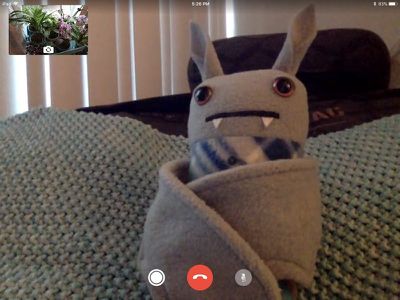
How to Take a Live Photo in FaceTime
- Initiate a FaceTime video call.
- While in the call, press on the camera button that's located at the bottom of the display to the left of the red button for ending a call.
- Pressing the camera button captures a photo from the camera of the person you're chatting with, so if they have the front-facing camera on, you'll get a full image of their face as if they had taken the photo themselves.

- The Live Photo taken from the FaceTime call can then be found in the Photos app along with the rest of your photos.

Every time you take a Live Photo in FaceTime, the person on the other end of the video call receives a message letting them know that a Live Photo was taken, so capturing an image during FaceTime isn't something that can be done in secret. FaceTime Live Photos also don't capture audio.
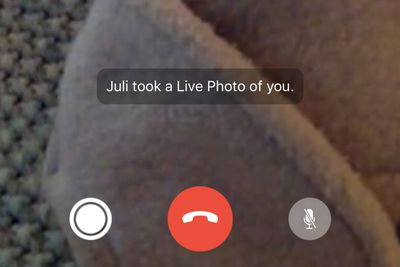
Disable Live Photos in FaceTime
If you don't want people to be able to take a Live Photo when FaceTiming with you, it's easy to disable. Here's how:
- Open the Settings app.
- Scroll down to the "FaceTime" option and tap it.
- Toggle off "FaceTime Live Photos."
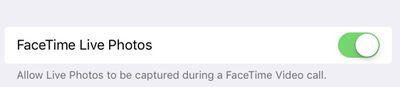
With this setting toggled off, people you chat with will not be able to use the Live Photo in FaceTime feature. You can still take Live Photos of others, however, as long as their setting isn't toggled off.
FaceTime Live Photos only works when both FaceTime participants are running iOS 11 and have the option to enable/disable the feature. If someone isn't using iOS 11 and you attempt to capture a photo, you'll get a warning that all parties need to be running the new software.
FaceTime Live Photos on the Mac
FaceTime Live Photos are also available on Macs running macOS High Sierra. Capturing an image is done by clicking on the camera button, and toggling off Live Photos can be done on a Mac by opening the FaceTime app, choosing Preferences from the menu bar, and deselecting "Allow Live Photos to be captured during Video calls."



















