In Apple's iOS 27.3 beta release, the system includes a "memory graph" that's designed to organize information about relationships, places, routines, health, workouts, and what motivates users or holds them back, according to the findings. It also identifies "memory atoms" for facts, opinions, intentions, and events, including details about the people, places, times, and topics involved.
According to pdfu, the graph uses two kinds of processes to gather info. One turns structured data into insights – like reading the name fields in a user's own contact card. The other uses an on-device AI model or Private Cloud Compute to extract insights by querying sources including Siri conversations, messages, photos, and health data.
Apparently, only one of these AI-driven processes is present so far: pdfu believes it's designed to identify motivations, barriers, and resources using a set of 60 built-in questions, including questions about routines that might interfere with adequate sleep.
From what's been uncovered so far, it's still an unfinished system – pdfu says there's no process that creates memory atoms yet, for example. In a follow-up explanation, the code sleuth also distinguished the graph from a separate store for explicit memories. The latter store has space for records in Apple's search system, but nothing writes the records yet.
Both systems reportedly use Apple's version of the Kuzu graph database. Apple acquired Kuzu in 2025, but its plans for the technology were unclear when the acquisition emerged earlier this year.
Siri already offers personal context understanding, allowing the assistant to find information about the user's life in apps like Mail, Messages, and Photos. Nothing that's been uncovered so far tells us when the unfinished memory system will become available or how users will have control over their data.
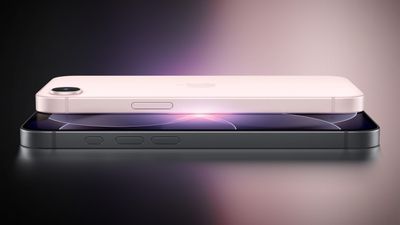
Apple's standard iPhone 18 and the lower-cost iPhone 18e will both feature 6.3-inch displays and use the same battery, according to the leaker known as "Fixed Focus Digital."
In a new post on Weibo, the leaker shared an annotated, side-by-side diagram of the phones' purported internals, labeled "Taycan" for the iPhone 18 and "Nevera" for the iPhone 18e. Fixed Focus Digital said the diagram was already circulating online and broadly matched what their sources had told them. They pointed to the battery as an example of the interchangeable parts they had previously described.
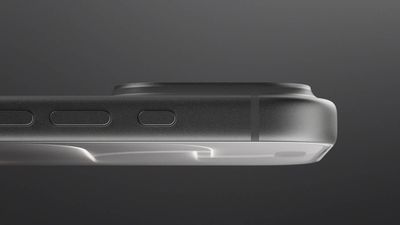
The diagram's annotations list a 4,430 mAh battery for both models. That would be an increase of about 21% from 3,671 mAh for the standard iPhone 18 and about 11% from 4,005 mAh for the iPhone 18e. The notes attribute the extra room in the standard model to changes to the bottom speaker and haptic engine. The diagram also shows two rear cameras on the standard iPhone 18, including an Ultra Wide camera, and a single rear camera on the iPhone 18e, just like previous models.
A 6.3-inch display would be a noticeable step up from the 6.1-inch screen on the iPhone 17e. Fellow Weibo leaker "Digital Chat Station" previously claimed the iPhone 18e would retain a 6.12-inch OLED display at 60Hz, along with a single 48-megapixel rear camera and a potential upgrade to the front-facing camera. The same source expects the standard iPhone 18 to retain its 6.3-inch display with a refresh rate of up to 120Hz, along with a larger battery.
In an earlier post, Fixed Focus Digital said a new chip was the only iPhone 18e upgrade they could confirm at the time and suggested the two models would share some manufacturing processes.
Digital Chat Station expects the iPhone 18e to contain Apple's 2nm A20 chip, up from the 3nm A19 in the iPhone 17e. Analyst Ming-Chi Kuo has said Apple's lower-end spring 2027 iPhones will pair the A20 chip with 9GB of RAM, up from 8GB. Both models are also rumored to get Apple's C2 modem, which would replace the Snapdragon X80 in the iPhone 17 and the C1X in the iPhone 17e.
Mike Rockwell "continues to seriously consider stepping down" as Apple's vice president of Siri engineering and could leave the company altogether next year, according to Bloomberg's Mark Gurman. Gurman described the potential move as a major blow to Apple.
If Rockwell departs or moves to another role, responsibility for Siri would likely fall to one of two people. Amar Subramanya is a Google veteran hired last year to shore up Apple's AI efforts, and Sebastien Marineau, a deputy to software chief Craig Federighi, leads the teams integrating AI into iOS. Marineau is said to be seen by some inside Apple as a possible eventual successor to Federighi himself, and as someone "more all-in on the AI revolution."
Hair Force One, however, isn't going anywhere, it seems. A succession to Federighi remains "a distant prospect," reckons Gurman. Federighi "maintains a firm grip" on Apple's software engineering organization and "has done little to prioritize succession planning or establish a clear path for a successor," according to his sources. Gurman adds that Federighi, who has led the organization for more than a decade, has given no indication that he is among Apple's senior leaders considering an exit in the coming years.
The Apple launches keep coming! The company is set to release two new products on Friday, November 13: the all-new Apple HomeView and the fourth-generation Apple TV 4K, both of which have been available to pre-order since mid-October.
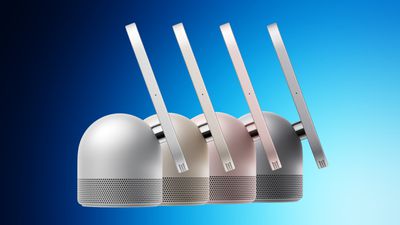
Apple HomeView: Apple's new smart home display, powered by Apple Intelligence with Siri AI, for entertainment and managing the home. Available in tabletop and wall-mounted models, it can recognize up to six users by face, each with a personalized Home Screen. The HomeView is priced at $299.
Apple TV 4K: adds Siri AI, the A19 chip, an updated Siri Remote with Find My, and support for four-speaker surround sound with HomePod mini 2. The Apple TV 4K comes with 128GB of storage and is priced at $299.
Both products were announced on October 13 alongside the HomePod mini 2, which launched October 30.
As things stand, HomeView will not be sold in the European Union because Siri AI is currently unavailable on iOS in the region due to regulatory constraints. Apple has said it is "working constructively with the EU in an attempt to find a path forward," but has provided no timeline for EU availability.
In a seriesofYouTube videos shared over the past two weeks, electronics technician and consumer rights advocate Louis Rossmann has exposed a controversy in which some Apple Store employees have allegedly signed up customers for auto-renewing subscription trials for Apple One and other services without their informed consent.
Here is how the process works at Apple Stores in the United States:
A customer visits an Apple Store.
An employee at the store asks if the customer would like to scan a QR code for a personalized shopping experience ("Connect and Personalize").
If the customer agrees, the employee can view some of the customer's information on their company-issued device, including which Apple devices they own, which Apple services they are subscribed to, and which Apple subscription offers are available to them based on their recent purchases.
The employee can proceed to show the customer their available subscription offers, presented with "Agree" and "Decline" buttons on the employee's device. The default payment method associated with the customer's Apple Account is automatically available for subscription sign-ups, so long as it has not expired.
The problem is that some employees allegedly activated these trials without adequately explaining to the customers that they would be automatically charged at a later date, according to tipsters who contacted Rossmann. For example, some employees would allegedly rush through the process or were even told to position the trials as "gifts."
Until early last week, Apple was tracking a metric known as the "services attach rate," with a target of 40% for each retail employee at at least some U.S. stores. In other words, employees were encouraged to get at least four out of every 10 customers they assisted with a device purchase to also sign up for at least one subscription.
In some cases, employees allegedly even tapped the "Agree" button themselves without receiving the customer's informed consent, seemingly in an attempt to ensure that their "services attach rate" was as high as possible.
Apple does email customers when a new trial has been activated on their accounts, but unsuspecting customers might not pay attention or realize that the email pertains to a subscription that will automatically renew later.
Metric Removed, Reminder Issued
MacRumors has confirmed that Apple removed the services metric for employees early last week, just days after Rossmann's videos were published. However, the official explanation we were given for the metric's removal is that it is less relevant during the holiday season, when customers are often purchasing Apple products as gifts for others.
Later in the week, Apple issued an internal memo to retail employees reminding them of the importance of respecting customer privacy and obtaining consent, including when offering subscription trials and using the "Connect and Personalize" system, but also for things such as Apple Upgrade sign-ups and Genius Bar work authorizations.
The memo was issued ahead of the first weekend of Apple's holiday shopping season, which kicked off on Friday. During the holidays, Apple hires additional employees to help assist with an influx of customers, so the reminder was timely for new staff.
Whether these actions were timed solely around the holiday shopping season or were also influenced by Rossmann's videos, we cannot say for sure. In any case, the actions conveniently address some of the concerns highlighted by Rossmann.
How to Check Your Subscriptions
On an iPhone, open the Settings app and tap on your name at the top of the screen. Next, tap on "Subscriptions" and you will see a list of any subscriptions that are active on your Apple Account, including trials. You can tap on any individual subscription and tap on the "Cancel Subscription" or "Cancel All Services" button to cancel.
If you wish to dispute a transaction with Apple, go to reportaproblem.apple.com, select the "Request a refund" option, and follow the steps.
As always, regularly review your credit card or bank statements to ensure that you have not been charged for any subscriptions unexpectedly.
Siri AI is much more intelligent and personalized compared to classic Siri, but it is still not nearly as advanced as proactive, always-on agents like OpenAI's Dots and Meta's Muse. That may change, though, according to a new rumor.
In his Power On newsletter today, Bloomberg's Mark Gurman said he was told that Apple could make Siri function "more like an agent" as early as next year. However, if this plan moves forward, the exact implementation remains to be seen.
"Dots, Muse and Grok can keep track of goals, determine what needs to happen next and continue pursuing objectives without the user initiating every individual step," said Gurman. "Apple ultimately wants to go in this direction, I'm told, and I believe the company could make Siri more like an agent as early as next year."
Apple's AI ambitions could go beyond making Siri more agentic. In a closed-door meeting in recent weeks, Gurman said that Apple CEO John Ternus told Apple's software engineering chief Craig Federighi that Apple needs to "accelerate" its software roadmap and "move quickly beyond merely making necessary improvements to Siri."
Apple has made a change to its development process for iOS 28, macOS 28, and corresponding software updates, according to Bloomberg's Mark Gurman.
In his Power On newsletter today, he said Apple separates development of each year's new operating systems into three major stages. Typically, he said each stage consists of four weeks of coding followed by a four-week "convergence" period where new features are integrated into the operating systems. This time around, Apple has made a change.
The first stage of development for iOS 28 and the other updates apparently consisted of six weeks of coding and two weeks of feature convergence. This change gives Apple's software engineers more time to come up with new features.
"Instead of the normal split between two four-week efforts, Apple engineers were tasked with six weeks of coding, exploration and feature development, and then only two weeks of convergence," he said. "Employees say they like the change, indicating that it creates more time for coming up with ideas and exploring them before needing to lock things in."
Gurman did not reveal any specific features planned for iOS 28. The update should be available in beta in June and released in September next year.
Black Friday is now just a few weeks away, taking place on Friday, November 27 in 2026. As always, this will be the best time of the year to shop for great deals, including popular Apple products like AirPods, iPad, Apple Watch, and more.
Note: MacRumors is an affiliate partner with some of these vendors. When you click a link and make a purchase, we may receive a small payment, which helps us keep the site running.
Specifically, in this article we're sharing all of the Apple products that currently have all-time low prices, or discounts that are at least close to their record-low prices. Of course, these are early Black Friday deals, so even better discounts could emerge later in the month, but if you're shopping right now these are all the best prices around.
Table of Contents
You can use the links below to jump directly to the section you're shopping for today.
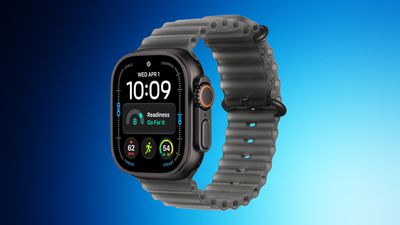
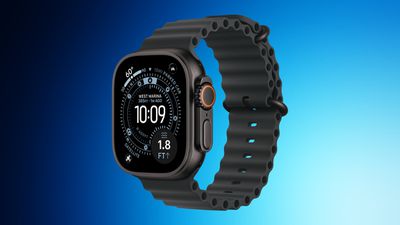
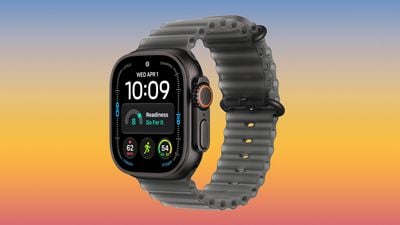
The Apple Watch Ultra 4 has dropped to $699.99 on Amazon in one of the most notable early Black Friday discounts, down from $799.00. This is a match of the all-time low price on the new Ultra 4, which just launched in September.
If you're shopping for a Milanese Loop model, Amazon also has a $99 discount on one of these devices. There are five regular models on sale and two Milanese Loop models, and most have delivery dates of early November on Amazon.
Regarding the previous-generation models, Best Buy this week has a big collection of Apple Watch Ultra 3 models for $549.00, down from $799.00. This is a massive $250 discount on the previous-generation device, and it represents a new all-time low price on these models. You can find similar $250 discounts on the Milanese Loop models at Amazon.
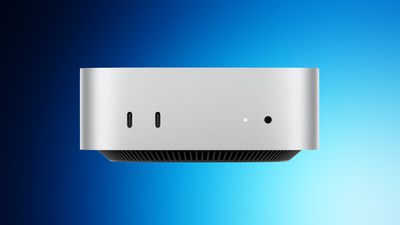
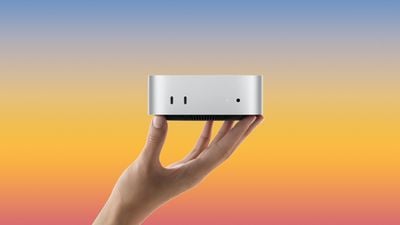
Apple's new Mac mini has had one of the most consistent discounts over the past few weeks, and these $119-$150 markdowns have continued into Black Friday season. Prices start at $779.00 for the entry-level model, and currently include every M6 model, plus the M5 Pro model.
Additionally, one of the best early Black Friday deals is on the M5 Max Mac Studio with 36GB RAM and a 512GB SSD, on sale for $2,299.00, down from $2,499.00.
Amazon is taking $199 off nearly every model of the M5 MacBook Air this week, with matches of the best post-hike prices we've ever seen on the computer. Prices now start at $1,099.99 for the 512GB 13-inch model and $1,299.99 for the 512GB 15-inch model.
For the 15-inch M5 MacBook Air models, prices start with the 16GB/512GB model for $1,299.00, down from $1,499.00. You can also get the 16GB/1TB model for $1,549.00, down from $1,799.00, which is a $250 markdown and another all-time low price for Black Friday.
Cellular carriers have always offered big savings on the newest iPhone models during the holidays, and Black Friday 2026 sales have kicked off at AT&T and T-Mobile, as well as Best Buy. Right now we're tracking notable offers on the iPhone 18 Pro, iPhone 18 Pro Max, and iPhone Duo. For even more savings, keep an eye on older models during the holiday shopping season.
iPhone Duo: Up to $1,200 off with eligible trade-in
Apple Watch SE 3: No cost (up to $300) when adding a watch line on a qualifying plan, or get $250 off any Apple Watch when picking up another Apple Watch
T-Mobile is offering the iPhone 18 Pro and iPhone 18 Pro Max for up to $1,200 off when you trade in an old device (in any condition) and purchase the new device on an eligible unlimited plan. You can also get this offer if you switch a line to Experience Beyond 2.0, Experience Beyond, or Go5G Next.
For anyone shopping for the iPhone Duo, you can get up to $1,200 off the iPhone Duo with any condition trade-in on an Experience Beyond plan. This discount will appear in the form of bill credits over the course of 36 months.
Similarly, if you're on the Experience More or Experience Beyond plan, you can get up to $830 off with a trade-in, and up to $730 off with a new line on most other plans. All of these offers have the same payout schedule over the course of 36 months.
iPhone Duo: Up to $1,200 off with eligible trade-in
Over at AT&T, you can get the iPhone 18 Pro and iPhone 18 Pro Max for up to $1,200 off with an iPhone trade-in in any condition. You'll need to upgrade with AT&T Next Up Anytime or switch to get this offer.
Additionally, new and existing customers can get up to $1,200 off the iPhone Duo with an eligible trade-in. If you're switching to AT&T, the carrier will give you up to $800 to pay off your current device balance, and you can save $200 per line when ordering the smartphone online.
In regards to the main offer of up to $1,200 off the iPhone Duo, AT&T says this requires an eligible trade-in of $230 or more, alongside activation of a new line or upgrading an existing line. You'll get this credit over the course of 36 months on your AT&T bill.
You can find the breakdown of each plan tier from AT&T below, and remember that they each require a trade-in as well.
Up to $1,200 off iPhone Duo: requires AT&T Premium 2.0 plan or higher / trade-in value of $230 or more
Up to $930 off iPhone Duo: requires AT&T Extra 2.0 plan or higher / trade-in value of $130 or more
Up to $500 off iPhone Duo: requires Value 2.0 plan / trade-in value of $130 or more
Up to $350 off iPhone Duo: requires any eligible unlimited plan / trade-in value of $35-$129
If you switch to AT&T from a different carrier, AT&T will pay off your phone balance at up to $800 off per line. With the $1,200 offer, AT&T is offering the 256GB iPhone 18 Pro at no cost.
iPhone Duo: Up to $1,200 off with qualified activation and trade-in
Carriers aren't the only place you can save on iPhones this year, with Best Buy offering the same discounts as AT&T and T-Mobile with activation through these carriers at the time of purchase. This is a great option for anyone who shops at Best Buy a lot and likes to rack up member reward points.
Similar to the carriers, you can get the iPhone 18 Pro models and iPhone Duo for up to $1,200 off with qualified activation on cellular plans and a trade-in of an older device. Best Buy supports activation through AT&T and Verizon.
iPhone Cases
Amazon this week has big discounts across Apple's Clear, Silicone, and TechWoven Cases for the iPhone 18 Pro lineup. Across the board these are the best prices we've tracked to date on the new cases for iPhone 18 Pro and iPhone 18 Pro Max. This time around the deals do not require any coupon codes to see the final sale prices.
If you're on the hunt for protection for your new iPhone Duo, we've also been keeping track of all the best cases and screen protectors for the new device. The catch with these accessories is that many of them are not on sale given how new the Duo is, but there are overall cheap options you can find on Amazon, plus a great buy two get 20% off deal at ZAGG.
Amazon has some notable TechWoven dupe cases on sale, available for $29.99, which is $50 cheaper than any of Apple's official iPhone Duo cases. Otherwise, you'll find the full list of retailers offering accessories for the iPhone Duo below.
Amazon - iPhone Duo cases from Spigen, Speck, ZAGG, and more
AT&T - Discounts on iPhone Duo cases and screen protectors from Speck, Spigen, and more
Best Buy - iPhone Duo cases from Dbrand, OtterBox, Spigen, Kate Spade, and more
Burton Goods - Save on leather cases for iPhone Duo
ESR - iPhone Duo Silicone Leather case with Flex Stand
Interested in hearing more about the best deals you can find during the holidays? You can sign up for our Deals Newsletter and we'll keep you updated so you don't miss the biggest deals of the season!
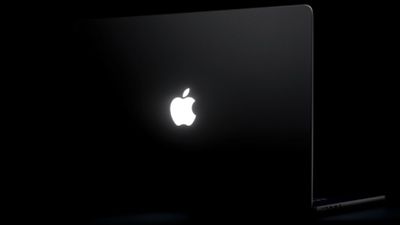
A new "Backglow" app created by designer Juan Buis lets you customize the illuminated Apple logo on the lid of the new MacBook Pro models.
The free version of the app allows you to manually adjust the brightness level of the Apple logo, independent of the MacBook Pro's display brightness level. You can also turn it off entirely with a single click, rather than having to use Terminal.
Another free option is a "Breathe" mode that makes the logo's light gently pulse similarly to the sleep indicator light on older MacBooks.
A one-time payment unlocks the Pro version of the app: $9 for a limited time or $15 later. This gives you two additional modes: "Music" mode makes the logo's light move to the beat of the music you play on your Mac, while "Agents" mode makes the light pulse while Claude Code is working and blinks when your attention is needed.
here's what it can do:
- manually set logo brightness (apple doesn't let you) - breathe slowly, like the old mac sleep light - pulse to your music - blink when claude needs you - turn the logo light off with one click
try it here: https://t.co/WZTWMq5yAf https://t.co/FI0o9ayKBZ
— juan (@juanbuis) November 6, 2026
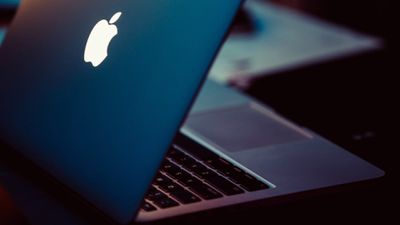
Apple began phasing out the glowing logo on MacBooks in 2015, but it brought back the feature with the new 14-inch and 16-inch MacBook Pro models with PROLED XDR displays released on Friday. On older MacBooks, the logo was illuminated by the display's backlight, but OLED displays do not have a backlight, so a new method was required.
Daring Fireball's John Gruber was told that Apple engineered a "custom light source just to enable the logo to glow once again, without adding any additional thickness to the lid." Why? "Because it's awesome," he heard an Apple representative say.
By default, Apple says the logo is illuminated whenever the Mac is awake. It automatically brightens or dims based on the screen's brightness level and your environment's lighting conditions detected by the computer's ambient light sensor.
Buis said the logo is lit by a white LED that does not change colors.
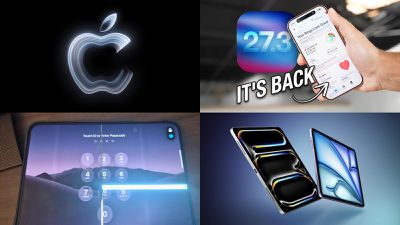
Apple is still rocking and rolling a week into November, with five new products having launched this week and two more still on tap for next week.
Things are also moving forward on the software side with Apple releasing the first betas of iOS 27.3 and related updates, bringing a number of tweaks and new features. We're also looking ahead to new products coming in the first half of 2027, so read on below for all of the details on these stories and more!
Apple this week started testing iOS 27.3, the biggest update to iOS 27 since it launched in September. iOS 27.3 includes some features Apple showed off earlier this year, and it adds all-new capabilities.
Among the changes in the update are Safari tweaks with a new Vertical Tabs layout option plus an Adaptive Dark Mode feature for websites that don't offer their own dark mode option, Siri AI improvements, an expansion of new iPhone Duo StandBy features to other iPhone models, and more.
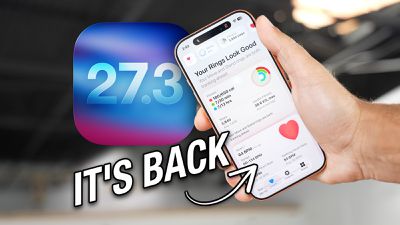
The revamped Health app that was in the 27.2 beta for testing but removed prior to the public release has returned in 27.3 and will be seeing a public launch before the end of the year.
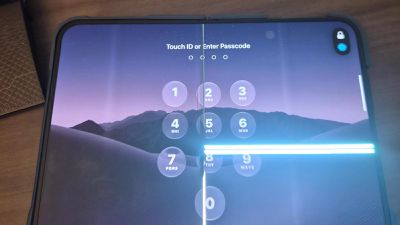
Apple Alerts Stores to iPhone Duo's Display Cracking Issue
If a customer reports the issue, Apple advised technicians to inspect the iPhone Duo and repair or replace it in accordance with their standard procedures. While the instructions themselves are straightforward, the fact that Apple issued an internal memo suggests the issue is widespread enough to warrant official guidance.
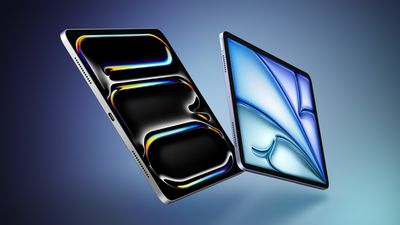
Three New iPads Rumored to Launch in First Half of 2027
The revamped iPad mini launching this week is one piece of Apple's tablet lineup, and Bloomberg's Mark Gurman says the rest of the lineup should be receiving updates in the first half of next year. The iPad Air will reportedly be getting an upgrade to OLED displays, while iPad Pro and base iPad updates should be more modest.
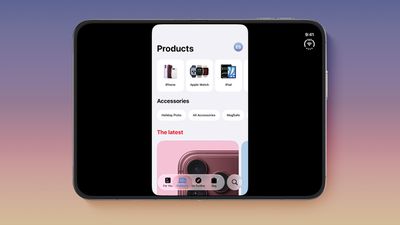
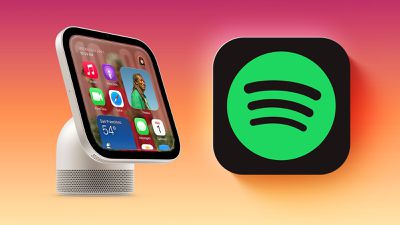
App developer Steve Troughton-Smith over the weekend shared a tour of the software on Apple's upcoming HomeView smart home hub. Apple has already demoed the HomeView to selected tech reporters and content creators, but Troughton-Smith offered a closer look at several features, interfaces, and apps.
CarPlay-enabled audio and video apps from third-party developers will also be supported on HomeView, and Troughton-Smith shared a look at what Spotify will look like on the HomeView as well.
We've known for quite some time that HomeView was ready to be released for quite some time while Apple waited for Siri AI to be launched as the primary interaction mechanism for it. That certainly appears to be the case as it seems the units will initially ship with six-month-old software version 26.5 and will have to be updated to HomeView software version 27.2 during setup.
Apple's Flash Storage Suppliers Are Finally 'Getting Their Revenge'
As the iPhone took off, Apple became the world's largest buyer of flash storage, and naturally that gave the company a lot of leverage in negotiations. The report goes into detail about some of the hardball tactics that were employed by Apple and its former head of procurement, Tony Blevins.
Flash suppliers now have the upper hand, however, and high demand for their chips has resulted in shortages that are expected to persist through 2030 with high prices continuing as a result.
MacRumors Newsletter
Each week, we publish an email newsletter like this highlighting the top Apple stories, making it a great way to get a bite-sized recap of the week hitting all of the major topics we've covered and tying together related stories for a big-picture view.
When the iPhone Duo launched, we shared a list of some of the fun apps developers created for the new form factor. Two weeks out, developers are continuing to come up with fresh ideas, so we thought we'd share some of our favorites.
Marbles Unhinged ($2.99) - Marbles Unhinged is a marble maze designed for the Duo. When you fold it, the floor turns into a ramp. If you stand the top half up, you can bank a marble off of it. When you snap the hinge, the marble launches up.
Midnight Fridge ($2.99) - Midnight Fridge turns the iPhone Duo into a tiny refrigerator. It's a memory game where the idea is to look at the magnets on the fridge and then find the items inside.
Greens: Mini Golf ($2.99) - Greens is a mini-golf app made for the iPhone Duo, and it's playable in any orientation. When folded like a laptop, you can putt on the half on the table, with the upright half serving as a caddie camera.
Chirpfold (Free) - Chirpfold is a Flappy Bird-style app where you fold the phone to cause your bird to flap its wings.
Valley Run ($0.99) - Valley Run is a neon-themed racing game where you fold the iPhone Duo to direct a marble down a series of challenging tracks.
PianoFold ($4.99) - PianoFold is a rhythm game you can play with the iPhone Duo positioned like a laptop. Press and hold on the keys to match the song that's playing. It's free to download, but the full unlock is $4.99.
Load Bearing ($5.00) - Load Bearing is a roguelite Tetris-style game that's meant to be played with the Duo half open. The controls are on the bottom, and the blocks fall at the top. It also has deck building elements, so you can put together a set of your preferred block pieces to beat each level.
Who's at the Door? (Free) - Who's at the Door? is an app that turns your iPhone Duo into a door. Open it up to see who is on the other side, and if it's something scary, make sure to slam the Duo shut quickly before it gets you.
Fold Match ($2.99) - Fold Match is a game where you're given a shape on one side of the Duo and a blank spot where the shape needs to go on the other side. The idea is to position the shape to get to that empty space, but you won't know how close you were until you close the iPhone.
Battlefleet Duo (Free) - Battlefleet Duo takes advantage of the Duo's design for a Battleship-style game. In laptop mode, you can see your fleet on the lower screen and the enemy's waters in front of you.
Simple But Clever
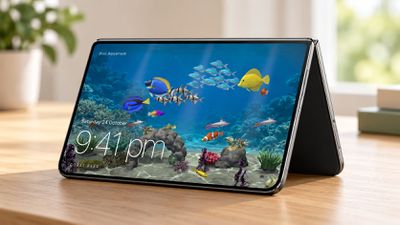
Duo Aquarium ($1.00) - As the name suggests, this app turns your iPhone Duo into an aquarium. When in tent mode, it serves as a virtual fish tank and clock. You can choose your fish and your add-ins, then feed them.
AltoPaint ($5.99) - AltoPaint is an app that turns the iPhone Duo into a tiny canvas with a paint palette. There are watercolor, oil, and gouache paints with mixable colors.
Post Club ($4.99) - Post Club is a cute app where you can pick a typewriter, fold the Duo like a laptop and type up a letter. There are 10 typewriters and 14 paper styles to choose from.
Halfpage ($2.99) - Halfpage is another app that turns the iPhone Duo into a typewriter when it's used in a MacBook-like orientation. The keys are at the bottom, and what you type is at the top. It has a simpler design than Post Club.
Callsign ($1.49+) - Callsign turns your iPhone Duo into a sign that lets people know if you're free or busy on a call. Just set it up, put it in tent mode, and people can know at a glance not to bother you. It's free to download, and there are different visual packs to unlock with one-off $1.49 purchases.
AskZine ($1.99) - AskZine is a Magic 8 Ball-like app where you ask a question, unfold the screen, and see your answer.
Lullabox (Free) - Lullabox turns the iPhone Duo into a music box where you can wind the key, lift the lid, and watch a porcelain ballerina spin while soft music plays. The music gets louder as the iPhone Duo is opened further.
DuoBook (Free) - DuoBook turns the iPhone Duo into a tiny Mac with a keyboard and trackpad that work like the Mac equivalent. You can also use it to send photos and files to the Mac.
Special Duo Features
Wakeout ($59.99/year) - Fitness app Wakeout was Apple's App of the Year back in 2020. It offers up workout games you can do in just minutes a day. You can put your Duo in tent or laptop mode to follow along with workout moves, playing games with your body.
Faro (Free) - Faro is an app that helps you find movies to watch so you don't waste time browsing through Netflix without ever making a choice. On iPhone Duo, you can see two films side by side to choose between them, or see your list of picks on one half of the display with details on each movie on the other half.
CalibReader (Free) - CalibReader is an EPUB and PDF reader that turns the iPhone Duo into a book. The outer screen shows the title's cover, and when you open it, there's a two-page spread with page-turning animations.
Retrocade (Apple Arcade) - Retrocade turns the iPhone Duo into a mini arcade machine and works on the Duo in multiple fold positions.
Blankie (Free) - Soundscape app Blankie has a dual view with Now Playing on one side and Sound Mixer on the other. When folded in tent mode, it shows a view of what's playing.
IncrediBooth (Free) - IncrediBooth turns the iPhone Duo into a little photo booth. Press the red button to capture an image, and your photo strip appears on the outer display. It's free to download, with five strips available per day.
VNTG (Free) - VNTG is an instant camera app where you close the iPhone Duo to take a shot and then open it up to develop it. It's free to download, with in-app purchases to unlock camera lenses.
Flipcorder ($4.99) - Flipcorder is a video recording app that turns the iPhone Duo into a retro camcorder. It's designed to be used for daily video diaries, and each tape is displayed on a shelf in the app. To film, just unfold the Duo. Recordings have classic VHS-style effects.
Less Fun, More Serious
Widen ($3.99) - Widen is another extension that expands Safari to take up the width of the outer display. It also hides cookie banners and works in Split View. There are multiple settings, so you can set just pictures to take up the full screen, or opt to have pictures and text expand.
SPAN (Free) - SPAN is an app that turns the iPhone Duo into a project tracker and timer. It has different views for each iPhone Duo orientation. SPAN is free to use for the current week, with a $4.99/month pro subscription available for unlimited projects and full monthly and yearly reports.
BrainDrain (Free) - BrainDrain is a 60-second brain dump app that helps you sort your thoughts. On the iPhone Duo, different Duo orientations have different purposes. You can use it like a laptop in a half fold, type thoughts with the Duo closed, or put it in tent mode to use voice capture.
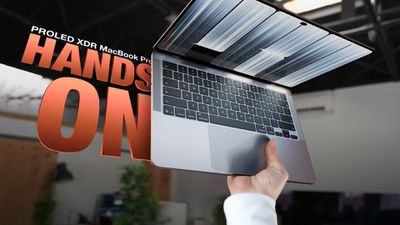
Happy touch your Mac day! Apple's new PROLED MacBook Pro is now in the hands of customers. We picked up one of the new machines to get our greasy fingerprints all over that pristine OLED display.
It's been five years since Apple last redesigned the MacBook Pro, so it was due for an update. The PROLED MacBook Pro looks a lot like the mini-LED model, but it's thinner and lighter. The 14-inch model is about half a millimeter thinner and weighs just over three pounds, while the 16-inch model is almost a millimeter thinner and weighs four pounds. Apple shaved off about half a pound for the 14-inch model and 0.7 pounds for the 16-inch model, and while that doesn't sound like much, it makes a big difference. You can feel how much lighter it is the second you take it out of the box. Apple brought back the glowing logo for the PROLED MacBook Pro, so everyone around you will know you have the fancy new OLED model.
The OLED display is the major new feature, and it looks as good as you would expect from a display in a laptop starting at $2,899. Blacks are true black, and since each pixel lights up individually, there's none of the bloom you get with mini-LED when viewing bright objects on a dark background. The PROLED MacBook Pro can get super bright too, and that brightness paired with the deep blacks, HDR content looks great. OLED sometimes isn't bright enough outdoors, but that's not the case here.
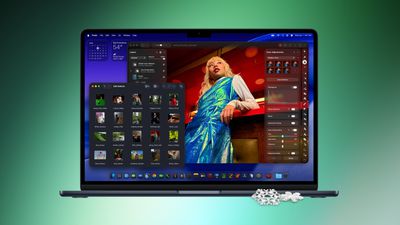
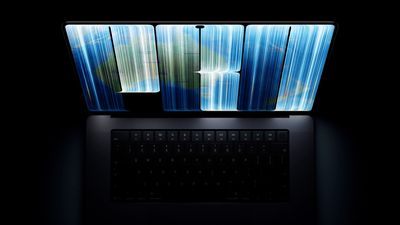
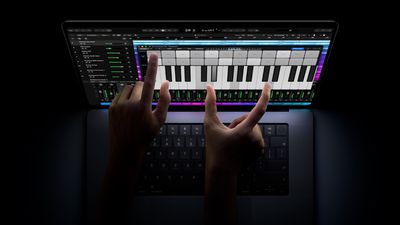
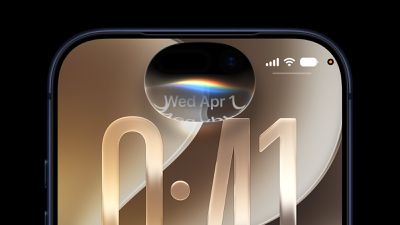
The display bezels are thinner, and the 16-inch machine is actually 16.3 inches instead of 16.2. There's also an iPhone-like Dynamic Island that replaces the notch and houses Siri AI, Live Activities, and more. The Dynamic Island makes sense because you can now touch the MacBook Pro's display. It works like touching an iPhone or iPad, so you can swipe through webpages, tap buttons, drag and drop, and pinch to zoom.
Touch isn't meant to replace the trackpad and keyboard, but it's there if you want it. Apple made some tweaks to macOS, so menu options expand a little more when you touch them than when you click them, and tiny window resizing buttons get larger. Apple put a sturdier hinge in the PROLED MacBook Pro so the display won't move as much when you tap it, but it's not perfect. It does still jiggle depending on where you tap.
The touch feature is fine, but it's probably not a reason to go out and get the PROLED MacBook Pro. It has the potential to be useful in some situations, but it's not going to dramatically change the way most people use a laptop.
New chips weren't ready in time for the PROLED machines, so they use the same M5 Pro and M5 Max as the mini-LED models. That's a disappointment in a laptop that starts at almost $3,000. Since Apple is still selling the mini-LED models, you're basically paying a $400 premium for the higher-end OLED display, the thinner and lighter design, and the touch functionality.
The better display and the lighter weight are going to be worth the price for some people, and the touch is just a bonus.
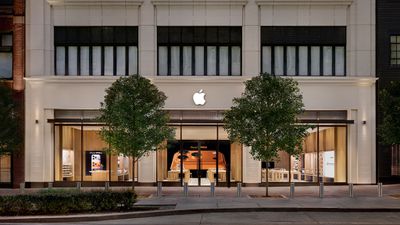
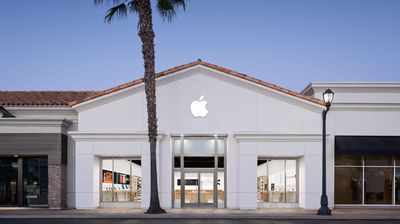
Apple today announced that its retail store at The Forum in Carlsbad, California will be reopening in its original location on Friday, November 20 at 10 a.m. local time, following more than a year of renovations. Additions will likely include a Genius Bar with accessible seating and a dedicated Apple Pickup area for online orders.
Apple's temporary store in Carlsbad
Apple's temporary store at The Forum will be permanently closed, with the company set to return to its original 2008 unit at the shopping plaza.
Carlsbad is a coastal beach city in the North County area of San Diego County.
Once a common sight in lecture theaters and coffee shops everywhere, the glowing emblem of an Apple logo featured on the lids of many Mac laptops launched in the early 2000s. In a nice touch, the new 14-inch and 16-inch MacBook Pro models with PROLED XDR displays bring back the much-loved logo. It's lit up whenever the Mac is awake, and it automatically dims or brightens based on your screen's brightness level and the ambient light in the room.
If you'd rather keep the logo dark, Apple has shared a way to turn it off. Unusually though, there's no switch in System Settings. Instead, you need to enter a command in the Terminal app. If that sounds intimidating, don't worry – it's a single line that you can copy and paste. Note that the following command only works on MacBook Pro models with a PROLED XDR display.
Open Terminal on your Mac: it's in the Applications ➝ Utilities folder, or you can search for "Terminal" using Spotlight (Command + Space).
Type or paste the following command, then press Enter:
When prompted, enter your administrator password and press Enter. (Terminal doesn't show the password as you type it.)
After performing the steps, the logo illumination should turn off immediately, no restart required. The change applies to all macOS user accounts on the machine, and it will carry over even if you start up from macOS Recovery. If you later migrate to a new Mac, the setting even transfers across with the rest of your system.
Relight the Apple Logo
Reinstalling macOS turns the illumination back on, but you can also turn it back on yourself at any time by entering the following command in Terminal:
The first Mac laptop with a lit-up Apple logo was the third-generation PowerBook G3 launched in 1999. The glowing symbol proved a mainstay through consecutive Apple notebooks for the next 16 years. The only change in that period was that the logo got flipped upright, so that it no longer appeared upside-down to onlookers when someone was sat in public with the lid open.
According to former Apple employee Joe Moreno, the original orientation was deliberate: Apple's design group had found that users kept trying to open their laptops from the wrong end. "Steve Jobs always focused on providing the best possible user experience and believed that it was more important to satisfy the user than the onlooker," Moreno recalled.
Ironically, Jobs later reversed the decision.
"Opening a laptop from the wrong end is a self-correcting problem that only lasts a few seconds," said Moreno. "However, viewing the upside logo is a problem that lasts indefinitely."
The earlier orientation, seen in Sex and the City (Image: HBO/Everett/Rex Features)
In 2015, Apple began nixing the illuminated insignia from its laptops, starting with the ultra-thin 12-inch MacBook, which had a polished metal logo instead, like iPads before it. In 2016, a new generation of MacBook Pro models continued the unlit trend. Apple hasn't launched a Mac laptop with a glowing logo since – until now.
In the spot, a therapist is listening to a patient drone on when a cheap flight pops up on her iPhone. Her wallet is across the room and she can't get up to grab it, so she opens up the iPhone Wallet app, applies for an Apple Card, and is able to purchase a flight within a couple of minutes.
Apple Card is built into iPhone, and you can apply in as little as a minute. No waiting for a physical credit card, no friction. All it takes is a few taps of your iPhone. You can earn unlimited daily cash back, and use it right away.
It's worth noting that the iPhone also has AutoFill for credit card information so there's often no need for access to a physical card when making web purchases, plus many sites support Apple Pay.
The Apple Card is limited to U.S. iPhone owners, and applying requires a soft credit check. Accepting the Apple Card offer results in a hard credit inquiry. Apple explains how Apple Card applications are approved or denied on its website.
Apple today announced that more than 100,000 apps have been optimized for the iPhone Duo, released two weeks ago. We confirmed that this figure refers to apps built with the iOS 27.1 SDK or later, meaning these apps fill the full width of the iPhone Duo's inner and outer displays and have vertical controls in the status bar.
A statement from Susan Prescott, Apple's Vice President of Worldwide Developer Relations:
It's been wonderful to see how quickly developers have embraced iPhone Duo, and we're grateful for their creativity and innovation. Today there are well over 100,000 apps built for iPhone Duo already live on the App Store, and thousands of optimized apps are being added to the store each day. In the last month alone, thousands of developers have joined us for workshops in 19 cities around the world to experience iPhone Duo firsthand and bring updated apps to their users. The enthusiasm has been incredible, and we're excited to see the pace of updates continue to accelerate as more and more apps optimize for iPhone Duo.
Apple said thousands of apps optimized for the iPhone Duo are being added to the App Store each day, with recent examples including Microsoft's Excel, OneNote, PowerPoint, and Word apps, along with the Etsy, Goodnotes, Halide Mark III, NBA, NHL, and Zoom apps. Other apps optimized for the device include Amazon Prime Video, Fantastical, Flighty, Instagram, MLB, Netflix, SmartGym, WhatsApp, YouTube, and more. There are too many to list.
Apps optimized for the iPhone Duo have a "Made for iPhone Duo" badge in their App Store listings on the device, making them easy to identify.
iOS 27.2 added Apple Pencil (USB-C) support to the iPhone Duo, enabling users to draw in apps like Procreate Pocket, take notes in Apple Notes, Fineliner, and TypeDraw, and mark up documents in apps like Preview on the device.
On the other hand, with millions of apps available in the App Store, there are unsurprisingly many apps that are still not optimized for the iPhone Duo, with the following examples listed in alphabetical order: AMC Theaters, Amazon Fire TV, Apple Store, Best Buy, Bluesky, Delta, DoorDash, Duolingo, Fandango, FedEx, Goodreads, Google Docs, Google Home, Google Sheets, Google Slides, GrubHub, JetBlue, Libby, Microsoft Authenticator, Microsoft Teams, MTA, Nike, PayPal, PictureThis, Ring, Southwest, Spectrum TV, Starbucks, Steam, Uber Eats, UPS, USPS, Venmo, Verizon, Wells Fargo, Whole Foods, and YouTube Music.
Apple said developers can easily optimize their apps for the iPhone Duo. Apps that use standard SwiftUI and UIKit components adapt automatically to each display, with controls moved to the status bar and multi-column support on the inner display. New APIs let developers optimize their apps for the device's various layouts and poses.
Apple has hosted more than 50 in-person iPhone Duo app workshops in 19 cities worldwide, and there are online resources like the Apple Developer Forums.
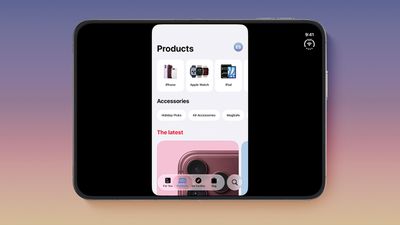
In the meantime, apps built with the iOS 27 SDK resize to fill most of the inner display on the iPhone Duo, but they avoid the status bar on the right edge. Apps built with the iOS 26 SDK or earlier run on the iPhone Duo, but appear in the center of the inner display, with lots of empty black space on the left and right sides of the apps.
iPhone Duo app optimization has been a hotly debated topic on social media platforms, with some people pointing out apps that are not yet optimized and others saying the issue is overblown. It is clearly a mixed bag, with some apps optimized and some not. More apps are being updated by the day, though, so the situation is improving rapidly.
Black Friday deals officially kicked off this week, with early savings on everything from Apple Watch Ultra models to Mac mini, Mac Studio, HomeView pre-orders, and more.
Note: MacRumors is an affiliate partner with some of these vendors. When you click a link and make a purchase, we may receive a small payment, which helps us keep the site running.
The Apple Watch Ultra 4 has dropped to $699.99 on Amazon, down from $799.00. This is a match of the all-time low price on the new Ultra 4, which just launched in September.
Best Buy this week has a big collection of Apple Watch Ultra 3 models for $549.00, down from $799.00. This is a massive $250 discount on the previous-generation device, and it represents a new all-time low price on these models. You can find similar $250 discounts on the Milanese Loop models at Amazon.
B&H Photo introduced its early Black Friday sale this week, with savings on storage accessories, home and portable audio devices, drones, cameras, Apple products, and more.
Mac Mini and Mac Studio
What's the deal? Get record low prices on Mac mini and Mac Studio
Apple's M5 Max Mac Studio with 36GB RAM and a 512GB SSD is still on sale for $2,299.00, down from $2,499.00. Regarding the Mac mini, you can get the 16GB RAM/256GB SSD Mac mini for $779.00, down from $899.00, and the 16GB RAM/512GB SSD model for $949.00, down from $1,099.00.
If you're on the hunt for more discounts, be sure to visit our Apple Deals roundup where we recap the best Apple-related bargains of the past week.
Deals Newsletter
Interested in hearing more about the best deals you can find during the holidays? You can sign up for our Deals Newsletter and we'll keep you updated so you don't miss the biggest deals of the season!
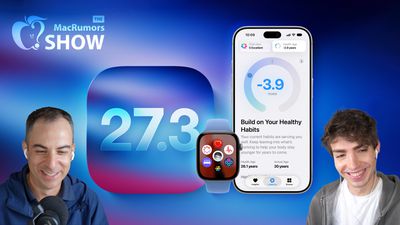
Apple's first 27.3 betas bring expanded Siri AI actions, a redesigned Health app, and new Fitness+ features, alongside conversation summaries on the Apple Watch. This week's episode of The MacRumors Show takes a closer look at the updates.
Siri AI gains additional actions across Apple's apps, including unsubscribing from mailing lists, organizing files, and managing Safari tabs. In Weather, Siri can add saved locations and toggle severe weather or next-hour precipitation notifications. The additions extend the assistant's usefulness for everyday tasks, although the full range of supported requests can still be difficult to discover.
A new developer preview also enables more flexible third-party integrations. Developers can supply custom actions and skills that help Siri coordinate multiple steps, improving its handling of more complicated requests. App Store submissions for these integrations are scheduled to open in the spring.
Safari adds vertical tabs and Adaptive Dark Mode, allowing websites without their own dark appearance to adopt one automatically. The iPhone Duo also gains horizontal Reachability and a revised keyboard, making its wider outer display easier to operate with one hand.
Apple Fitness+ gains Gym Strength, which creates personalized four-week plans based on available equipment and workout preferences. Short videos from Fitness+ trainers demonstrate proper form, extending the service beyond workouts that require following an entire video session. The initial beta's equipment selection and scheduling options nevertheless leave room for improvement, particularly for users whose routines vary from week to week.
The redesigned Health app returns with Insights and Longevity sections, turning collected measurements into more accessible guidance and longer-term health assessments. iPhone Duo-style StandBy mode displays bring more customizable clocks, Calendar views, and Weather information to additional iPhones. Apple Music also gains enhanced transitions, concert recommendations, and Selfie Sing karaoke videos.
On the Apple Watch, Live Rewind and Siri Recap introduce new ways to recover and summarize spoken information. Live Rewind provides a transcription of the preceding 15 seconds, while Siri Recap creates detailed conversation summaries that can be useful for meeting notes. Time- and location-based scheduling provides more control over when Siri Recap operates.
The MacRumors Show is on X @MacRumorsShow, so be sure to give us a follow to keep up with the podcast. You can also email us at podcast@macrumors.com or head over to The MacRumors Show forum thread. Remember to rate and review the podcast, and let us know what subjects and guests you would like to see in the future.














 Apple's temporary store in Carlsbad


 Note: MacRumors is an affiliate partner with some of these vendors. When you click a link and make a purchase, we may receive a small payment, which helps us keep the site running.