

This tutorial explains how to force restart Apple's iPhone 6s and earlier models, and how to activate Device Firmware Upgrade (DFU) mode to troubleshoot your device if needed.
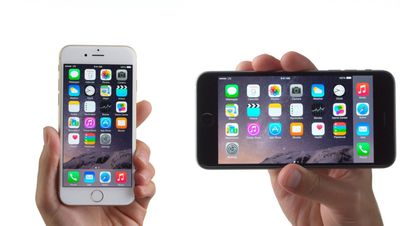
A hard reset basically force-reboots your iPhone, which is useful if the device is freezing, throwing up errors, or has stopped responding completely. DFU mode, on the other hand, restores an iPhone if a reset or standard Recovery Mode doesn't solve the problem you're experiencing.
DFU mode lets the device interface with iTunes, update the firmware and restore the OS without automatically installing the last downloaded version. It's useful for installing older versions of iOS if a beta malfunctions, or if a jailbreak goes bad.
How to Hard Reset iPhone 6s and Earlier Models
- Press and hold down the iPhone's Sleep/Wake button on the right side of the handset.
- With the Sleep/Wake button still held down, press and hold the Home button on the front of the handset.
- Continue to hold both buttons while the display remains blank, until it comes back on with the Apple logo showing.
How to Activate DFU Mode on iPhone 6s and Earlier
- Turn off your iPhone and connect it to a computer using a Lightning to USB cable, and ensure iTunes is running.
- Press and hold down the Sleep/Wake button on the handset for three seconds.
- With the Sleep/Wake button still held down, press and hold the Home button, and keep holding both for 10 seconds. The screen should remain blank throughout, so if you see the Apple logo displayed, you've held the buttons for too long and will need to restart the process.
- Release the Sleep/Wake button, but keep holding the Home button for about 5 seconds. Again, if your phone displays the "Plug into iTunes" screen, you've held down too long and need to restart.
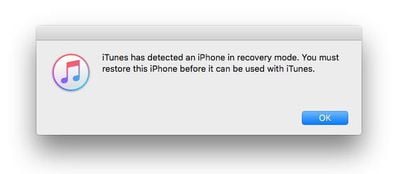
- If you performed the previous steps correctly and your phone's screen remained blank, a dialog prompt should appear on your computer saying "iTunes has detected an iPhone in recovery mode. You must restore this iPhone before it can be used with iTunes."

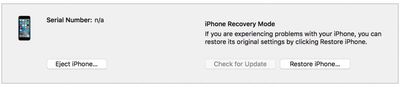
iTunes' iPhone device screen should show the phone as being in iPhone Recovery Mode, with the message: "If you are experiencing problems with your iPhone, you can restore its original settings by clicking Restore iPhone."
To exit DFU mode, simply hold both the Home button and the Sleep/Wake button until the Apple logo is displayed on your iPhone's screen.



















